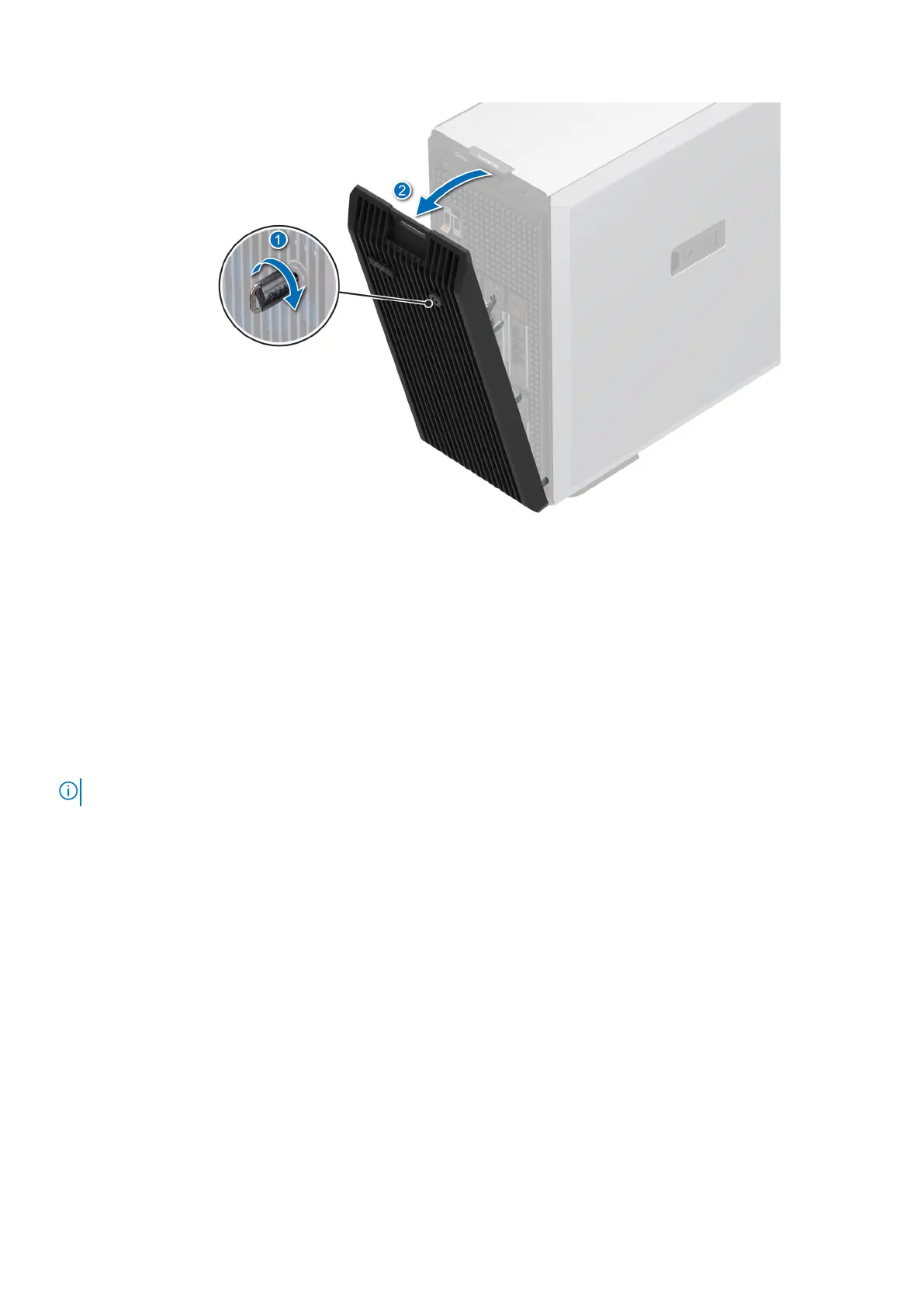
Figure 12. Removing the front bezel
Next steps
Installing the front bezel.
Installing the front bezel
Prerequisites
1. Follow the safety guidelines listed in the Safety instructions.
2. Locate and remove the bezel key.
NOTE: The bezel key is part of the security bezel package.
Steps
1. Align and insert the tabs on the bezel into the slots on the system.
2. Push the bezel toward the system until it locks into place.
3. Lock the bezel.
54
Installing and removing system components







 To Next Page