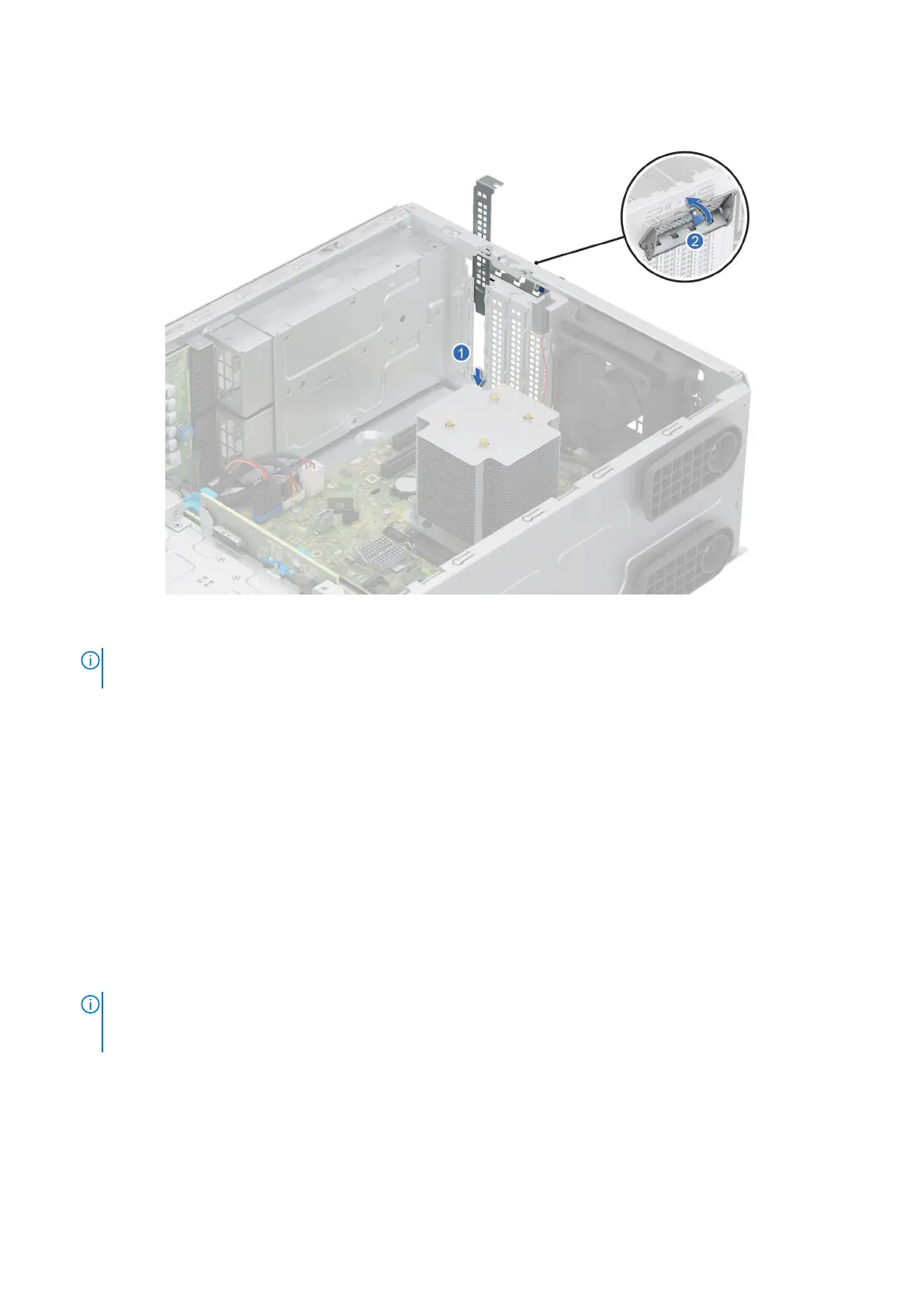
3. If the expansion card is not going to be replaced, install metal filler.
4. Tilt the metal bracket and tighten the captive screw.
Figure 59. Installing the metal filler
NOTE:
Filler brackets must be installed in empty expansion-card slots to maintain FCC certification of the system. The
brackets also keep dust and dirt out of the system and aid in proper cooling and airflow inside the system.
Next steps
Replace an expansion card.
Installing an expansion card
Prerequisites
1. Follow the safety guidelines listed in Safety instructions.
2. Follow the procedure listed in Before working inside your system.
3. If required, remove the air shroud.
Steps
1. Loosen the captive screw and tilt the metal bracket that holds the metal filler.
NOTE:
Store this bracket for future use. Filler brackets must be installed in empty expansion-card slots to maintain FCC
certification of the system. The brackets also keep dust and dirt out of the system and aid in proper cooling and airflow
inside the system.
2. Lift the metal filler out of the system.
96
Installing and removing system components














 To Next Page