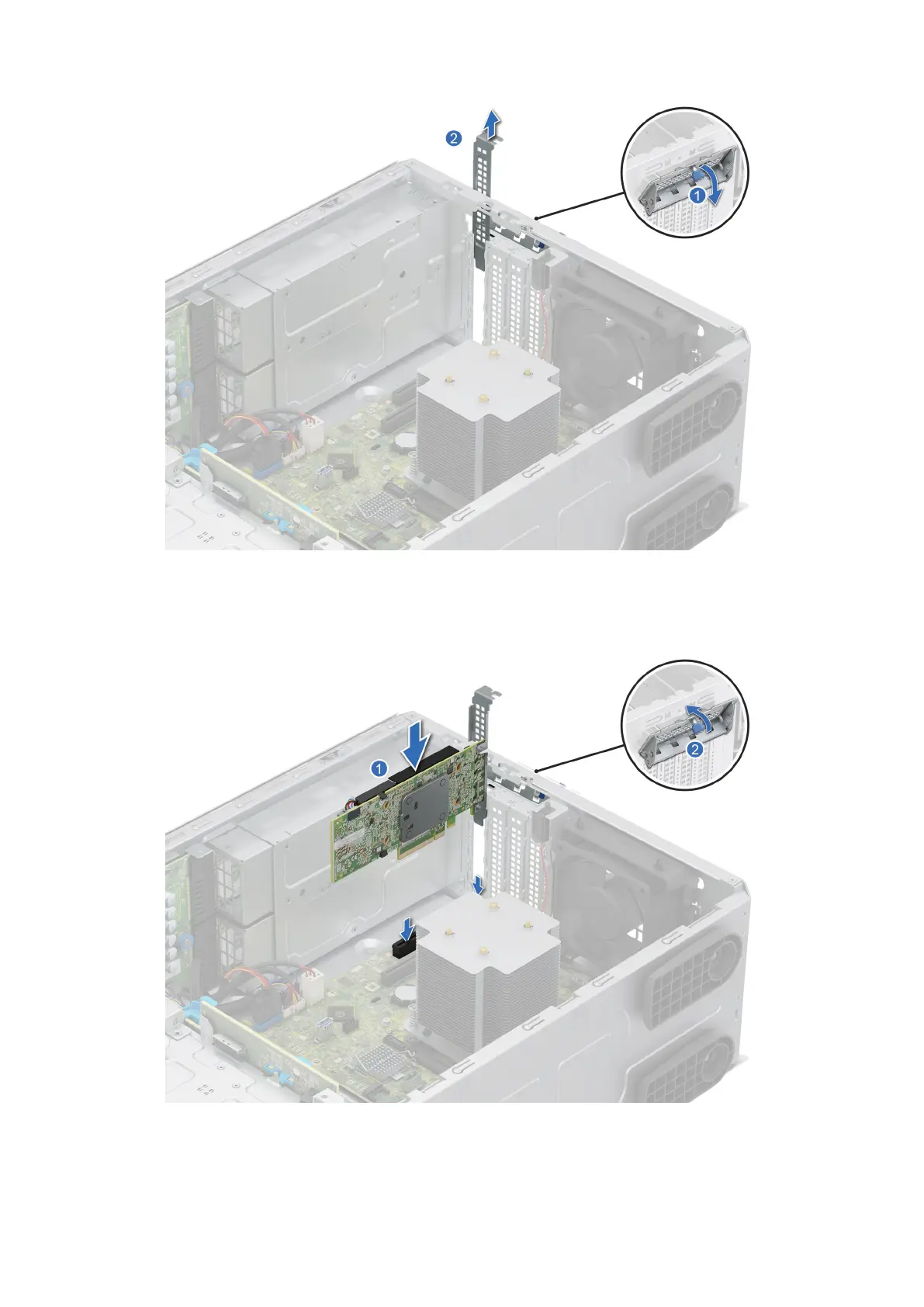
Figure 60. Removing the metal filler
3. Holding the card by the edges, align the card with the expansion card slot on the system board.
4. Insert the card firmly into the expansion card slot until the card is firmly seated.
Figure 61. Installing an expansion card
5. Tilt the metal bracket and tighten the captive screw.
Installing and removing system components
97














 To Next Page