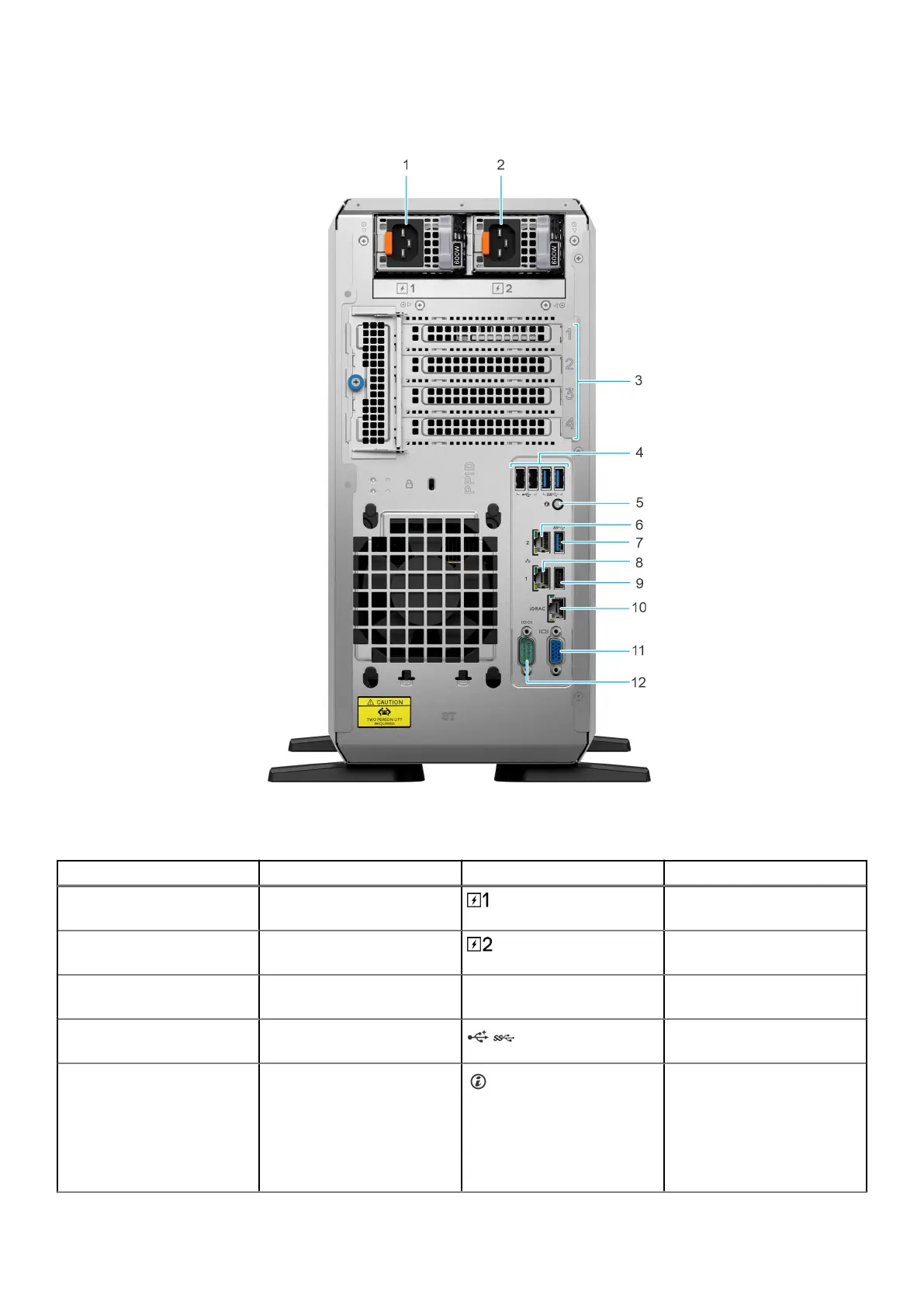
Rear view of the system
Figure 3. Rear view of the system
Table 3.
Features available at the rear of the system
Item Ports, panels, or slots Icon Description
1 Power supply unit (PSU 1) PSU1 is the primary PSU of
the system.
2 Power supply unit (PSU 2) PSU2 is the secondary PSU of
the system.
3 PCIe expansion card slots (4) N/A Enables you to connect PCI
express expansion cards.
4 2 x USB 2.0 + 2 x USB 3.2
ports
Supports USB 2.0 and USB
3.2 compliant devices.
5 System Identification (ID)
button
The System Identification (ID)
button is available at the
rear of the system. Press the
button to identify a system
by turning on the system ID
button. You can also use the
system ID button to reset
Dell PowerEdge T360 system overview 13














 To Next Page