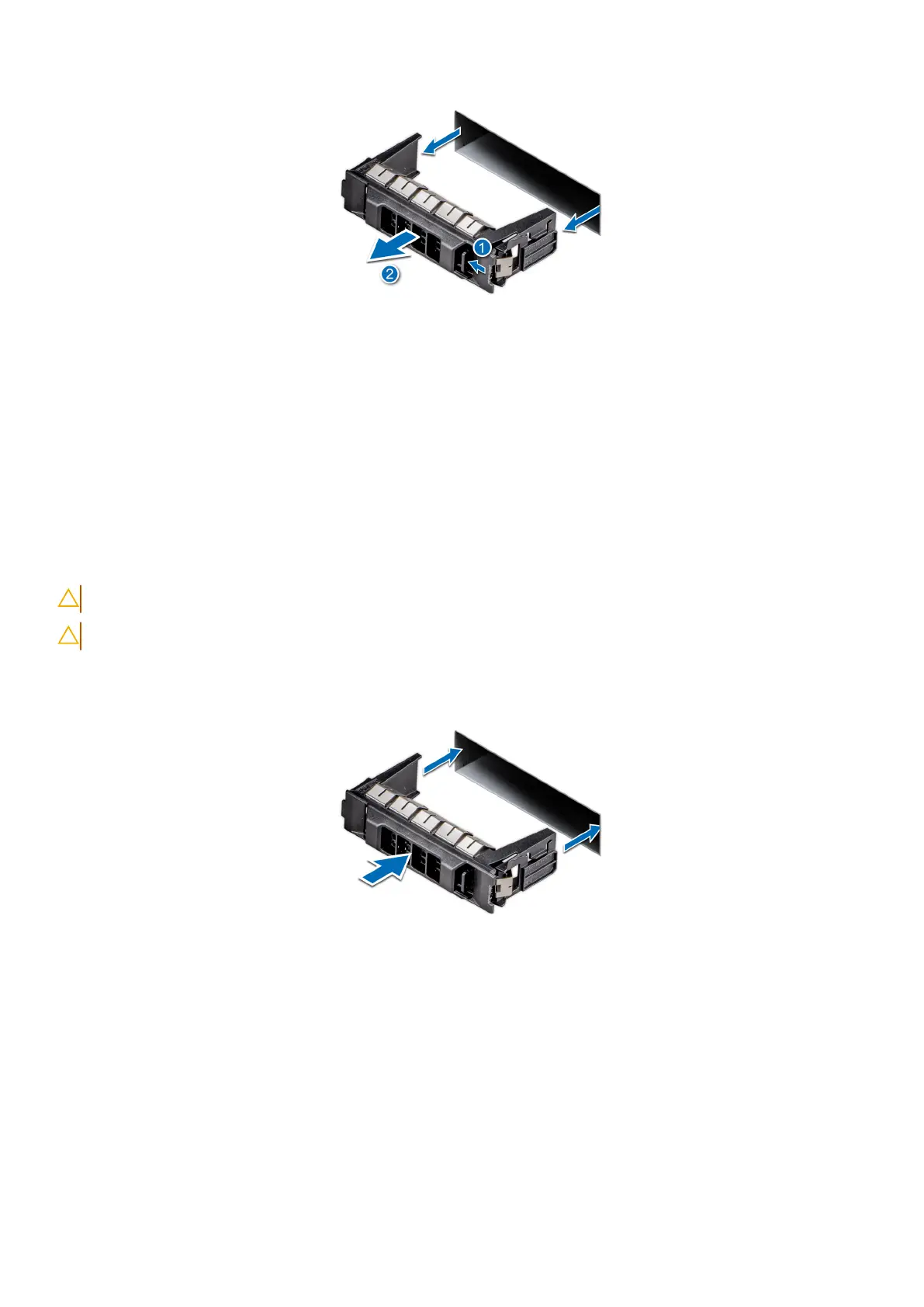
Figure 24. Removing a drive blank
Next steps
1. Install the drive or replace the drive blank.
Installing a drive blank
Prerequisites
1. Follow the safety guidelines listed in Safety instructions.
2. Follow the procedure in Before working inside your system.
3. Remove the front bezel.
CAUTION: To maintain proper system cooling, drive blanks must be installed in all empty drive slots.
CAUTION: Mixing drive blanks from previous generations of PowerEdge servers is not supported.
Steps
Slide the drive blank into the drive slot until the release button clicks into place.
Figure 25. Installing a drive blank
Next steps
1. Replace the front bezel.
2. Follow the procedure listed in After working inside your system.
Removing a drive carrier
Prerequisites
1. Follow the safety guidelines listed in Safety instructions.
66
Installing and removing system components














 To Next Page