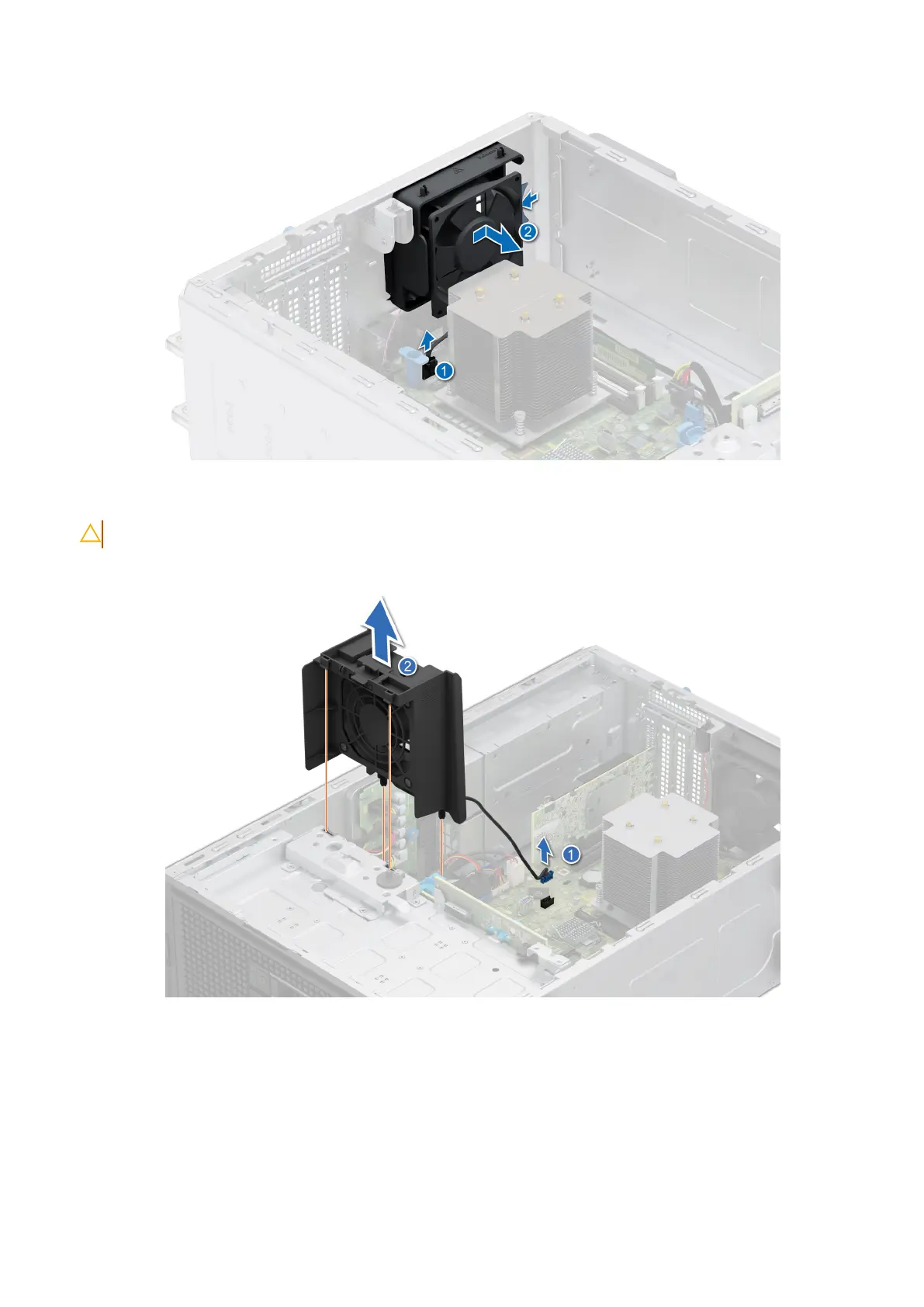
Figure 42. Removing the cooling fan
CAUTION: Do not remove or install the fan by holding the fan blades.
Figure 43. Removing the High Performance (HPR) PCI fan
The High Performance (HPR) PCI fan is needed when BOSS N1 or A2 GPU or >25 W PCIe or Broadcom 10G NIC is installed.
Next steps
1. Replace the cooling fan.
82
Installing and removing system components














 To Next Page