Adding and Replacing Parts 239
12
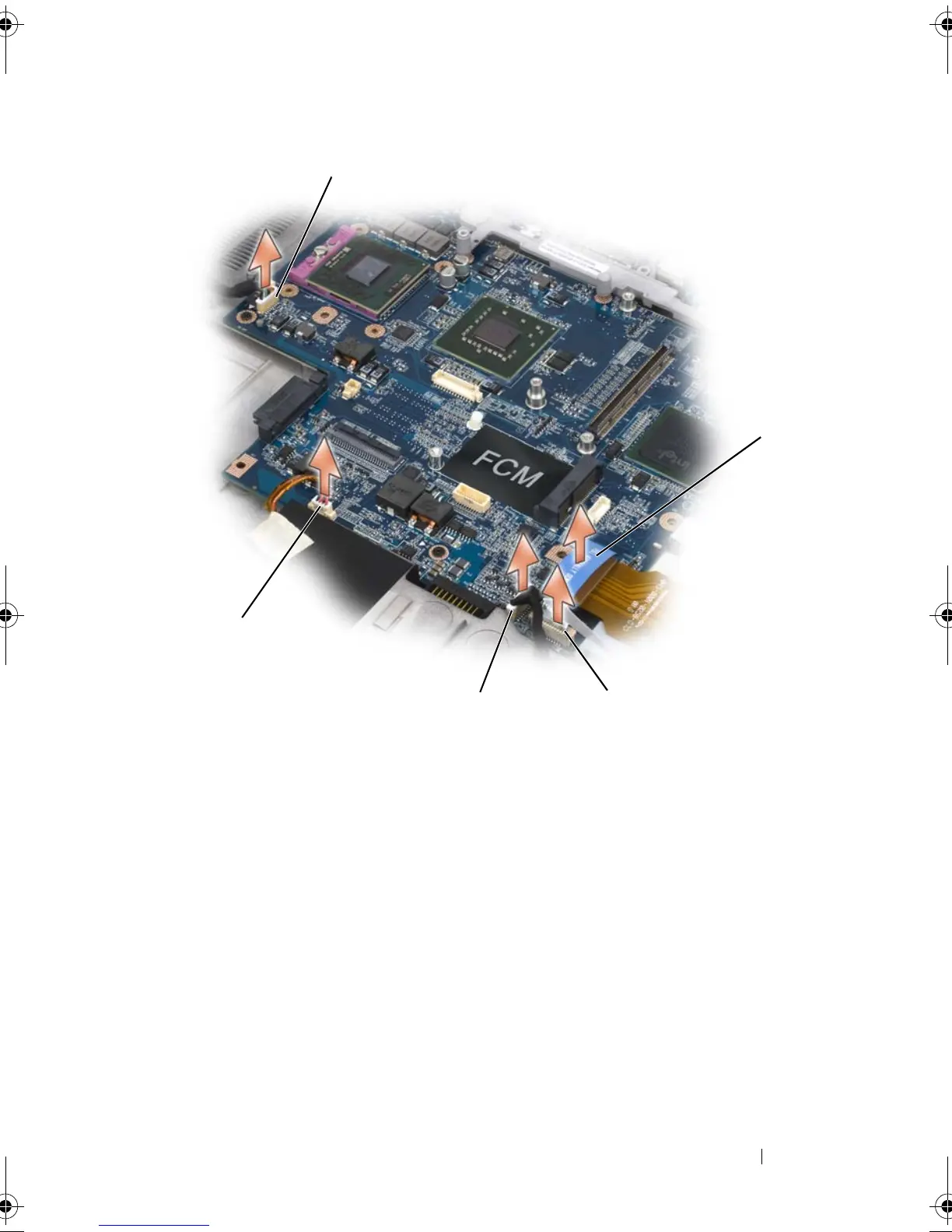
Disconnect the smart-card reader connector from the system board.
13
Disconnect the speaker connector from the system board.
14
Disconnect the connector for the internal card with Bluetooth
®
wireless
technology from the system board.
15
Disconnect the subwoofer connector from the system board.
16
Disconnect the USB-port-board connector from the system board.
17
Disconnect the fan connector(s) from the system board.
1 USB port-board connector 2 ExpressCard connector
3 smart-card reader connector 4 internal card with Bluetooth wireless
technology connector
5 speaker connector
34
5
2
book.book Page 239 Tuesday, August 28, 2007 10:20 AM















 To Next Page