240 Adding and Replacing Parts
18
Remove the video card/thermal-cooling assembly, if present (see
"Removing the Video Card/Thermal-Cooling Assembly" on page 228).
NOTE: Remove the video card/thermal-cooling assembly as a single unit. Do
not separate the thermal-cooling unit (heat sink) from the video card.
19
Remove the processor thermal-cooling assembly (see "Removing the
Processor Thermal-Cooling Assembly" on page 224).
20
Remove the processor (see "Removing the Processor Module" on
page 226).
21
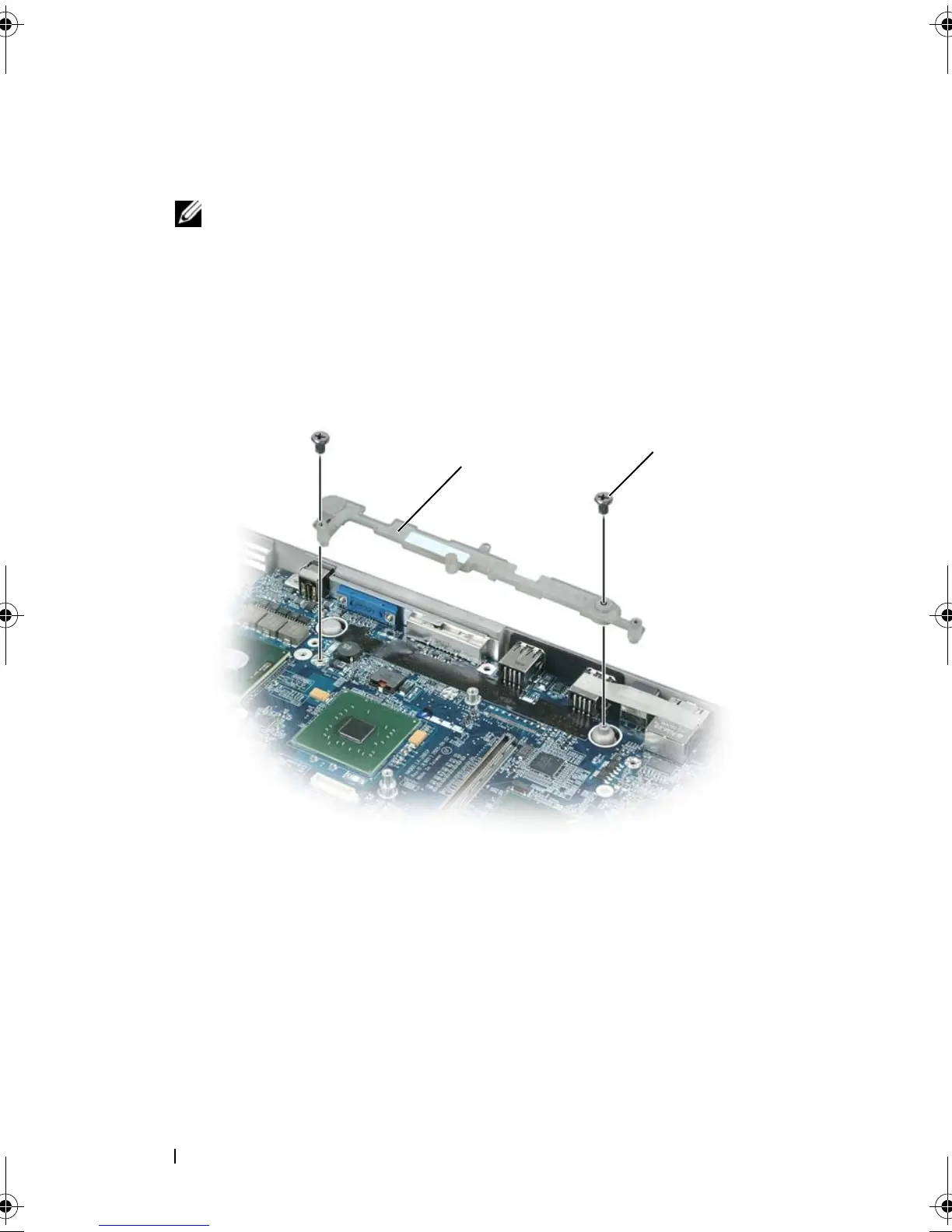
Remove the docking frame:
a
Remove the two docking-frame screws.
b
Lift the docking frame away from the system board.
22
Remove the four M2.5 x 5-mm screws from the system board.
1 docking frame 2 docking frame screws (2)
1
2
book.book Page 240 Tuesday, August 28, 2007 10:20 AM















 To Next Page