Adding and Replacing Parts 241
23
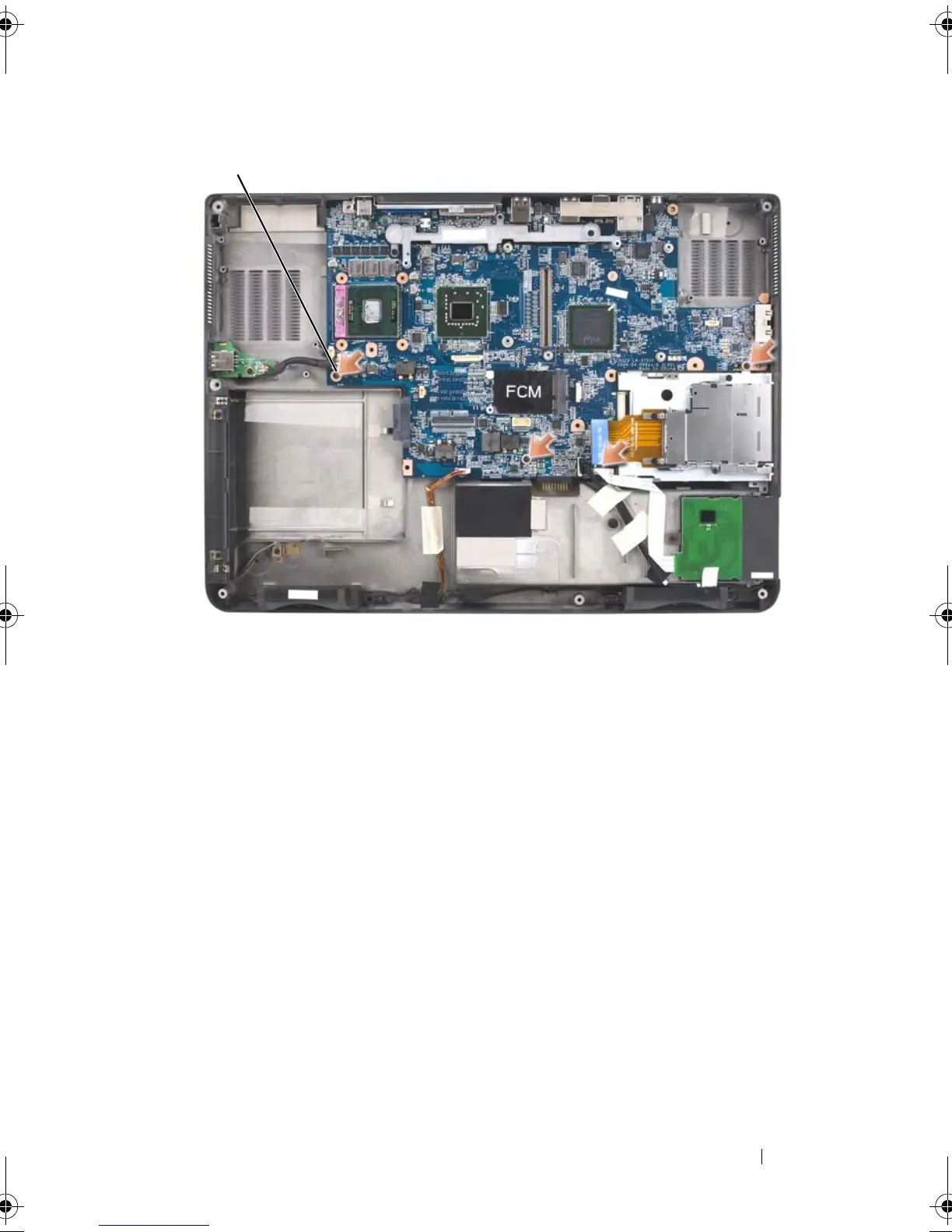
Remove the system board, slowly easing the connectors out of their access
holes on the back and side of the computer base:
a
With the back of the computer facing you, grasp the upper-right
corner of the system board and lift it slightly.
b
Pull the system board assembly away from you toward the front of the
computer and slightly to the right; at the same time, use your left
hand to release the audio connectors by pulling the side of the
computer base slightly to the left.
1 system board M2.5 x 5-mm screws (4)
book.book Page 241 Tuesday, August 28, 2007 10:20 AM















 To Next Page