Dell Printer Configuration Web Tool | 175
receiving time information from the server.
Select this to enable synchronization.
Time Server Address
Set the server name or IP address of the time server.
Time Synchronization Interval
Enter a time interval value to connect to the time server.
SOAP
Port
Select this to enable the SOAP port.
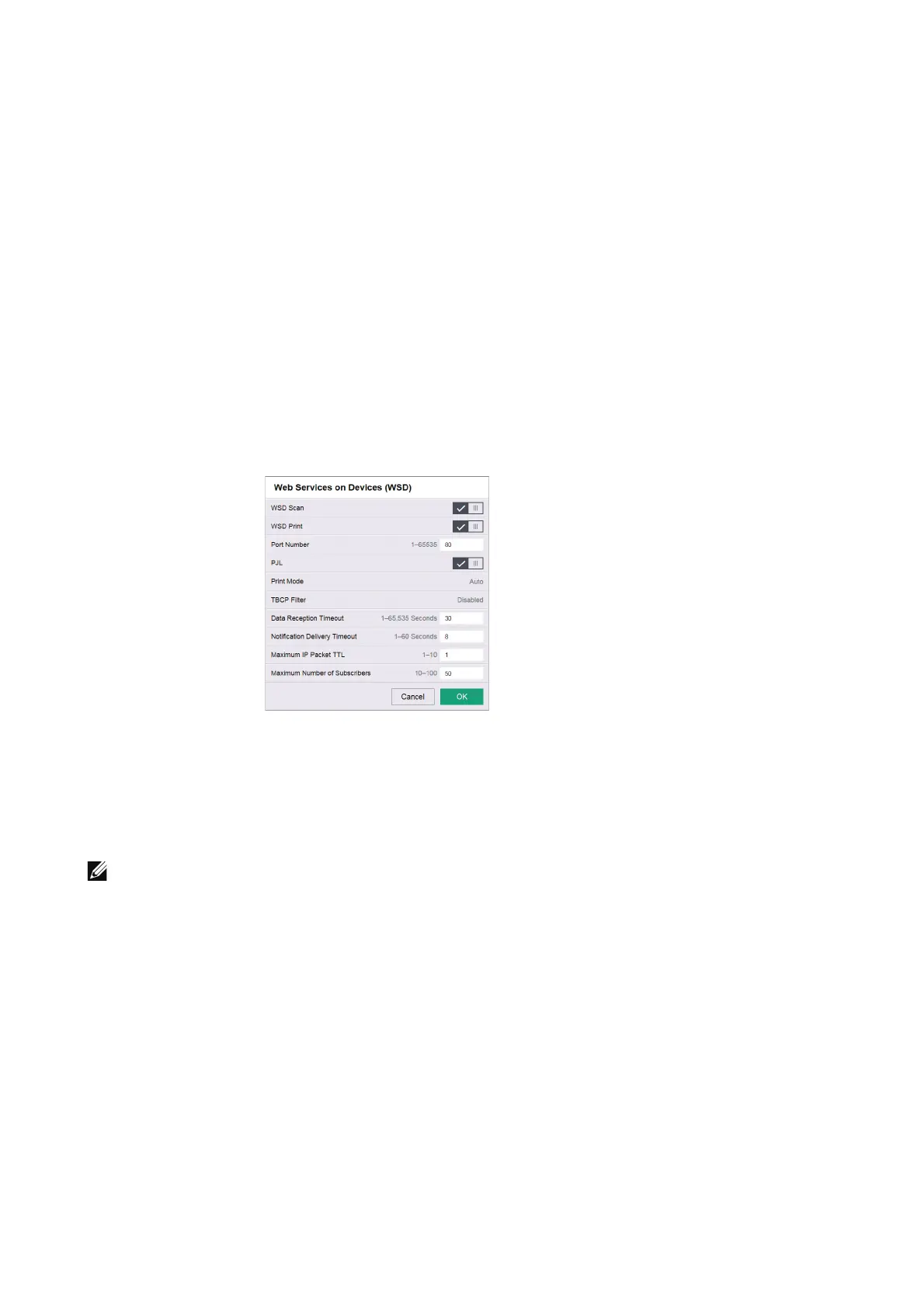
Web Services on Devices (WSD)
WSD Scan
This feature is for Web Services on Devices (WSD) Scan, and is enabled by factory default.
It is recommended that you do not disable this feature. You can search your networks for
your printer from Windows Vista, Windows 7, Windows 8.1, Windows 10, Windows Server
2008 R2, Windows Server 2012 R2, or Windows Server 2016.
• In Windows Server environment, scanning devices are disabled by default.
For more information, visit the official website of Microsoft.
WSD Print
This feature is for Web Services on Devices (WSD) Print, and is enabled by factory default.
It is recommended that you do not disable this feature. You can search your networks for
your printer from Windows Vista, Windows 7, Windows 8.1, Windows 10, Windows Server
2008 R2, Windows Server 2012 R2, or Windows Server 2016.
Port Number
Enter a port number from 1 to 65535.












 To Next Page