30 | Connecting and Setting Up Your Printer
Connecting and Setting Up Your Printer
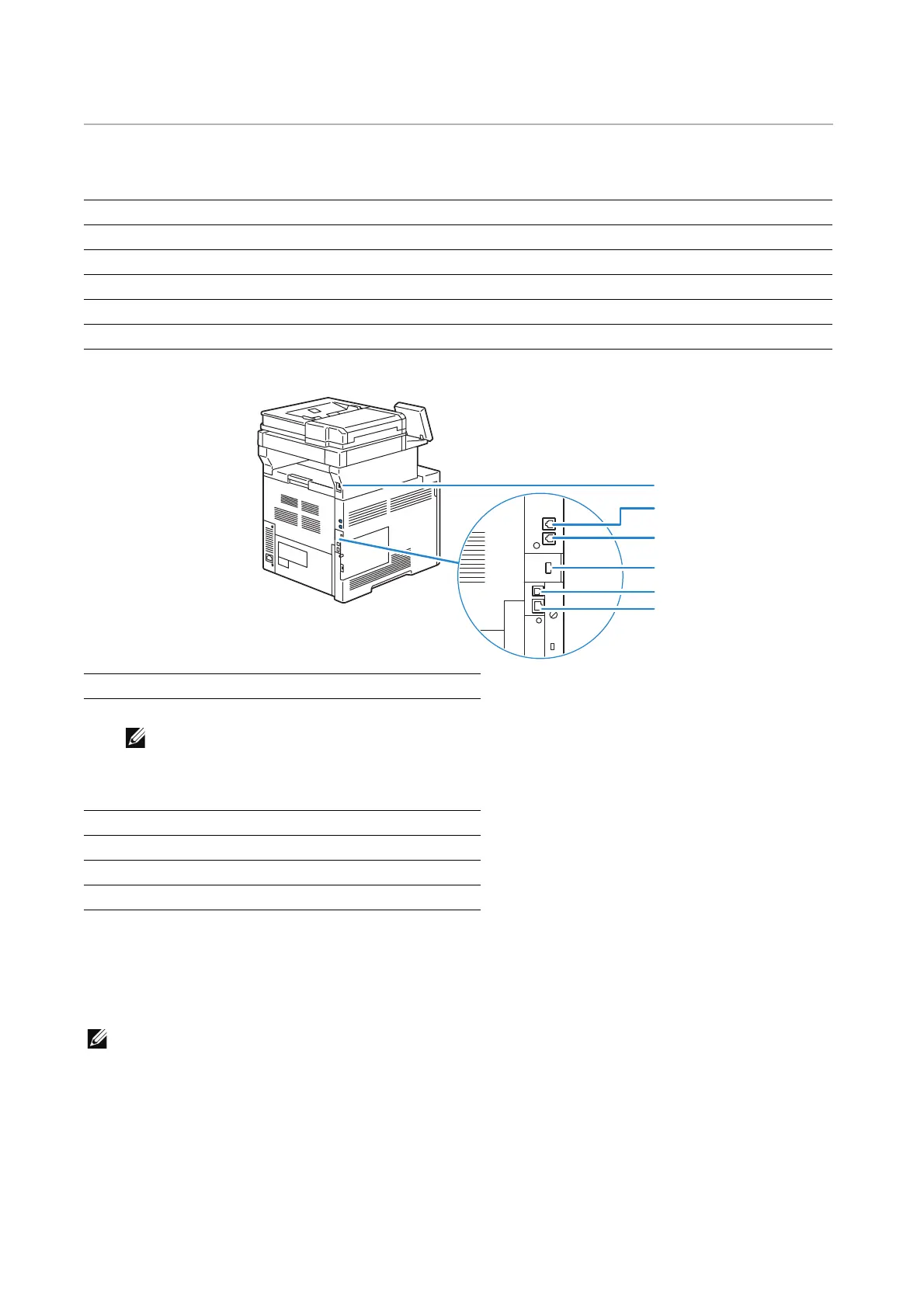
To connect your printer to a computer or device, the following specification must be met
for each of the connection type:
*1
USB 2.0 host port (for Smart Card)
*2
USB 3.0 device port
Connecting to a Computer or a Network
• Before making connections, be sure to turn off the printer.
Connecting to a Computer Using the USB Cable (Direct
Connection)
A local printer is a printer which is directly connected to your computer using the USB
cable. If your printer is connected to a network instead of your computer, skip this section
Connection type Connection specifications
Ethernet 10BASE-T/100BASE-TX/1000BASE-T
USB USB3.0/USB2.0
Wireless (optional) IEEE 802.11n/802.11g/802.11b/802.11a
Phone connector RJ11
Wall jack connector RJ11
1USB Port
*1
2 Phone Connector
• Do not connect any device (fax system)
other than a telephone or a telephone
answering device.
3 Wall Jack Connector
4 Wireless Adapter Socket
5USB Port
*2
6 Ethernet Port
1
2
3
4
5
6












 To Next Page