Maintaining Your Printer | 387
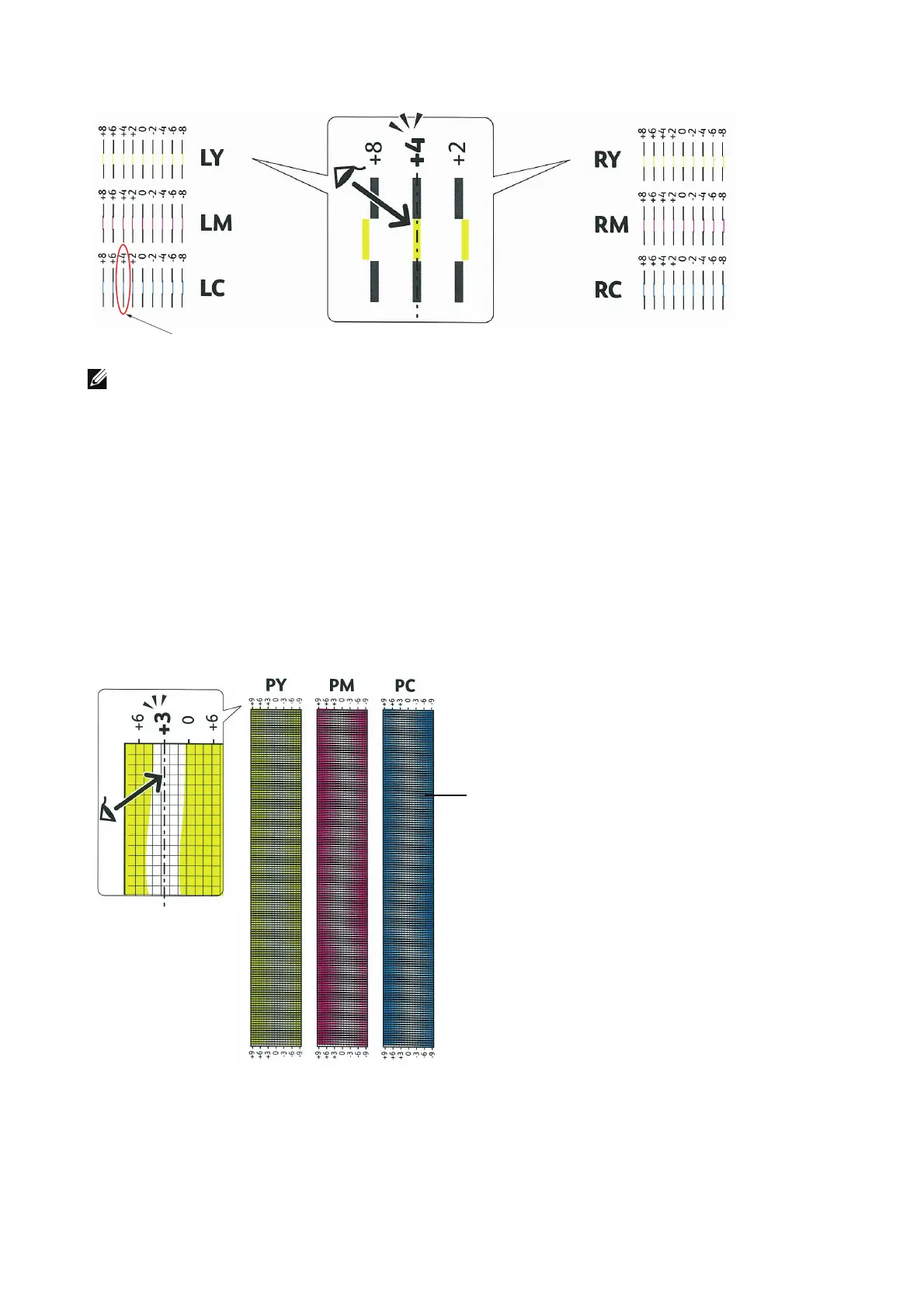
• If it is difficult to choose only one value, as in the case that there seem to be two values closest to a
straight line, take the value between the two. For example, in the figure above, -6 and -8 are the
values closest to a straight line, so you would enter the value -7.
Slow Scan
On the Chart 2, find the medium line within the range of white area for each color pattern
(PY, PM, and PC). If you find the medium line, make a note of the value (-9 to +9)
indicated by the medium line for each color.
When the value is 0 for each color, you do not need to adjust the color registration for
the slow scan.
When the value is not 0, enter the value using the procedure in "Entering Values."
Entering Values
1 Select Device > Support > Color Registration - Manual.
2 Select the color you want to adjust.












 To Next Page