Connecting and Setting Up Your Printer | 33
Connecting a Telephone or Answering Machine
If you share a telephone line with voice calls and fax, you can connect a telephone or an
answering machine to the printer to take the voice calls.
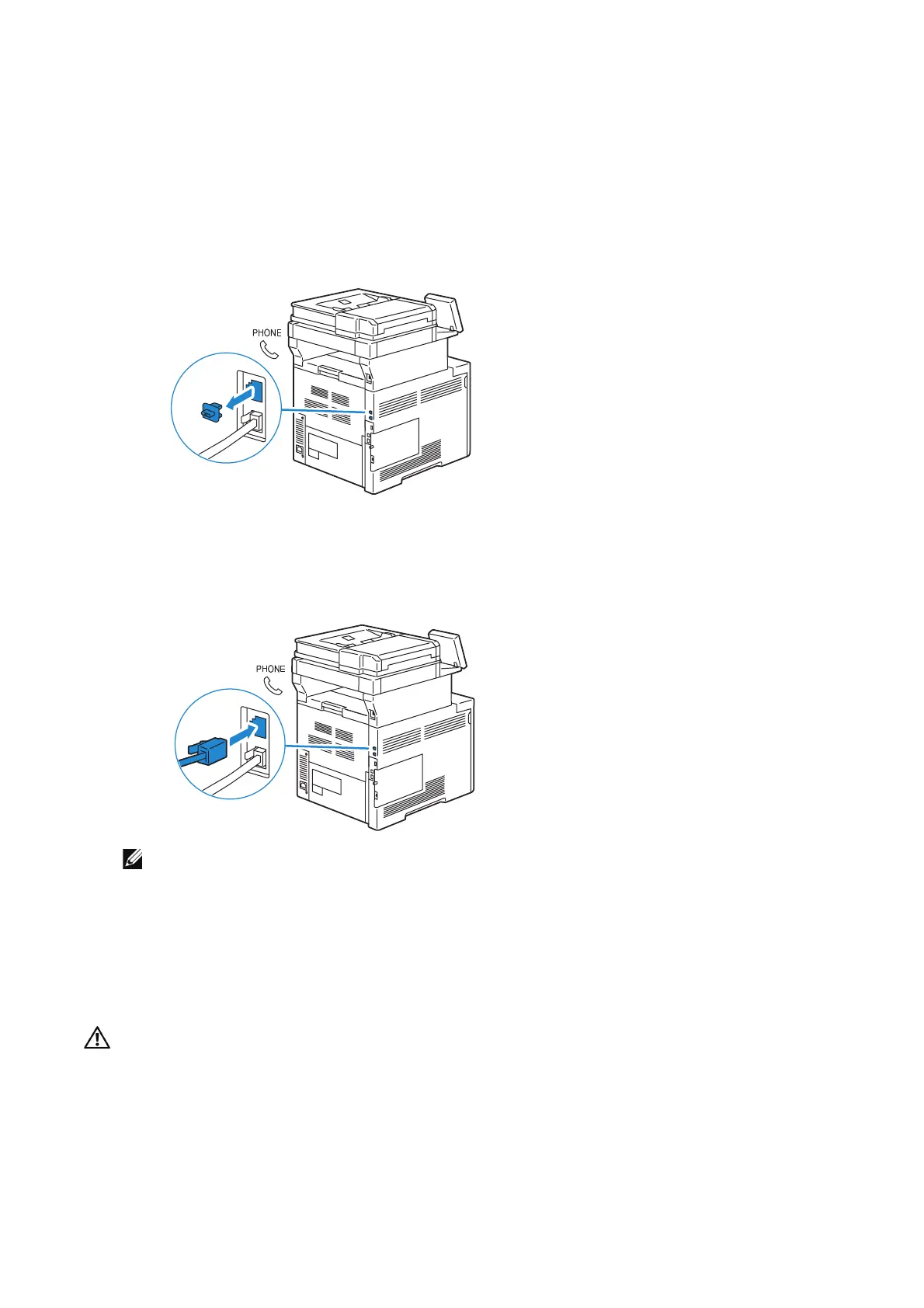
1 Make sure that a telephone line is connected to the printer.
See "Connecting the Printer to the Wall Jack".
2 Remove the "Blue" plug from the phone connector.
3 Connect a telephone or answering machine line cord into the phone connector on
the rear of the printer. Connect the other end of the cord into an external telephone
or answering machine.
• Do not connect any device (fax system) other than a telephone or a telephone answering
device.
Turning On/Off the Printer
Turning On the Printer
• Do not use extension cords or power strips.
• The printer should not be connected to an Uninterruptible Power Supply (UPS) system.












 To Next Page