Maintaining Your Printer | 375
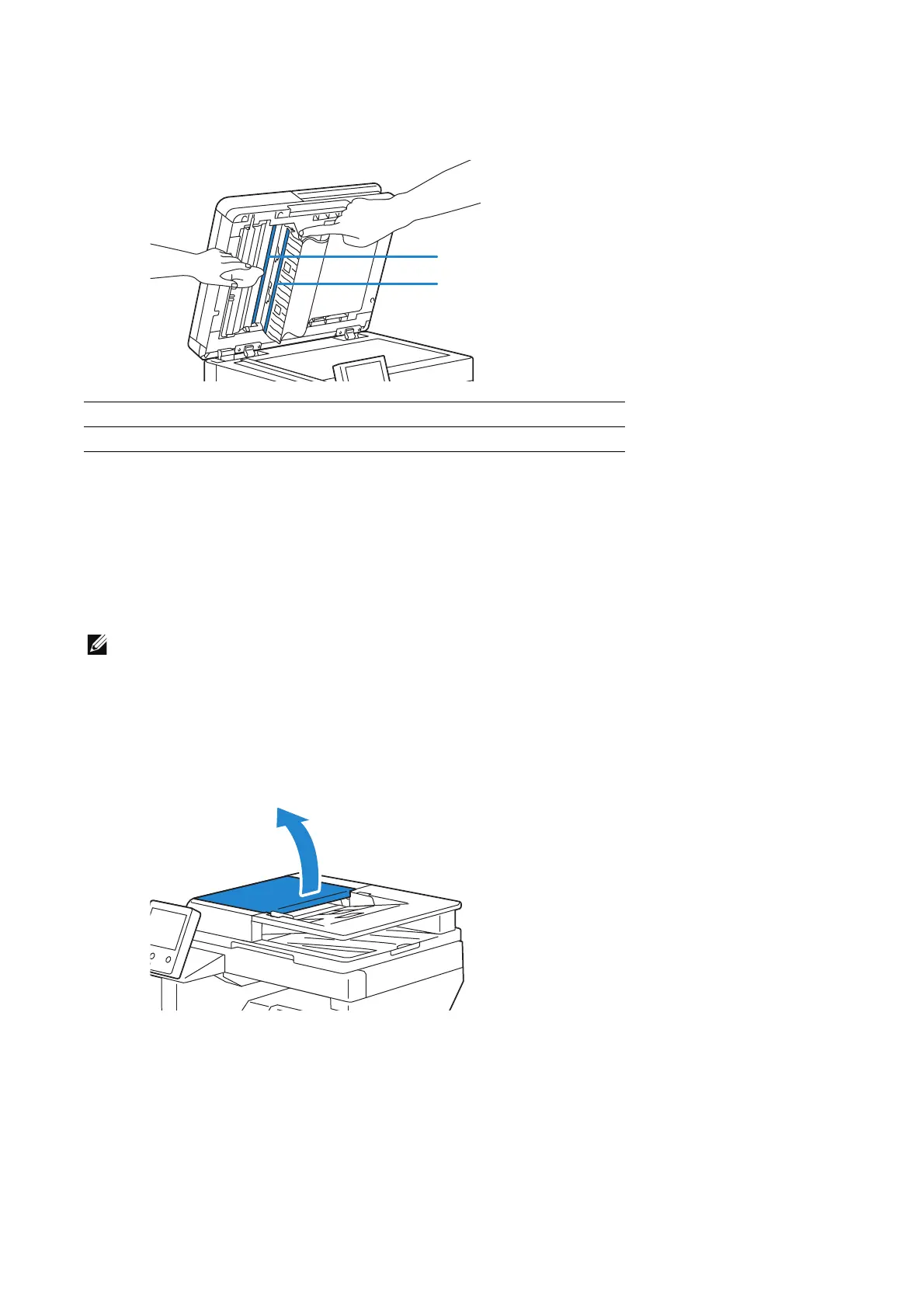
5 Wipe the surface of the duplex sensor glass and white strip until it is clean, and then
wipe with a dry cloth or paper towel until it is completely dry.
6 Gently close the DADF chute cover.
7 Close the document cover.
Cleaning the DADF Feed Rollers
Keeping the DADF feed rollers clean helps ensure the best possible copies. It is
recommended to clean the DADF feed rollers at regular intervals.
• Do not use benzene, paint thinner, or other organic solvents. Doing so might damage paint or
coating on plastic parts.
• Cleaning the machine with an excessive amount of water may cause the machine to malfunction or
damage documents during copying, faxing, or scanning.
1 Open the DADF cover.
1 Duplex Sensor Glass
2White Strip












 To Next Page