Loading Documents | 217
• Overtightening the guides may cause jams.
• Before loading the document(s) on the DADF, straighten the edges of the stack of the
document(s).
• Use the document stopper when copying a legal-size document.
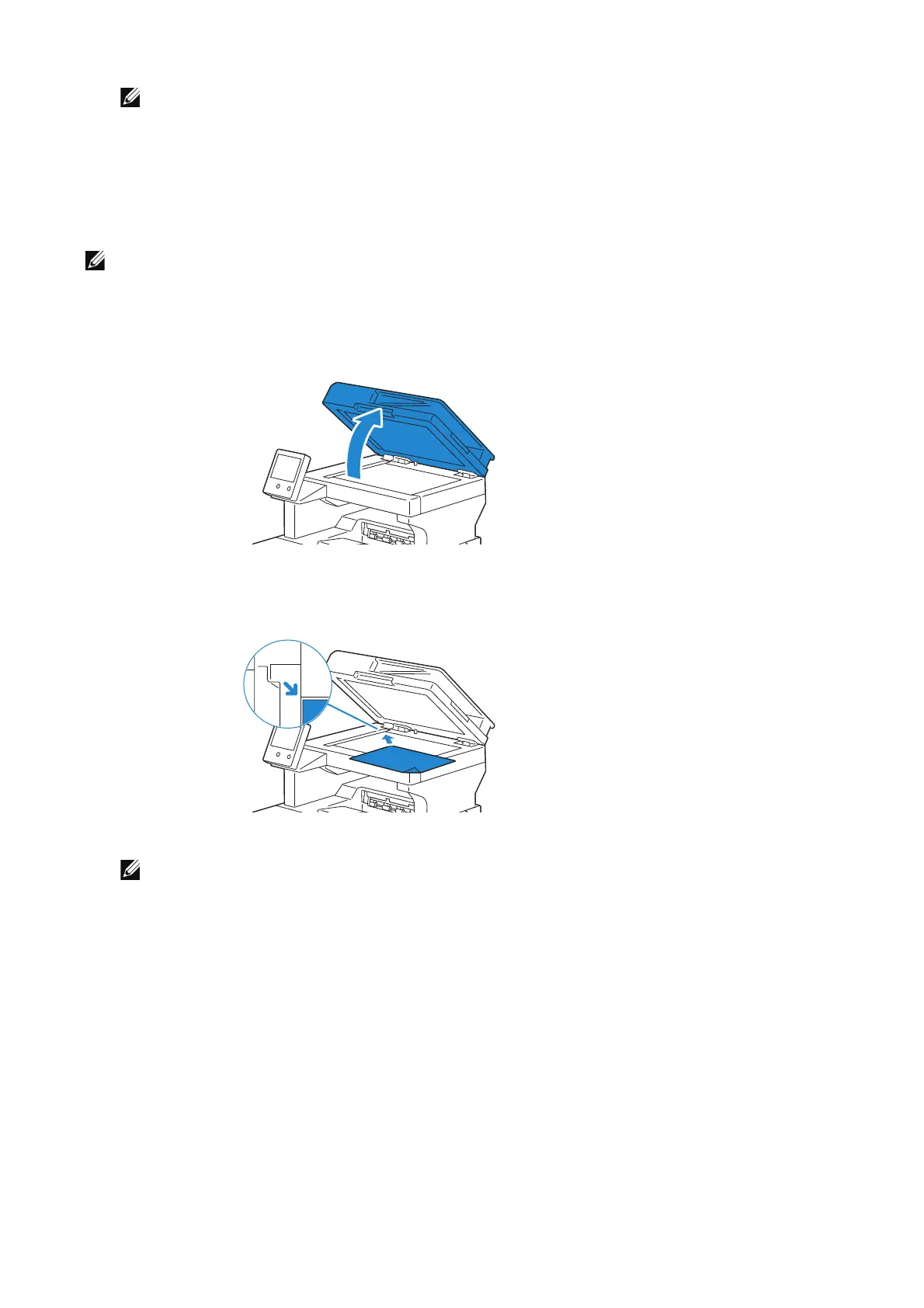
Loading a Document on the Document Glass
• Make sure that no document is in the DADF. If any document is detected in the DADF, it takes
priority over the document on the document glass.
1 Open the document cover.
2 Place the document facing down on the document glass and align it with the
registration guide on the top left corner of the glass.
3 Close the document cover.
• Leaving the document cover open while copying may affect the copy quality and increase the
toner consumption.
• If you are scanning a page from a book or magazine, lift the cover until its hinges are caught by
the stopper and then close the cover. If the book or magazine is thicker than 30 mm, start
scanning with the cover open.












 To Next Page