376 | Maintaining Your Printer
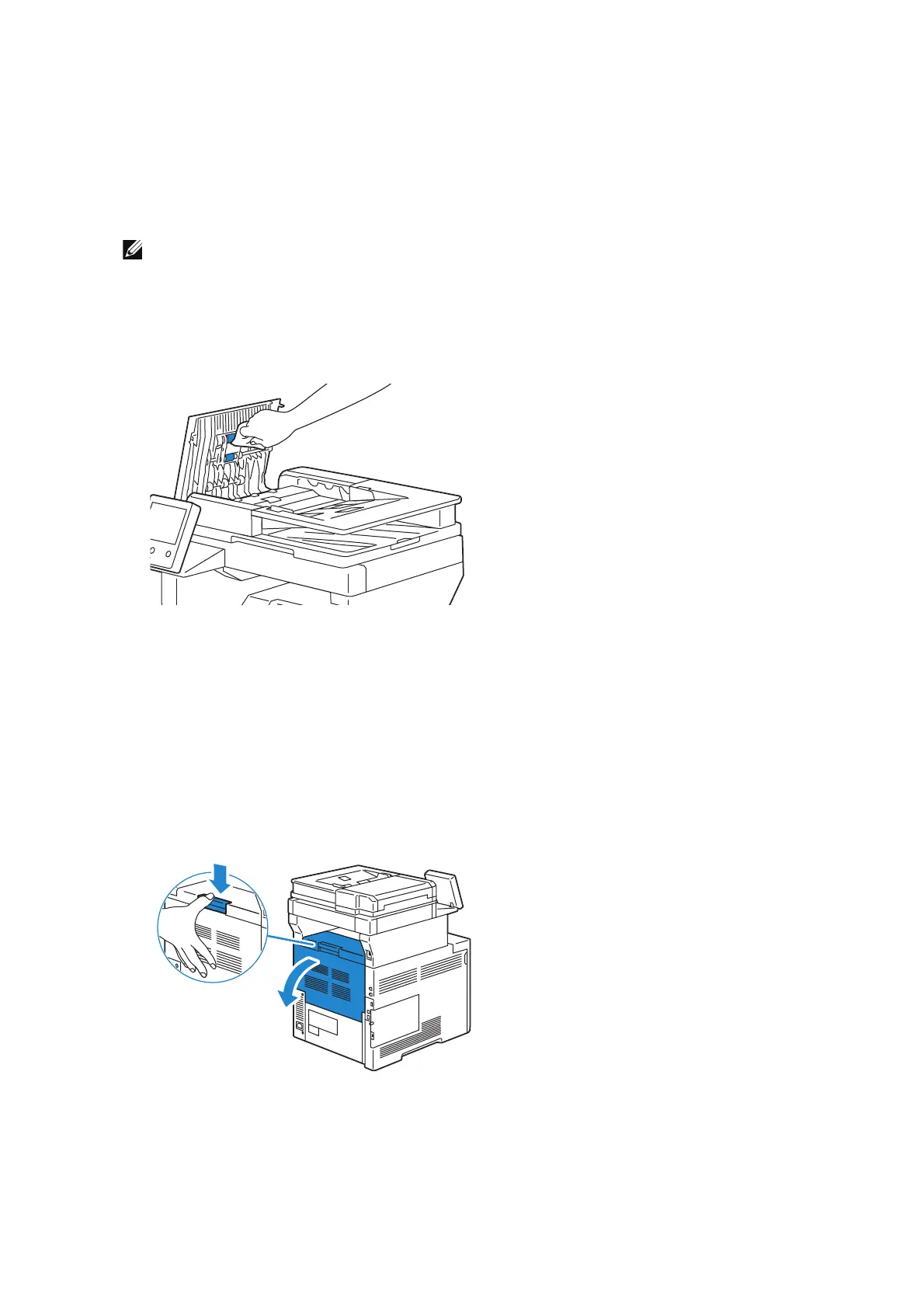
2 Wipe the DADF feed rollers with a dry soft lint-free cloth or paper towel until they are
clean.
If the DADF feed rollers get stained with ink, documents that go through the DADF
can also become stained. In this case, slightly dampen a soft lint-free cloth or paper
towel with a neutral detergent or water, and then remove the ink stains from the
DADF feed rollers until they are clean and dry.
• Do not use cleaning agents other than water or neutral detergent.
• Use a cloth firmly wrung to prevent water drops from falling into the machine. If water gets
into the machine, it may cause the machine to malfunction.
• If you cannot remove dirt easily, gently wipe the document cover with a soft cloth moistened
with a small amount of neutral detergent.
Cleaning Inside the Printer
Cleaning the CTD Sensor
Clean the Color Toner Density (CTD) sensor only when an alert for the CTD sensor is
shown on the touch panel screen. See "Understanding Printer Messages".
1 Ensure that the printer is turned off.
2 Push down the latch to open the rear cover.












 To Next Page