Maintaining Your Printer | 377
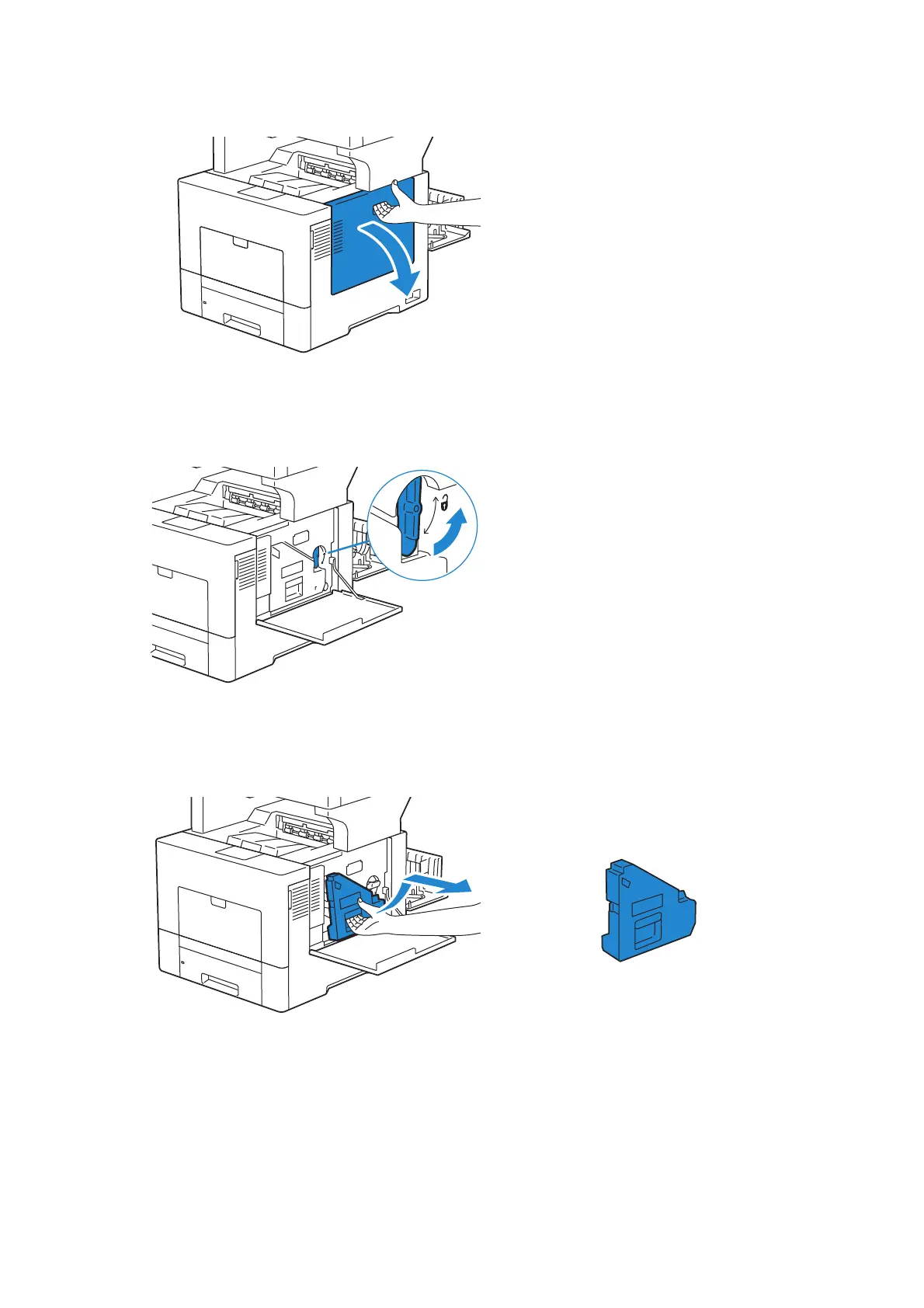
3 Facing the front of the printer, open the right side cover.
4 Turn the waste toner box lock lever 90-degrees counterclockwise to unlock the
waste toner box.
5 Grasp the handle on the waste toner box and pull it out making sure to hold it upright
so that the waste toner does not spill out.












 To Next Page