Device | 63
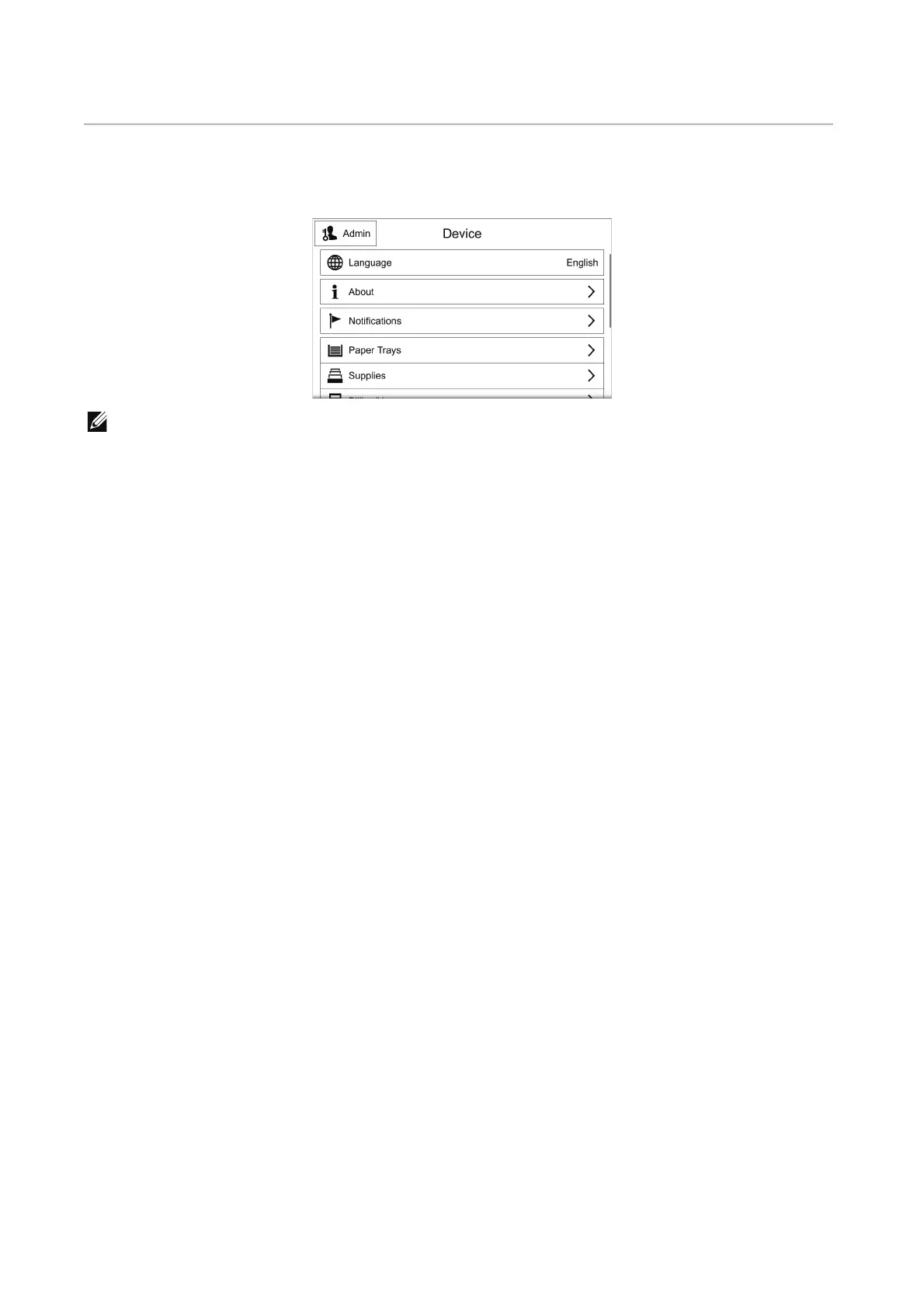
Device
The Device app allows you to view the printer status and set the general settings of the
printer.
• The displayed features may vary depending on your settings.
• You can scroll the feature list up and down.
Language
Language
Select the language you want to use on the touch panel.
Keyboard Layout
Select a keyboard layout on the touch panel.
To preview the layout, tap View Keyboard.
About
Displays the general, contact, and network information of the printer.
Information Pages
Allows you to print reports or lists.
• Configuration Report
• Billing Summary Report
• Supplies Usage Report
• ColorTrack Account Report
• PostScript Font List
• PCL Font List
• Demonstration Print
• Startup Page
• Job History Report




 To Next Page