364 | Maintaining Your Printer
Installing a Toner Cartridge
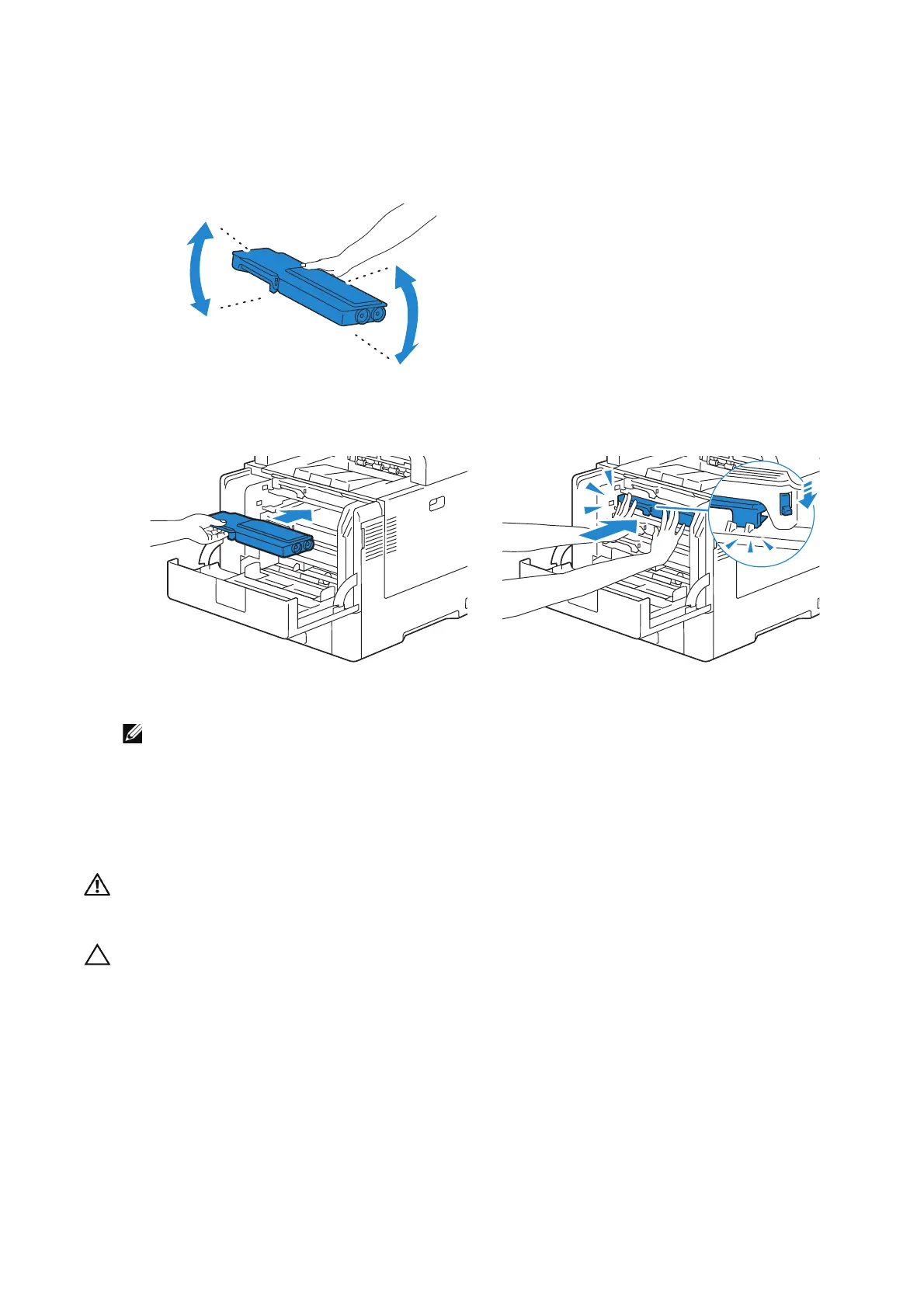
1 Unpack a new toner cartridge of the desired color.
2 Shake the new toner cartridge five or six times to distribute the toner evenly.
3 Insert the toner cartridge into the associated cartridge slot, and then push until it
clicks into place.
4 Close the front cover.
• If the front cover is not closed completely, a message appears and the machine will remain
paused.
Replacing the Drum Cartridges
You need to replace all drum cartridges (yellow, magenta, cyan, and black) at a time.
• Before performing any of the following procedures, read and follow the safety instructions in the
Important Information.
• Protect the drum cartridge against bright light. If the front side cover remains open for more than
3 minutes, print quality may deteriorate.












 To Next Page