Graphic Symbols on the Printer and Their Meanings | 19
Graphic Symbols on the Printer and Their
Meanings
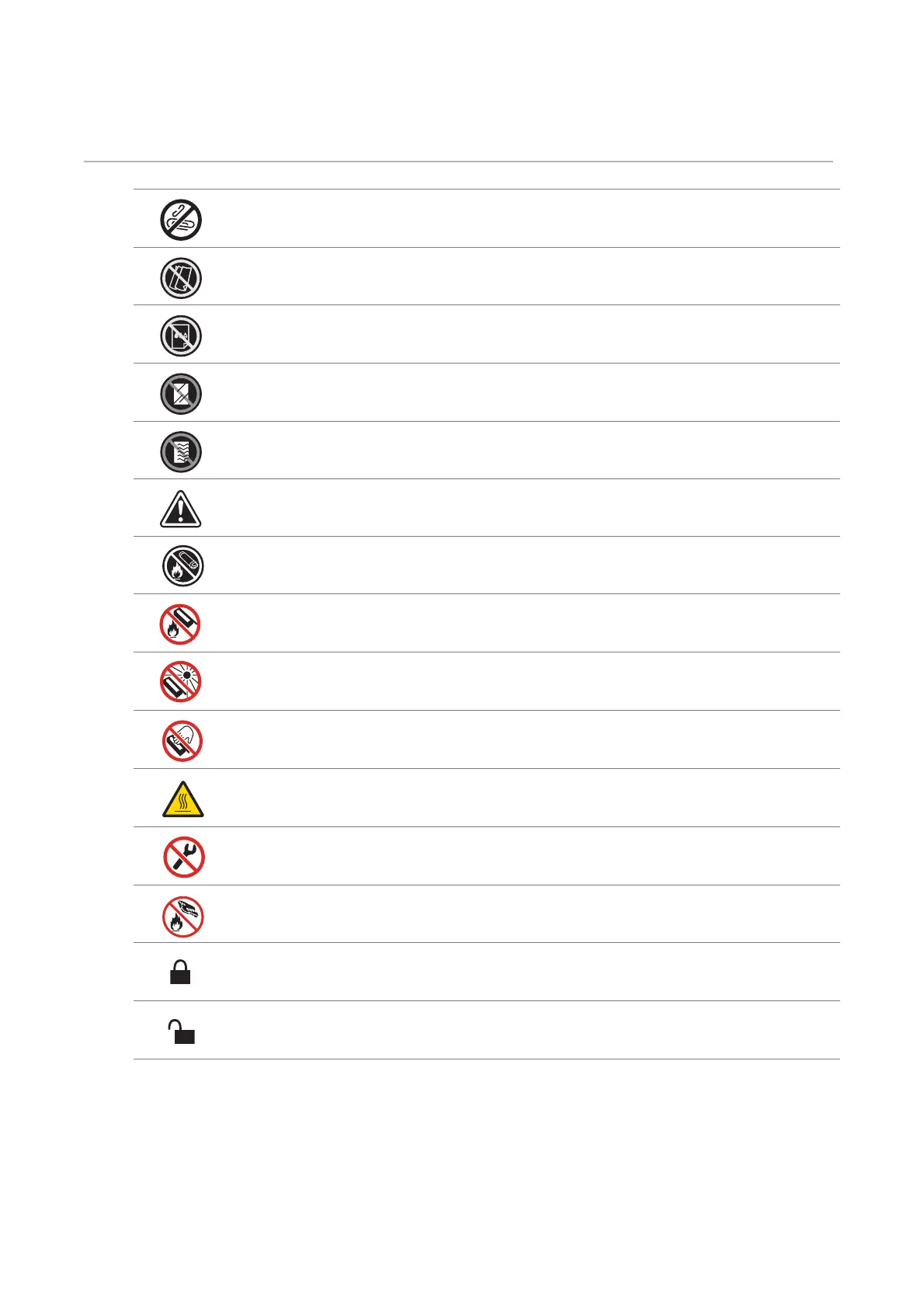
Do not use stapled or clip on paper.
Do not use folded, creased, or curled paper.
Do not use ink-jet printing paper.
Do not use OHP sheets.
Do not use paper printed or used on one side.
Caution.
Do not throw a toner cartridge into an open flame.
Do not throw a drum cartridge into an open flame.
Do not expose to light.
Do not touch.
Caution (Hot surface).
Do not disassemble the product.
Do not throw a waste toner box into an open flame.
Locking.
Unlocking.












 To Next Page