Removing Options | 389
Removing Options
If the printer location needs to change or the printer and print media handling options
need to be shipped to a new location, all print media handling options must be removed
from the printer. For shipping, pack the printer and print media handling options securely
to avoid damage.
Removing the Optional 550-Sheet Feeder
• When you remove the optional 550-sheet feeder (Tray 2), be sure to turn off the printer, unplug
the power cable, and disconnect all cables from the rear of the printer before starting these tasks.
1 Ensure that the printer is turned off, and then disconnect all cables from the rear of
the printer.
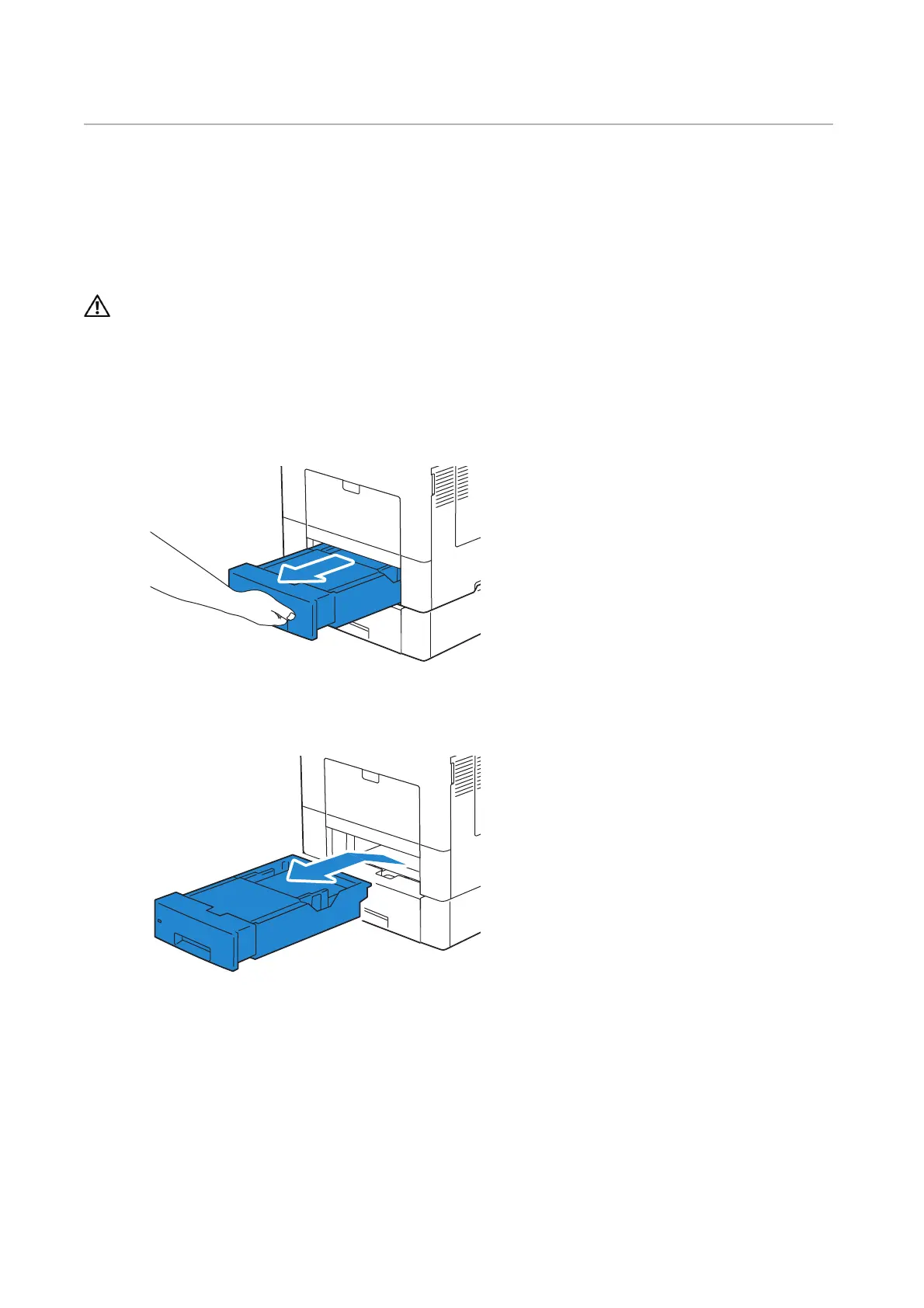
2 Pull Tray 1 out of the printer about 200 mm.
3 Hold Tray 1 with both hands, and remove it from the printer.












 To Next Page