60 | Control Panel
Control Panel
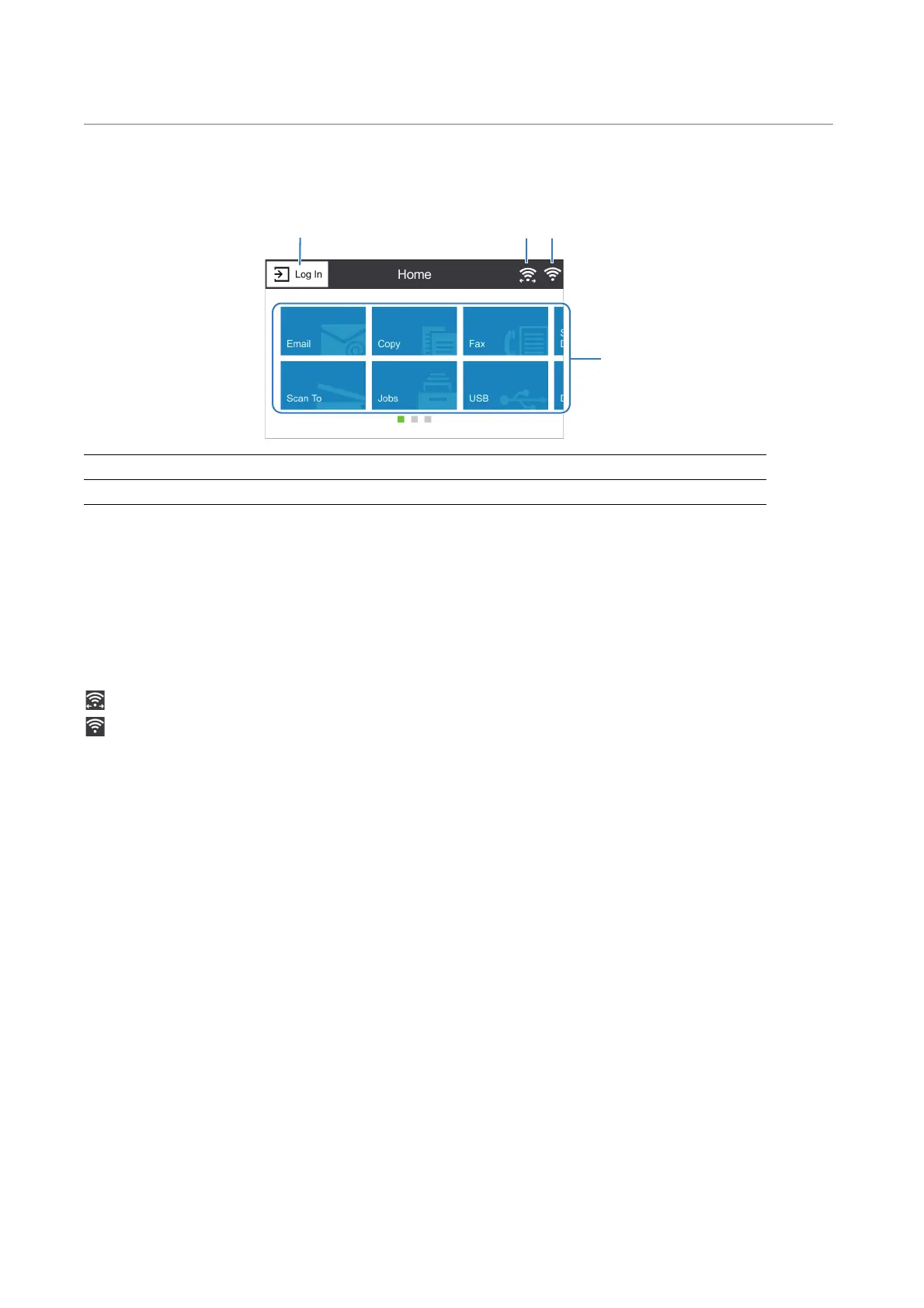
About the Home Screen
Log In
Select this button to log in.
Wi-Fi Direct Connection Status Icon
Displays the Wi-Fi Direct connection status. This icon is displayed only when Wi-Fi Direct
is enabled.
: Connected
: Disconnected
Wireless LAN Connection Status Icon
Displays the intensity of wireless signal when the printer is connected to a wireless
network.
Tiles
Displays the tiles of the functions you can select from.
Basic Operations on the Touch Panel
You can operate the touch panel as with a smart phone or a tablet.
To Select the Item on the Screen
Tap the item.
1 Log In 3 Wireless LAN Connection Status Icon
2 Wi-Fi Direct Connection Status Icon 4 Tiles












 To Next Page