Removing Options | 393
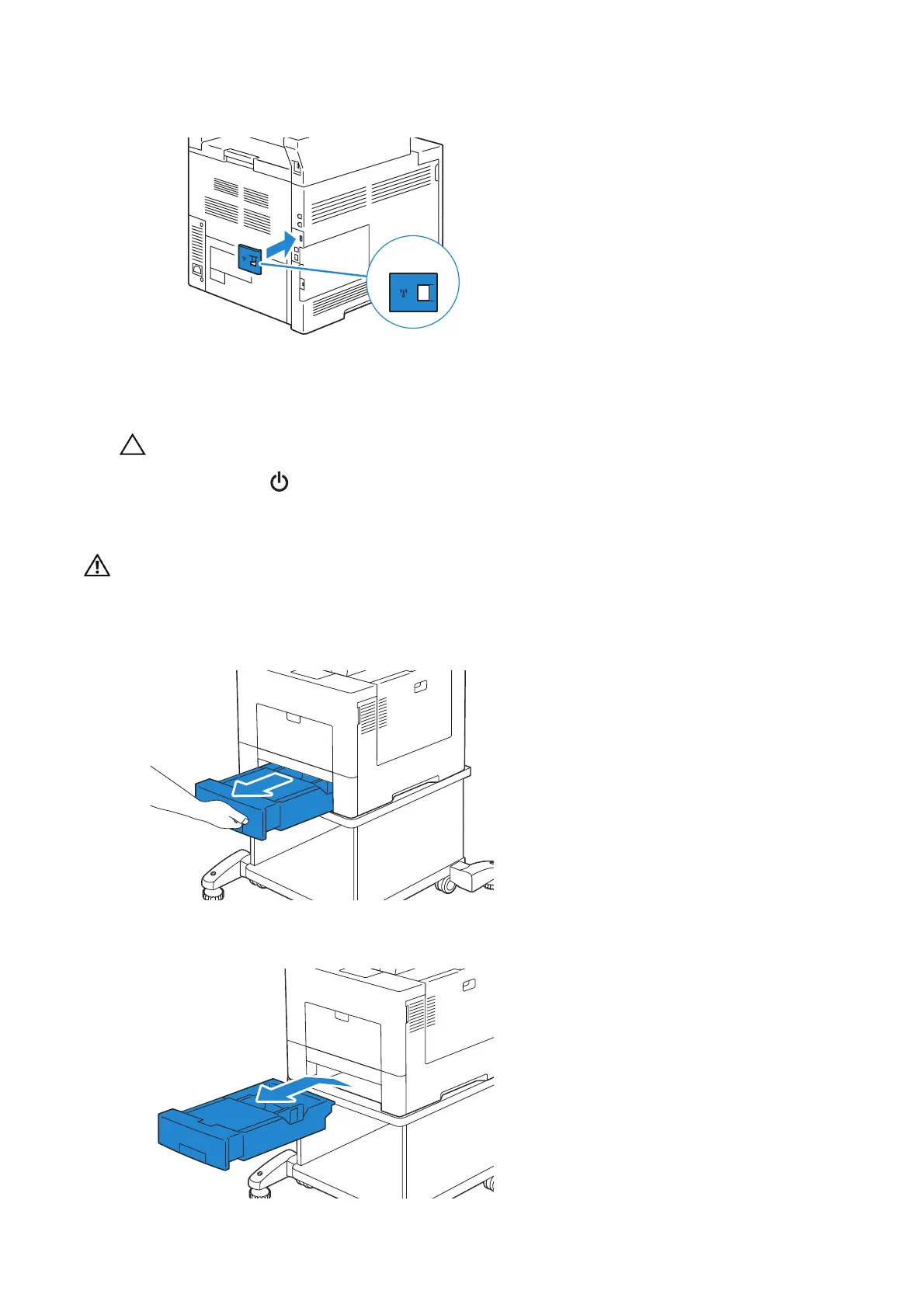
8 Return the cap removed upon installation of the wireless adapter.
9 Turn on the printer.
• Make sure that the power cable is connected to the printer and to a power source before
pressing the button on the control panel.
Removing the Optional Caster Cabinet
• When you remove the optional caster cabinet, be sure to turn off the printer, unplug the power
cable, and disconnect all cables from the back of the printer before starting these tasks.
1 Pull the tray out of the printer about 200 mm.
2 Hold the tray with both hands, and remove it from the printer.












 To Next Page