374 | Maintaining Your Printer
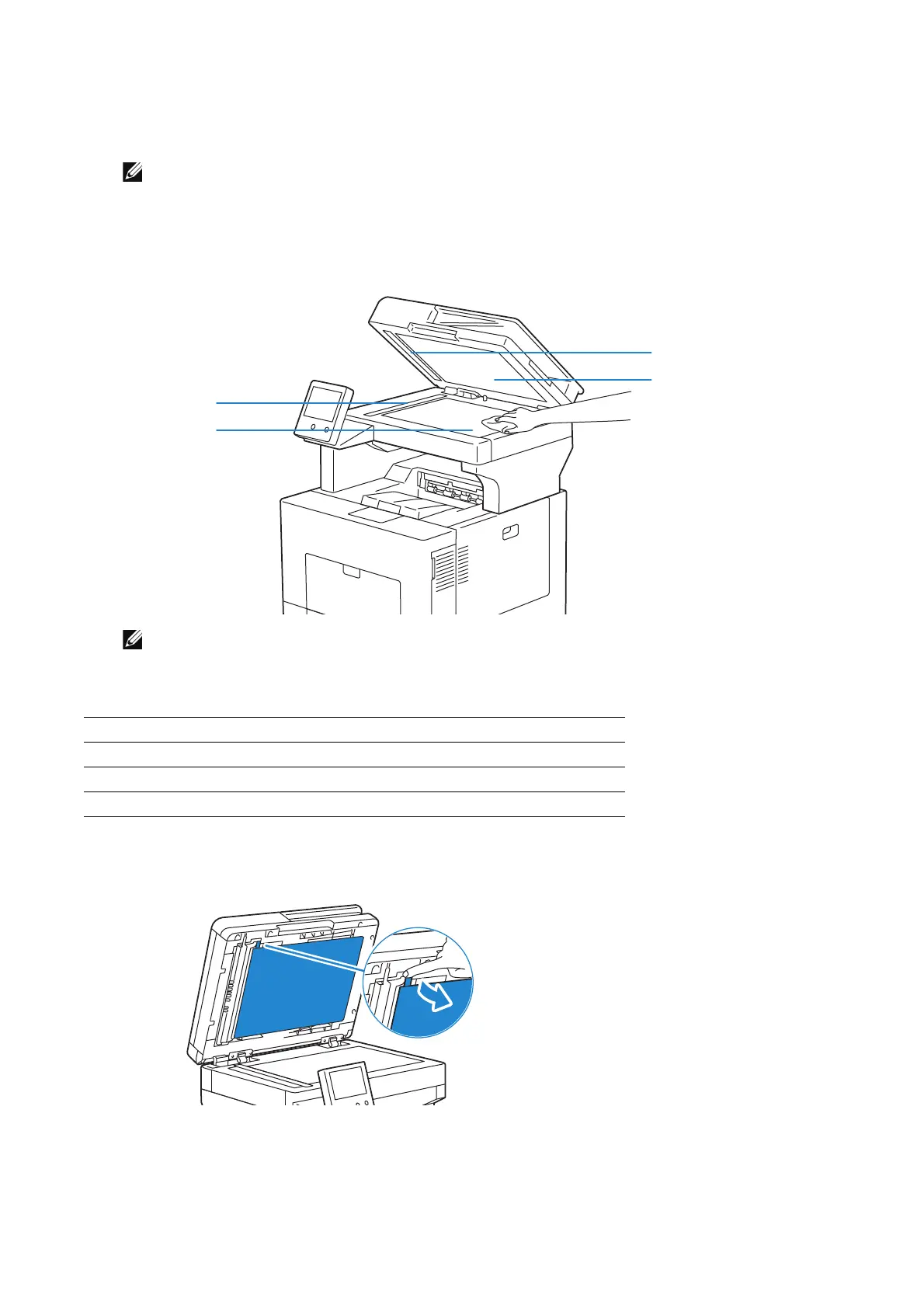
3 Wipe the surface of the document glass, DADF glass, white strip, and white document
cover until it is clean, and then wipe with a dry cloth or paper towel until it is
completely dry.
• Handle the white strip with care.
• Do not use cleaning agents other than water or neutral detergent.
• If you cannot remove dirt easily, gently wipe the document cover with a soft cloth moistened
with a small amount of neutral detergent.
4 Pull the tab to open the DADF chute cover and hold it open.
1White Strip
2White Document Cover
3Document Glass
4DADF Glass












 To Next Page