Maintaining Your Printer | 379
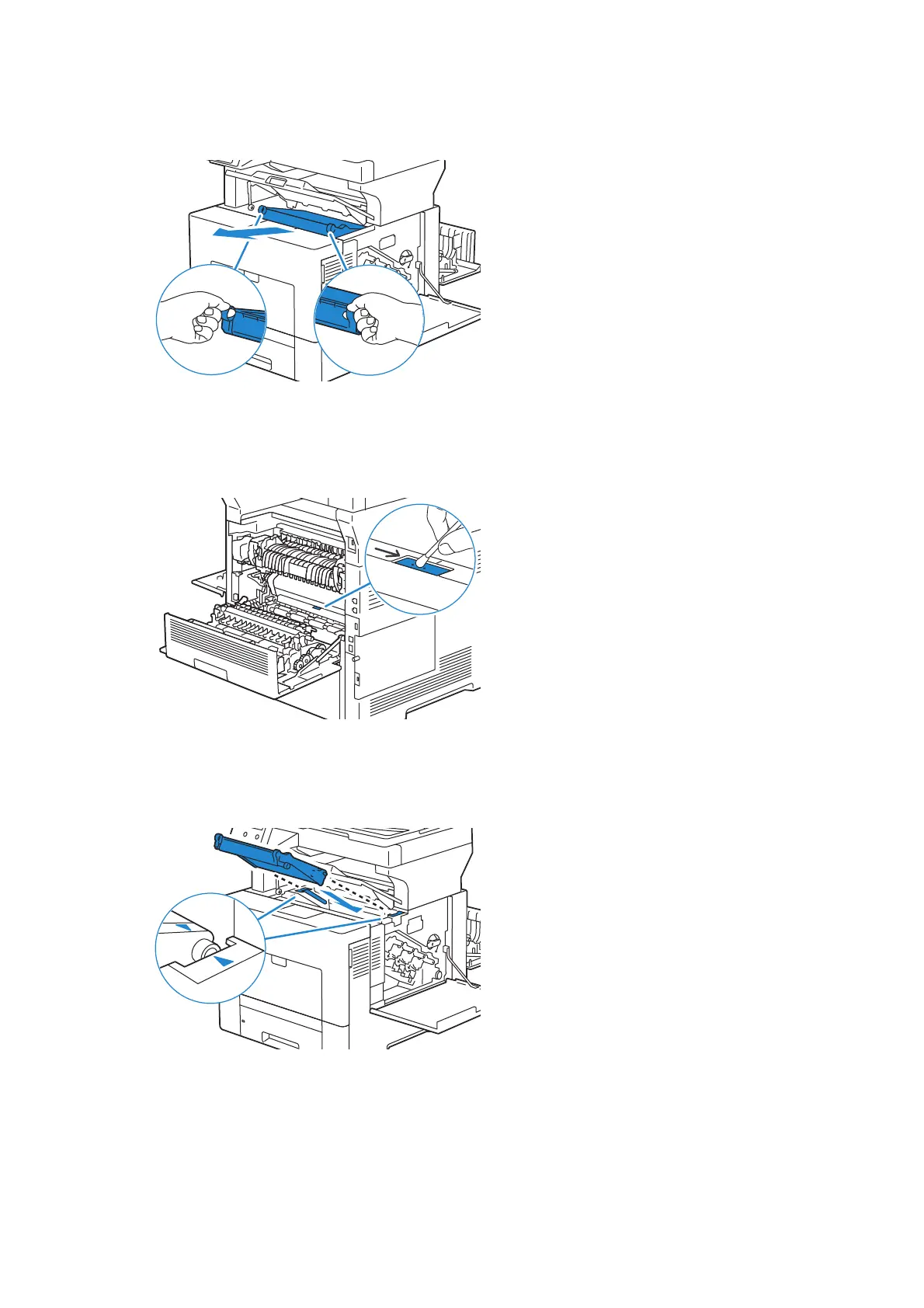
8 Put your fingers through the loops on both sides of the transfer belt unit, and then
pull it out.
9 Accessing the printer from its rear, look for the CTD sensor.
Clean the CTD sensor (as shown) with a clean, dry cotton swab.
10 Make sure that the arrow marks on the transfer belt unit and the printer face each
other, and then insert the unit into the printer until it clicks.












 To Next Page