Maintaining Your Printer | 381
Cleaning the Raster Optical Scanner (ROS) Window
To prevent deterioration of printing quality due to stains inside the printer, clean inside
the printer regularly by using the cleaning rod whenever you replace drum cartridges.
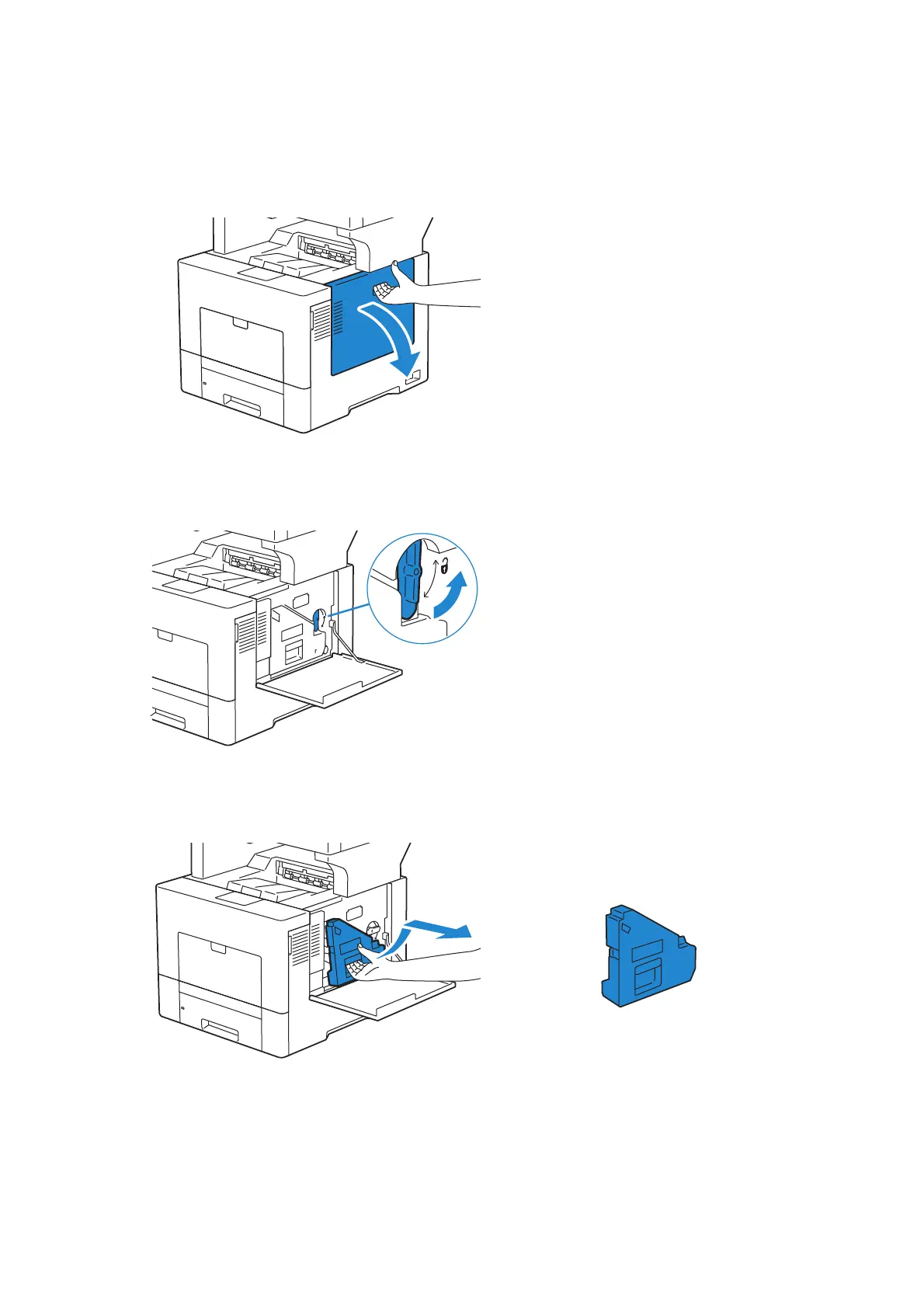
1 Open the right side cover.
2 Turn the waste toner box lock lever 90-degrees counterclockwise to unlock the
waste toner box.
3 Grasp the handle on the waste toner box and pull it out making sure to hold it upright
so that the waste toner does not spill out.












 To Next Page