406 |Clearing Jams
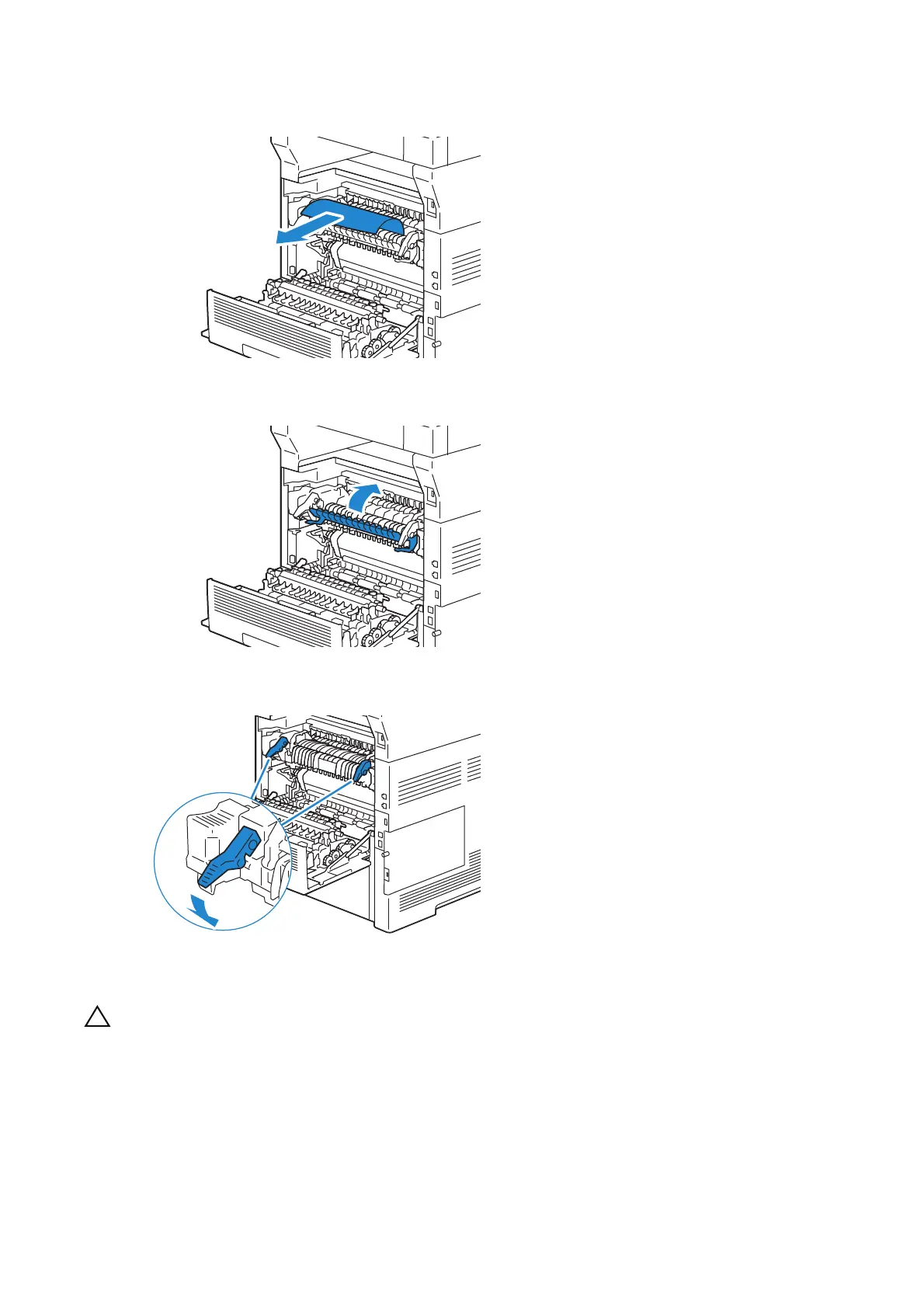
5 Remove the jammed paper.
6 Replace the inner part.
7 Press down the lever on both sides of the fusing unit, and then close the rear cover.
Clearing Paper Jams From the Duplexer
• Ensure that nothing touches or scratches the surface (the roll made with sponge) of the transfer
unit. Scratches, dirt, or oil from your hands on the roll of the transfer unit may reduce print
quality.
• Protect the drum of the drum cartridge against bright light. If the rear cover remains open for
more than 3 minutes, print quality may deteriorate.












 To Next Page