ASDA-B2 Chapter 3 Connections and Wiring
Revision September 2013 3-23
Users have to select the operation mode based on the needs first (please refer to
Chapter 6.1 for the introduction of each mode) and refer to the following DI/DO table to
know the corresponding default setting of DI/DO signal and Pin No of the selected mode
in order to conduct the wiring.
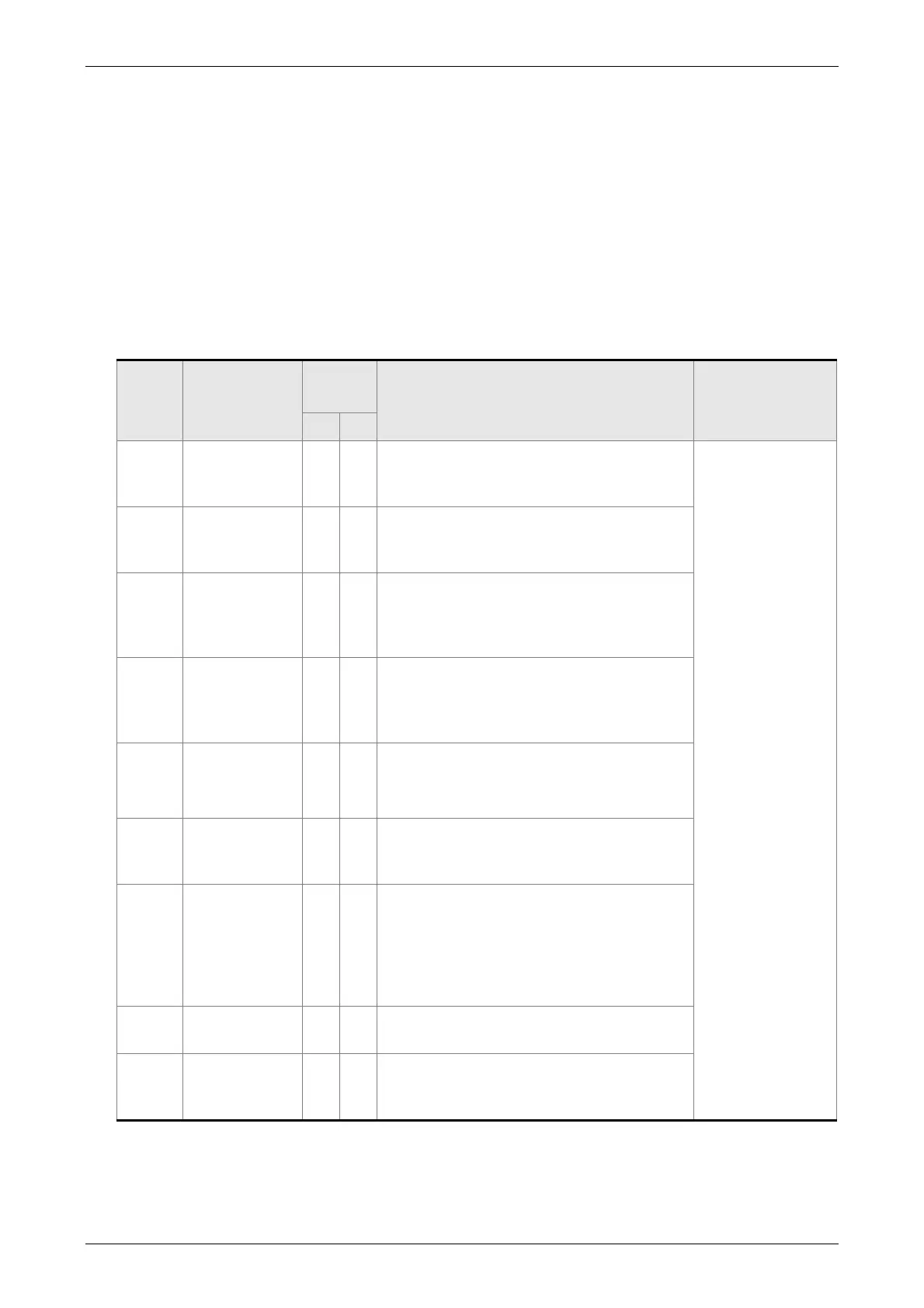
The table below lists the default setting of DI/DO signal function and pin No:
The explanation of DO signal default setting is as the followings.
DO
Signal
Assigned
Control Mode
Pin No.
(Default)
Details
Wiring Diagram
(Refer to 3.3.3)
+ -
SRDY ALL 7 6
SRDY is activated when the servo drive is
ready to run. All fault and alarm conditions,
if present, have been cleared.
C5/C6/C7/C8
SON Not assigned - -
Servo ready (SRDY) is "ON" where the
servo is ready to run, NO fault / alarm
exists.
ZSPD ALL 5 4
ZSPD is activated when the drive senses
the motor is equal to or below the Zero
Speed Range setting as defined in
parameter P1-38.
TSPD
ALL
(except PT)
- -
TSPD is activated once the drive has
detected the motor has reached the Target
Rotation Speed setting as defined in
parameter P1-39.
TPOS PT, PT-S, PT-T 1 26
1. When the drive is in PT mode, TPOS
will be activated when the position
error is equal and below the setting
value of P1-54.
TQL Not assigned - -
TQL is activated when the drive has
detected that the motor has reached the
torques limits.
ALRM ALL 28 27
ALRM is activated when the drive has
detected a fault condition. (However, when
Reverse limit error, Forward limit error,
Emergency stop, Serial communication
error, and Undervoltage these fault occur,
WARN is activated first.)
BRKR ALL - -
BRKR is the control terminal of motor
brake.
OLW ALL - -
OLW is activated when the servo drive has
detected that the motor has reached the
output overload level .
VARITEL INGENIERIA ELECTRONICA S.A.
info@varitel.com - www.varitel.com - Tel. (54) 11-4243-1171 / Fax: (54) 11-4292-7545
Manuel Baliña 456, Lomas de Zamora (B1832CCJ) Buenos Aires, Argentina.


 To Next Page