24 | SEVEN
™
CONTINUOUS GLUCOSE MONITORING SYSTEM
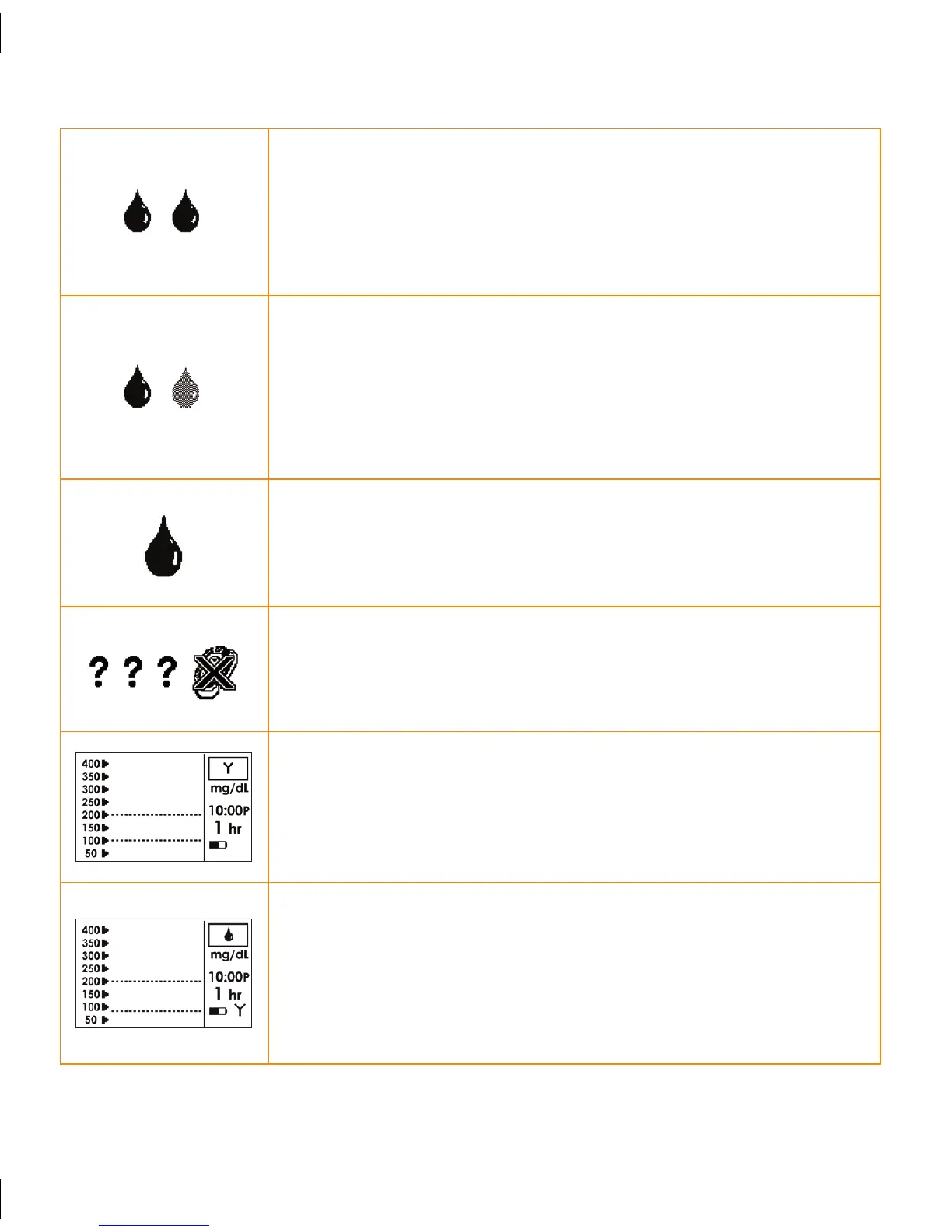
DOUBLE BLOOD DROP PROMPT: Appears 2 hours
after you insert a new Sensor and indicates that you
need to take 2 fingerstick BG readings on your BG meter
and enter them to get into calibration.
SHADEDOUT BLOOD DROP PROMPT: Notifies you
that only 1 fingerstick BG reading has been successfully
entered from the BG meter to the Receiver. You need
to take and upload at least 1 more BG reading for
calibration.
CALIBRATION UPDATE SCREEN: Indicates it is time
for you to take a calibration fingerstick on the BG meter
and enter it to the Receiver.
FAILED SENSOR SCREEN: Indicates the Sensor is not
working properly. You will need to replace your Sensor
at this time.
NO COMMUNICATION: Indicates that the Receiver
and Transmitter are not “talking” and glucose data has
not been sent in the last 5 minutes. See Section 4.6 for
more information.
AWAITING CALIBRATION FINGERSTICK: Indicates
a fingerstick BG reading is needed for calibration or the
Receiver is processing a current fingerstick BG reading.
See Section 3.4 for Calibration Troubleshooting tips.



 To Next Page