Seven
™
System User’s Guide | 87
7.1 GLUCOSE ALERT SETTINGS
e default setting for the High Glucose Alert is 200 mg/dL. e default setting for the
Low Glucose Alert is 80 mg/dL. Set these alerts at settings that will help monitor when
your glucose levels are too high or too low. Work with your Diabetes Management Team
to help you choose your appropriate Glucose Alert settings.
7.1.1 HIGH AND LOW GLUCOSE ALERT LEVELS mg/dL UNITS
Press the Down • Arrow 3 times until you come to the 9-hour Glucose Trend Screen.
Hold the Down
• Arrow for at least 7 seconds until you come to Settings Screens.
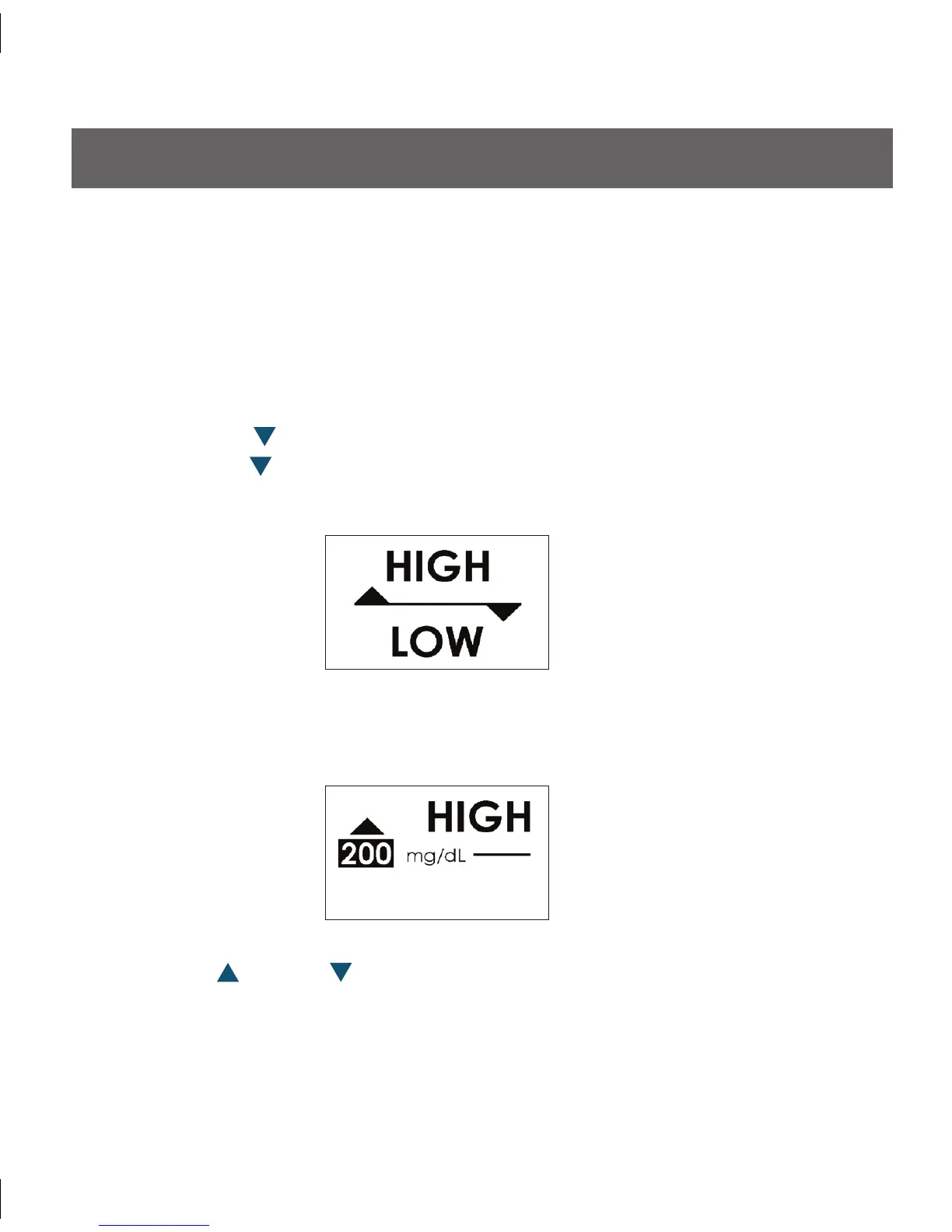
Scroll down until you arrive at the Glucose Alert Screens:
•
Once you are at the Glucose Alert Screen, press • OK to begin setting your alert levels.
You will see the following High Glucose Alert Screen:
Use the Up
• or Down Arrows to increase or decrease the High Glucose Alert
level by 20 mg/dL (i.e. 220, 240, 260 mg/dL ).
You may select High Glucose Alert levels from 140 mg/dL to 400 mg/dL. Select the
•
level recommended by your Diabetes Management Team by pressing the OK Button.



 To Next Page