36 | SEVEN
™
CONTINUOUS GLUCOSE MONITORING SYSTEM
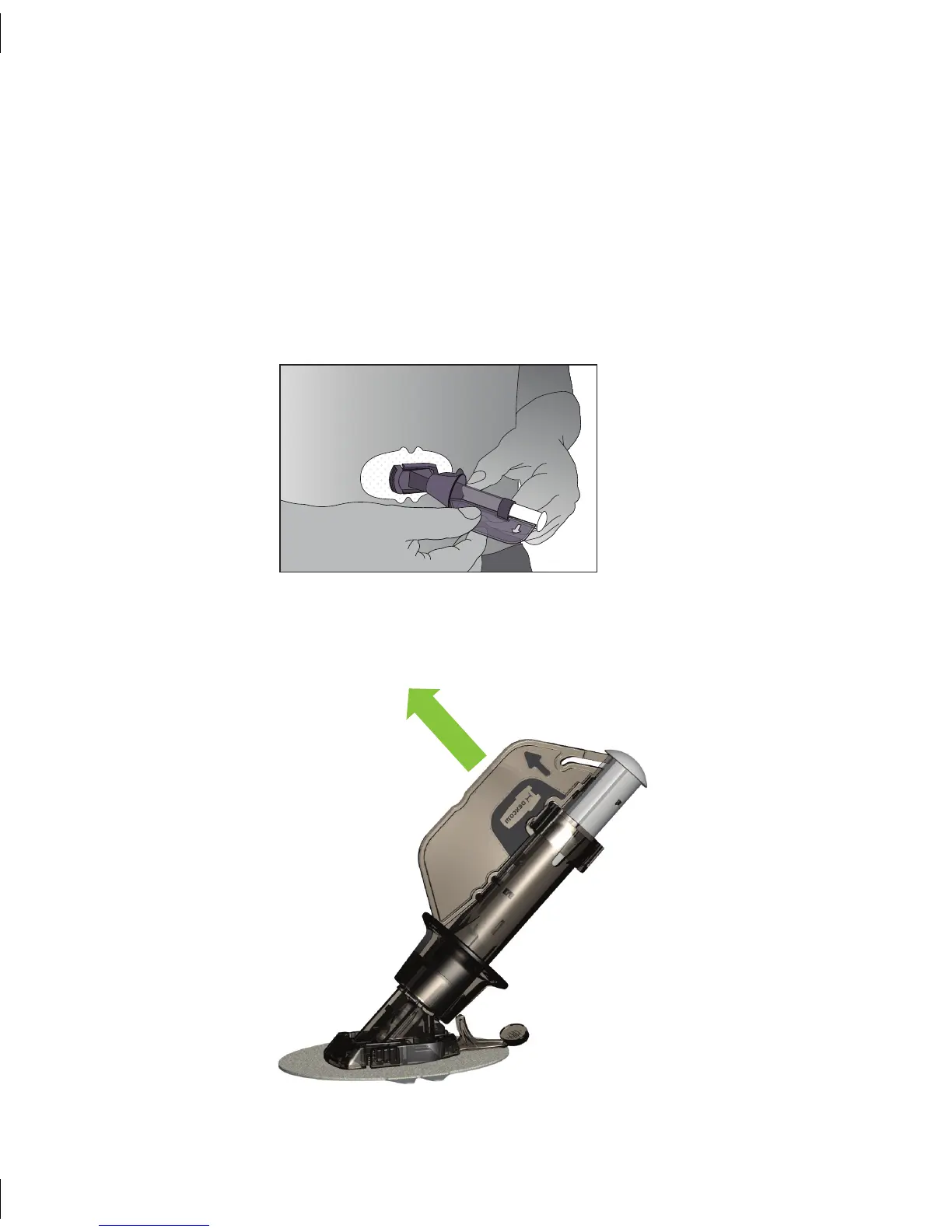
Pull Safety Lock Out
2.2.3 PLACING THE SEVEN SENSOR
After you have cleaned the skin site, remove the adhesive backing from the Sensor 1.
Pod. Hold the Sensor by the Applicator area, making sure not to touch the sticky
adhesive.
Place the Sensor on the site you selected, with the widest part of the pod horizontal 2.
to the ground. You can place the Sensor flat facing to the left or right of your belly
button. Press firmly on and around the adhesive to make sure it is flat.
Once you have stuck the adhesive to your abdomen (belly), pull the Safety Lock out 3.
from the Applicator. Pull near the arrow on the Safety lock, as shown below:



 To Next Page