Seven
™
System User’s Guide | 39
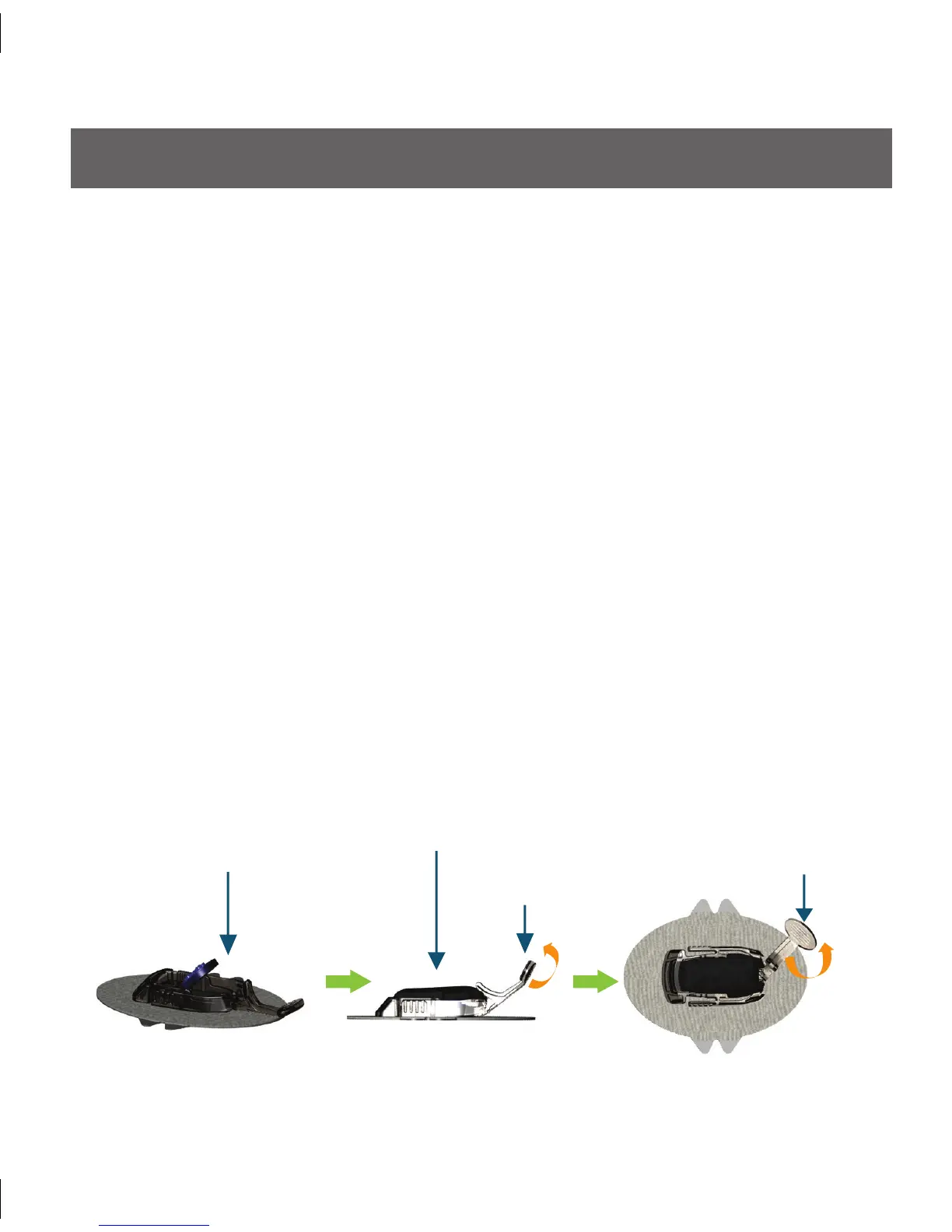
Attach Seven Transmitter in
Seven Sensor Pod
Seven Transmitter Attached
Seven Transmitter
Latch
Remove
Seven Transmitter Latch
2.3 SEVEN TRANSMITTER ATTACHMENT
e Transmitter wirelessly sends your Sensor glucose information to your Receiver. Once
you have inserted the Sensor, you will need to snap the Transmitter into the Sensor Pod.
To do this, you must perform the following steps:
Clean and dry the bottom of the Transmitter with a damp cloth or an alcohol wipe 1.
before every use.
Place the Transmitter in the Sensor Pod with the flat side facing down.2.
Pull the Transmitter Latch over the Transmitter to snap the Transmitter into place so 3.
it lies flat in the Sensor Pod. You should hear 2 “clicks.”
If you do not hear 2 clicks, the Transmitter might not be fully snapped in and a.
might not be water resistant.
Make sure both sides of the Transmitter are secure in the Sensor Pod.4.
Do this by sliding your first and second fingers under the edge of the Sensor Pod a.
(with your fingernails against your skin under the Latch).
Place your thumb on top of the Transmitter.b.
en squeeze together to make sure it has been snapped in.c.
Remove the Transmitter Latch by holding the end of the Latch and quickly twisting 5.
off the Latch away from your body.
Ensure both sides of the Transmitter are secure in the Pod.6.



 To Next Page