Seven
™
System User’s Guide | 71
No glucose data
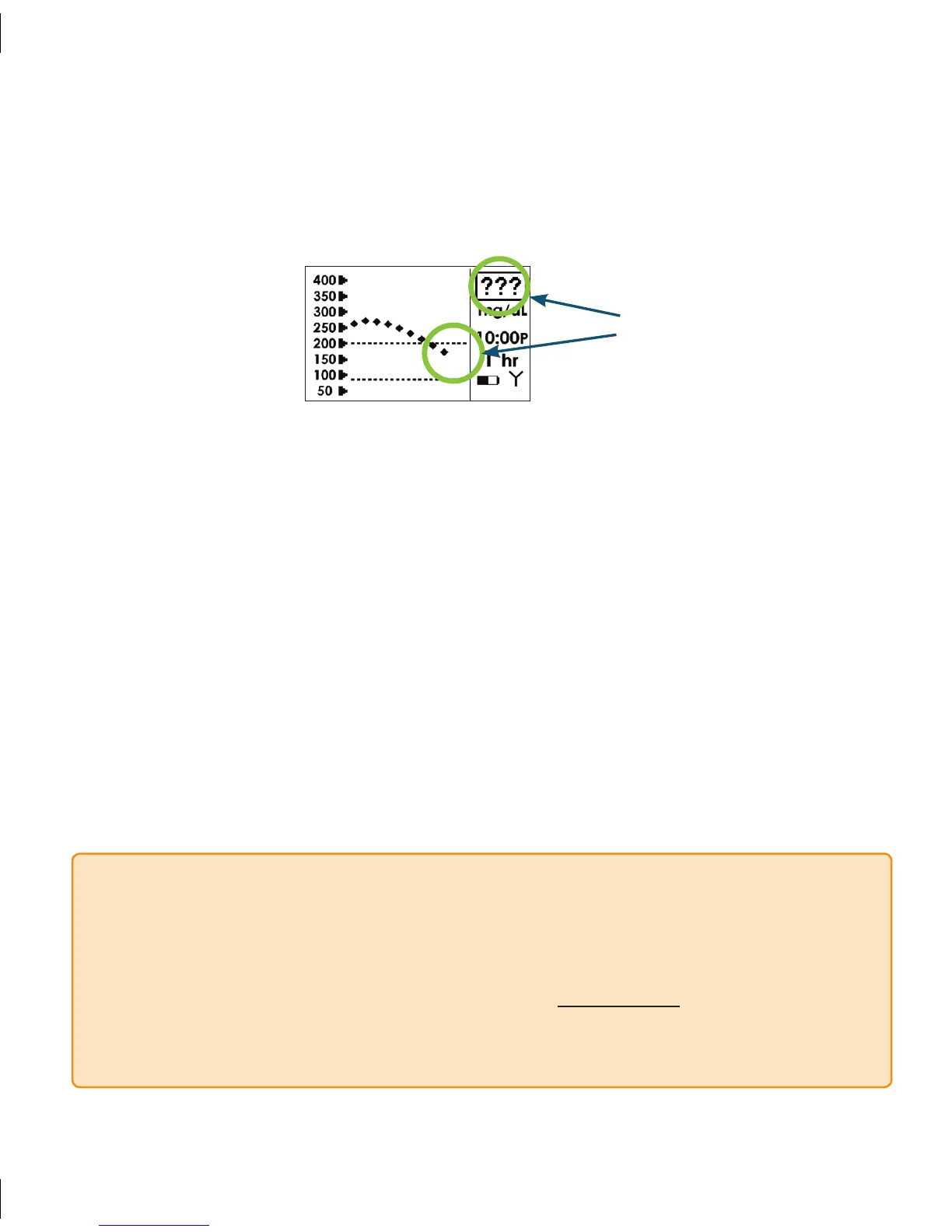
4.6.2 MISSING GLUCOSE READINGS “???”
During continuous glucose monitoring your Seven System may get a reading that it does
not understand. When this occurs you will see 3 question marks (???) in the Receiver
Status Box.
Check the placement of your Sensor to make sure it is still sticking well to your skin
•
and that nothing is rubbing the Sensor Pod (i.e. clothing, seat belts, etc.).
e “???” can also happen because your glucose readings are rapidly rising or rapidly falling.
•
e Receiver can tell if there are “Major” or “Minor” issues with your Sensor signal •
where it cannot calculate a Seven System glucose reading. Minor Sensor issues can
be resolved (go away) and the Seven System will be able to give you more glucose
readings.
If you receive a series of “Major” issues over time with your Sensor the Receiver may
•
automatically turn off before the end of a full 7-day session (see Section 4.7). If you
see the “Failed Sensor” Screen you will need to replace your Sensor and start a new
continuous glucose monitoring session.
During “Minor” or “Major” problems that do not cause an early Sensor Failure, glucose
•
readings can be displayed again once the Seven System determines it is okay to do so.
NOTE
e Receiver can tell when “???” is a Major or Minor issue, but you will not be able to
•
tell.
When you see “???” in the status box of the Receiver Trend Screen, taking BG
•
fingersticks with your meter and uploading them does not help the Seven System
display more glucose readings. Any BG fingersticks that you take during “???” will be
ignored by the Seven System.



 To Next Page