84 | SEVEN
™
CONTINUOUS GLUCOSE MONITORING SYSTEM
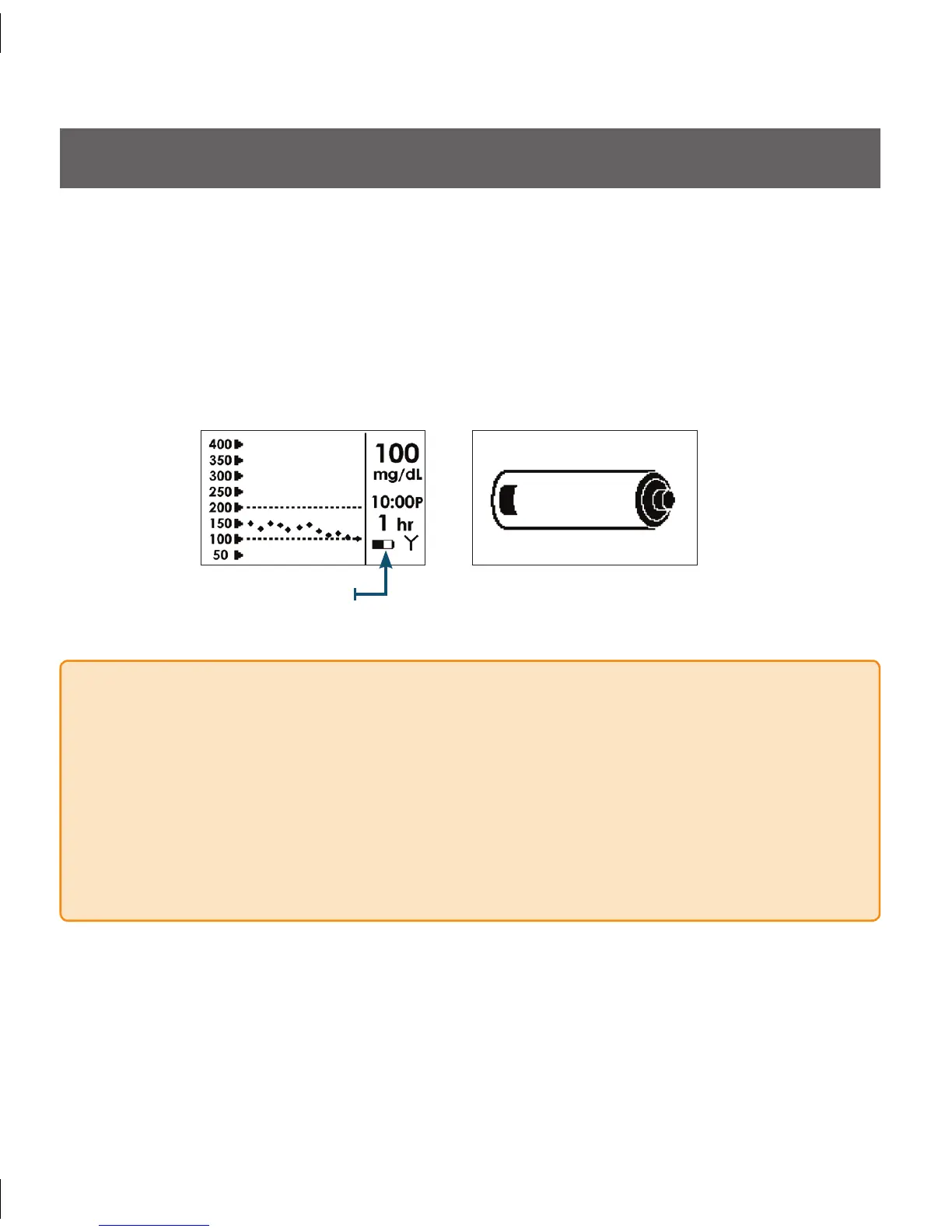
Battery Indicator Low Battery Alert
6.1 LOW BATTERY ALERT
e Battery indicator is located next to the Antenna Symbol (Y) on the bottom right •
corner of the screen. is indicator tells you how much charge is left in the battery.
When the Receiver’s battery is low, the Receiver will flash a large Low Battery Alert
•
across the screen. Press the C Button to clear the alert.
Charge your Receiver as soon as possible when you see the Low Battery Alert so you
•
can continue receiving glucose readings.
QUICK TIP
You can acknowledge the Low Battery Alert when the Receiver first vibrates by
•
pressing any Receiver button. e Receiver will notify you again of the Low Battery in
30 minutes and will repeat the notification every time you acknowledge it.
If you do not want the Receiver to re-alert you because of the Low Battery, allow
•
the Receiver to alert you for 15 minutes (it will vibrate/vibrate-beep-beep/vibrate-
beep-beep (Louder)). e Receiver will not alert you anymore if you do not press any
Receiver buttons to clear the Low Battery Alert Screen.



 To Next Page