Digitronic Digital Cam Switch Unit
Automationsanlagen GmbH CamCon DC50/51
5. Outline of the operator terminal
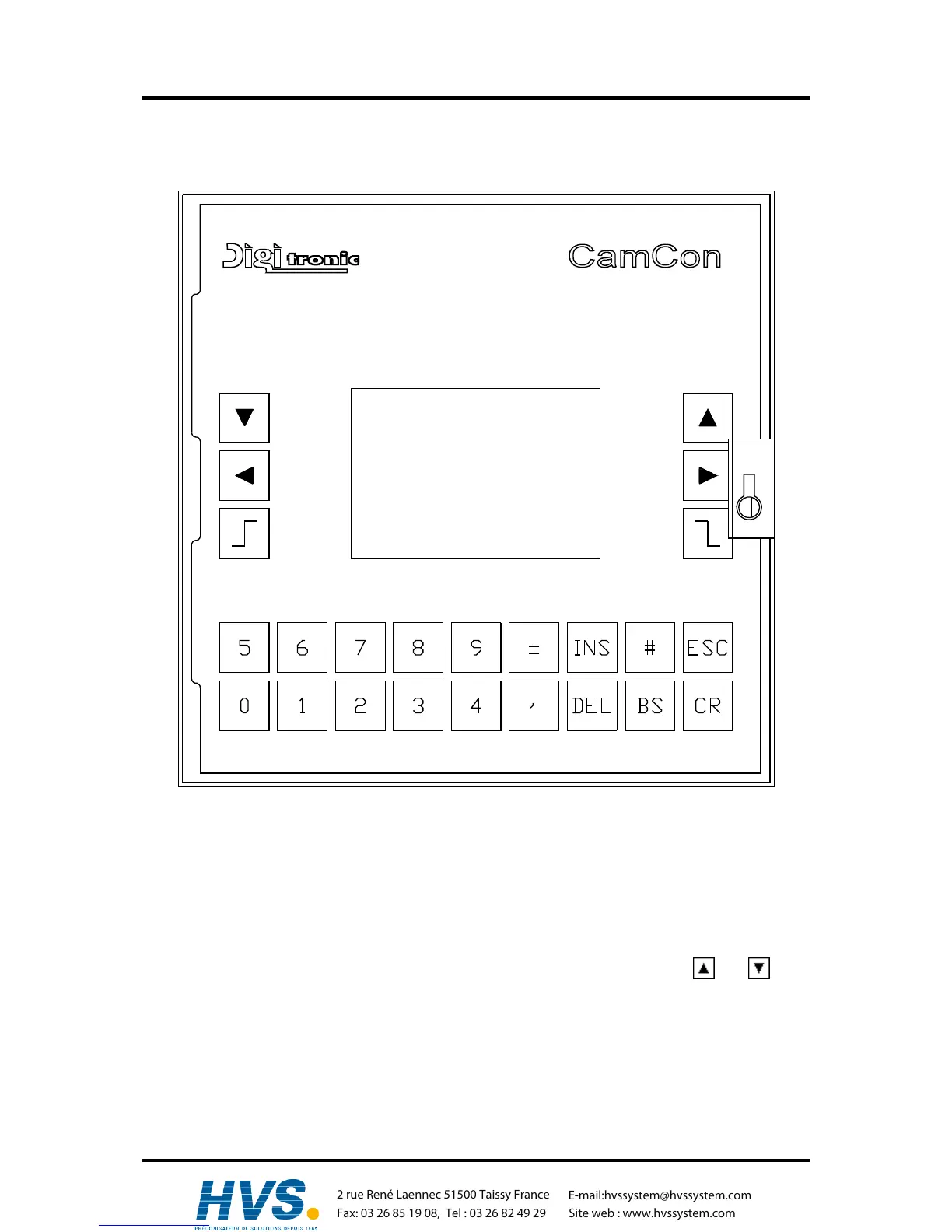
5.1. Frontview CamCon
5.2. The liquid crystal display (LCD)
The display unit of the CamCon 50 contains a graphical LCD with 128x64 picture elements. For the
visual user prompting, all menus concerning the programming of the unit, state and error messages of
the outputs, as well as the current position and speed, are represented here. The contrast can be
adjusted to the current surrounding temperature with the keyboard.
5.3. Contrast setting
You can increase or decrease the contrast of the LCD in this display mode with the and keys.
Keeping these keys pressed continues the change of contrast.
5.4. The keyboard
The plastic foil keyboard of the CamCon is non-sensitive towards dirt and is solvent resisting. The keys
have a noticable action point for the tactile feedback, as well as an acoustic input acknowledgement
(see chapter 7.4.6.4.7.4.6.4. Setting the keyboard lock on page 63).
,Version from: Aug. 04 Page: 25
2 rue René Laennec 51500 Taissy France
Fax: 03 26 85 19 08, Tel : 03 26 82 49 29
E-mail:hvssystem@hvssystem.com
Site web : www.hvssystem.com



 To Next Page