Digitronic Digital Cam Switch Unit
Automationsanlagen GmbH CamCon DC50/51
7.2.2. Program change
With the CamCon you are capable of storing several programs. To choose one of these programs you
have to be in the standard display. The selection of a desired program is done as follows:
1. Press the key, the display shows the request for your user code.
2. Enter your user code.
3. Press the key, the cursor goes to the menu field of the program number.
4. Enter program number with the numeric keys
5. Press the key to complete your input
The CamCon will change programs according to the program selection parameters you entered. If the
process takes longer that one second, the display will blink until the selection is complete see chapter
"7.4.6.8. Setting the program selection mode" on page 64.
7.2.3. Program name
With the CamCon you can assign a text to the stored programs. This is recommended when important
information needs to be linked to the program number (e.g. a toolnumber or the name of a product).
The input of the program name is done as follows:
1. Press the key, the display shows the request for your user code
2. Enter your user code
3. Press the key, the cursor goes to the menu field of the program number
4. Press the key, the cursor goes to the text input of the program number
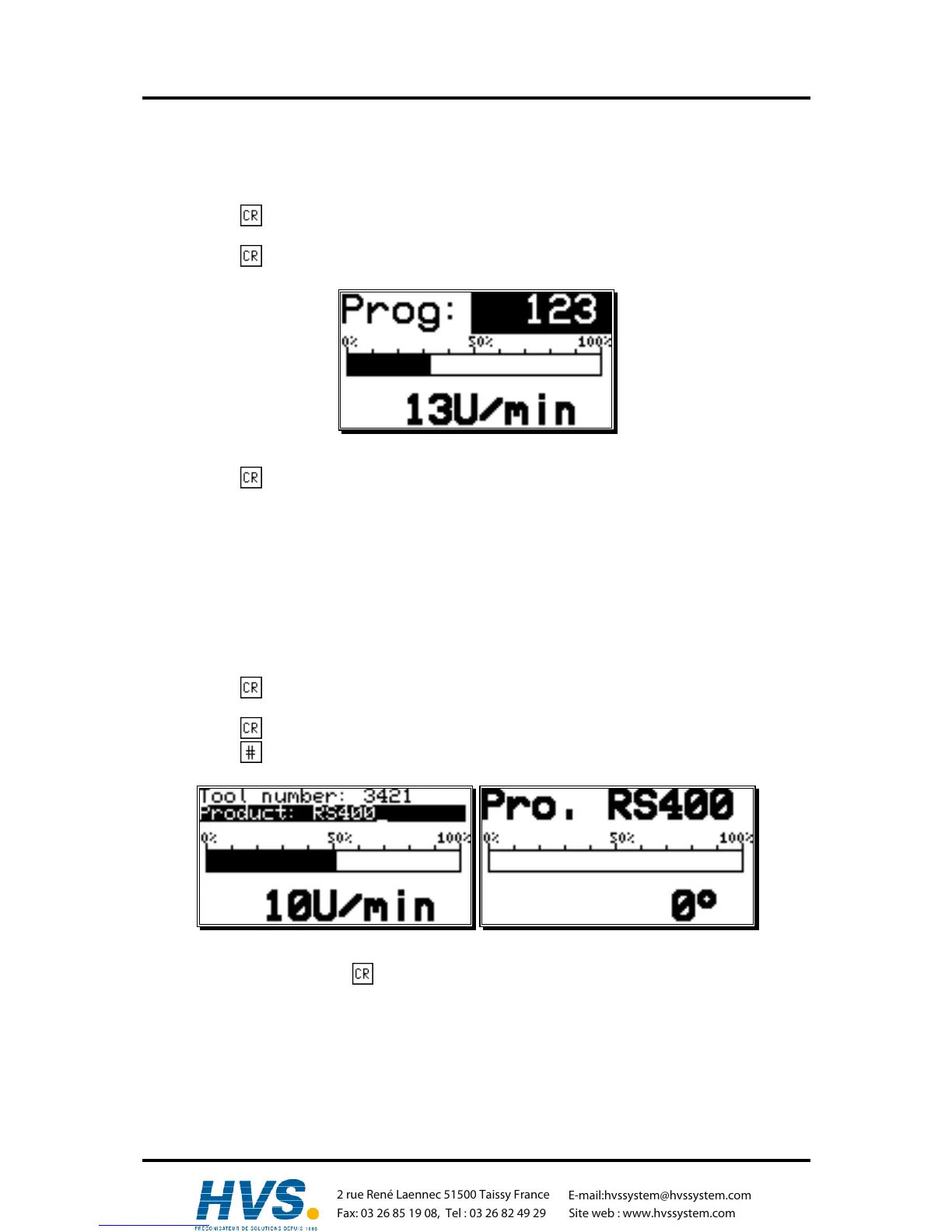
Here you can enter a name for your program (see chapter "5.8. Text input" on page 27).
5. Confirm your input with the key
The presentation of the program name changes with the length of the input text. 2 lines with 21
characters each or 1 line with 10 characters can be displayed.
,Version from: Aug. 04 Page: 31
2 rue René Laennec 51500 Taissy France
Fax: 03 26 85 19 08, Tel : 03 26 82 49 29
E-mail:hvssystem@hvssystem.com
Site web : www.hvssystem.com



 To Next Page