Digitronic Digital Cam Switch Unit
Automationsanlagen GmbH CamCon DC50/51
7.5.5.2. User-Menu/OP-functions
If you choose the menu-point "Configure User" in the menu "User menu", the following menu
appears on your display.
Here you are able to feed in own input- or displayfunctions into the CamCons Standart-Display. This
helps the final customer to change or controll Cams, delay-times and Variables of the PLC-Logic-
Module without having to interfere with the units sub-menus.
For informations about Input or definition of this feature please read chapter "User's menu/ OP-
Functions" in the PLC-Logic-Module's manual (Best.Nr: H-SPS).
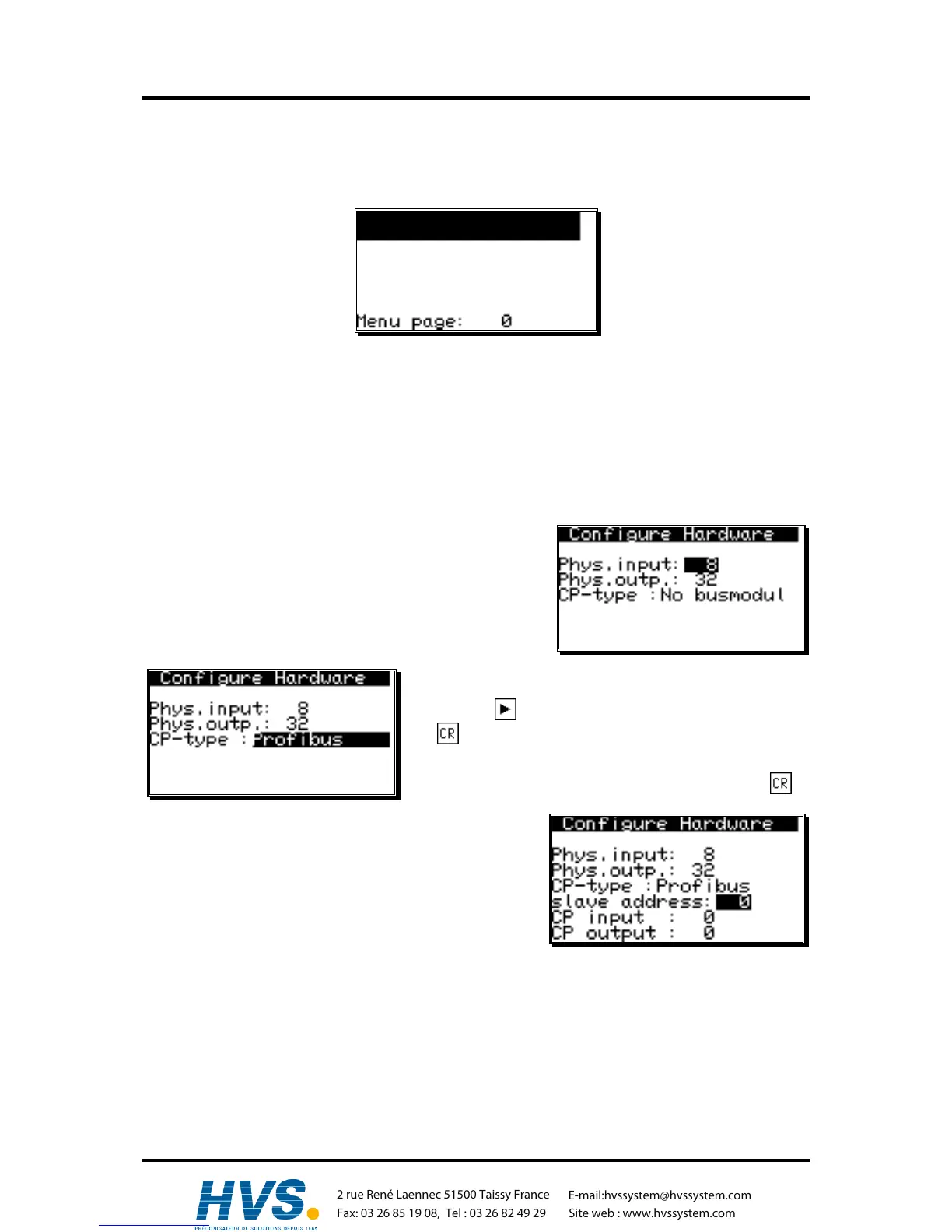
7.5.6. Configure Hardware
Fill in the physical inputs and outputs here.
Using e.g. a CamCon DC90 this would be 16 inputs and 24
outputs, using a DC16 8 inputs and 16 Outputs, using a
CamCon DC300 8 inputs and 24 outputs or using a CamCon
1756-DICAN 0 inputs and 24 outputs.
7.5.6.1. CP16 Module
If a CP16 Profibus (CP16/P) or Interbus (CP16/I) Module
gets connected to your CamCon, you can switch the CP-type
by pressing to "Profibus" respective "Interbus"-press
key .
Using a Profibus-DP-Module you can now enter your
favoured Profibus-DP-adresse and confirm by pressing .
Additional to the CamCon's physical In - or Outputs the
CP16 - module is able to simulate In - or Outputs, that can
be evaluated or controlled by an PLC
Attention: Simulated Inputs, controlled by PLC must not be directly frequented in Cam-switch or
PLC-Logic-module, forbeeing not defined for an accurate establishing of comunication
between CamCon CP16 and CamCon Cam-switch. The Inputs therefore have to be
connected with special-input 5 of the PLC-Logic-module AND, which will be set to 1 if
sucessfully establishing comunication to CP 16.
Note: For more information about the features of an CP16 Module please read the CP16
manual.
,Version from: Aug. 04 Page: 75



 To Next Page