Digitronic Digital Cam Switch Unit
Automationsanlagen GmbH CamCon DC50/51
7.3.12. Copying programmed outputs (cam tracks)
With the CamCon you have the option to copy all the cams you have programmed on one output to
additional outputs. First press the key to enter the input of the output number. Select the output that
you want to copy to the previous selected output with the numeric keys. Press the key to start the
copying process. The following question is displayed:
Move the cursor to "yes" with the key and press the key to confirm your input.
This starts the copying process. After a short while the new output will appear on the display.
7.3.13. Shifting cam tracks
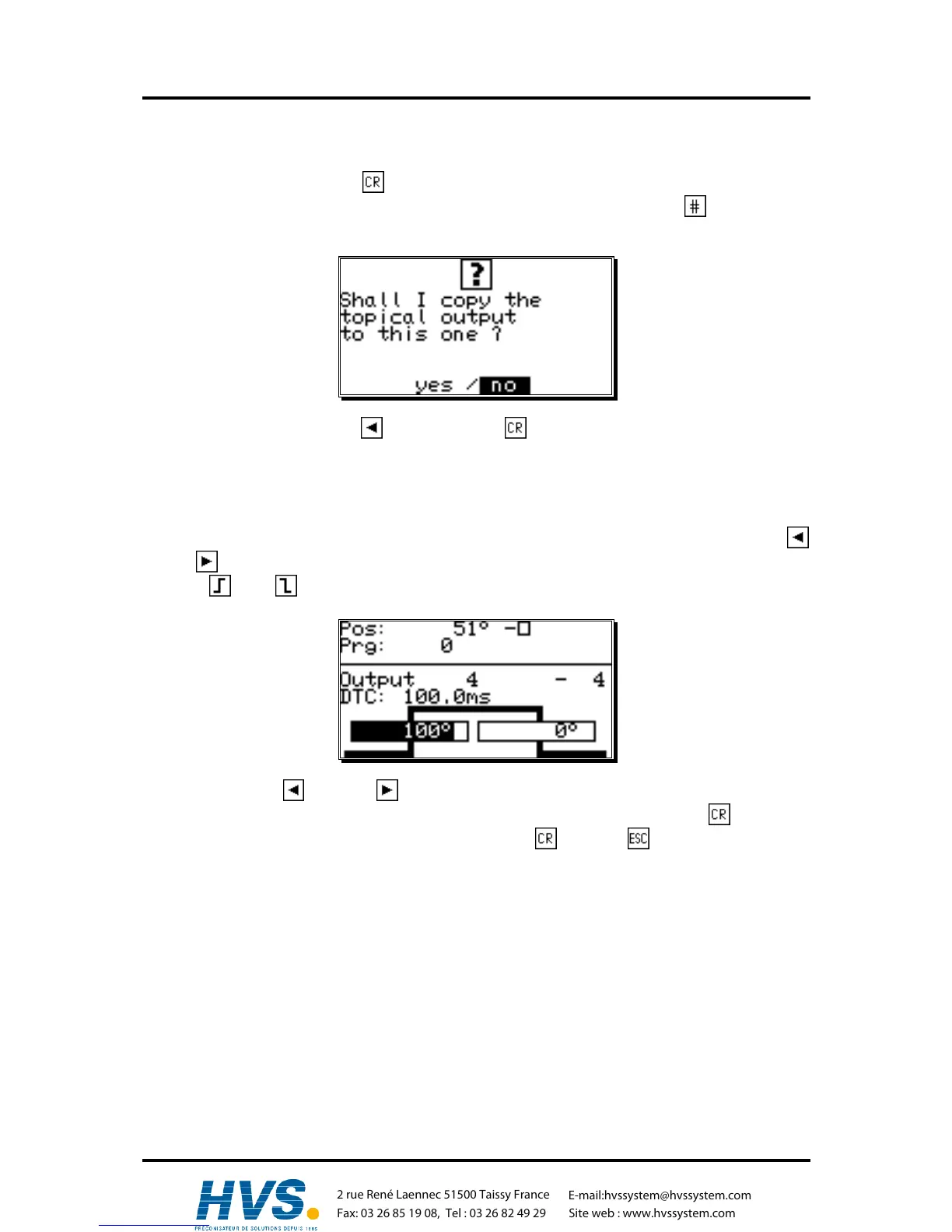
With the CamCon you have the option to shift all the programmed cams of one output, using the
and the key.
Press the or the key to enter the input of the activation or the deactivation point.
If you now press the key or the key, all the cams of this output are shifted by one increment. In
this case the cams are directly taken over into the memory without the use of the key (unlike
before). The shifting process is ended by pressing either the key or the key.
,Version from: Aug. 04 Page: 38
2 rue René Laennec 51500 Taissy France
Fax: 03 26 85 19 08, Tel : 03 26 82 49 29
E-mail:hvssystem@hvssystem.com
Site web : www.hvssystem.com



 To Next Page