Digitronic Digital Cam Switch Unit
Automationsanlagen GmbH CamCon DC50/51
7.4.1.6.9. SIM - measuring system simulator
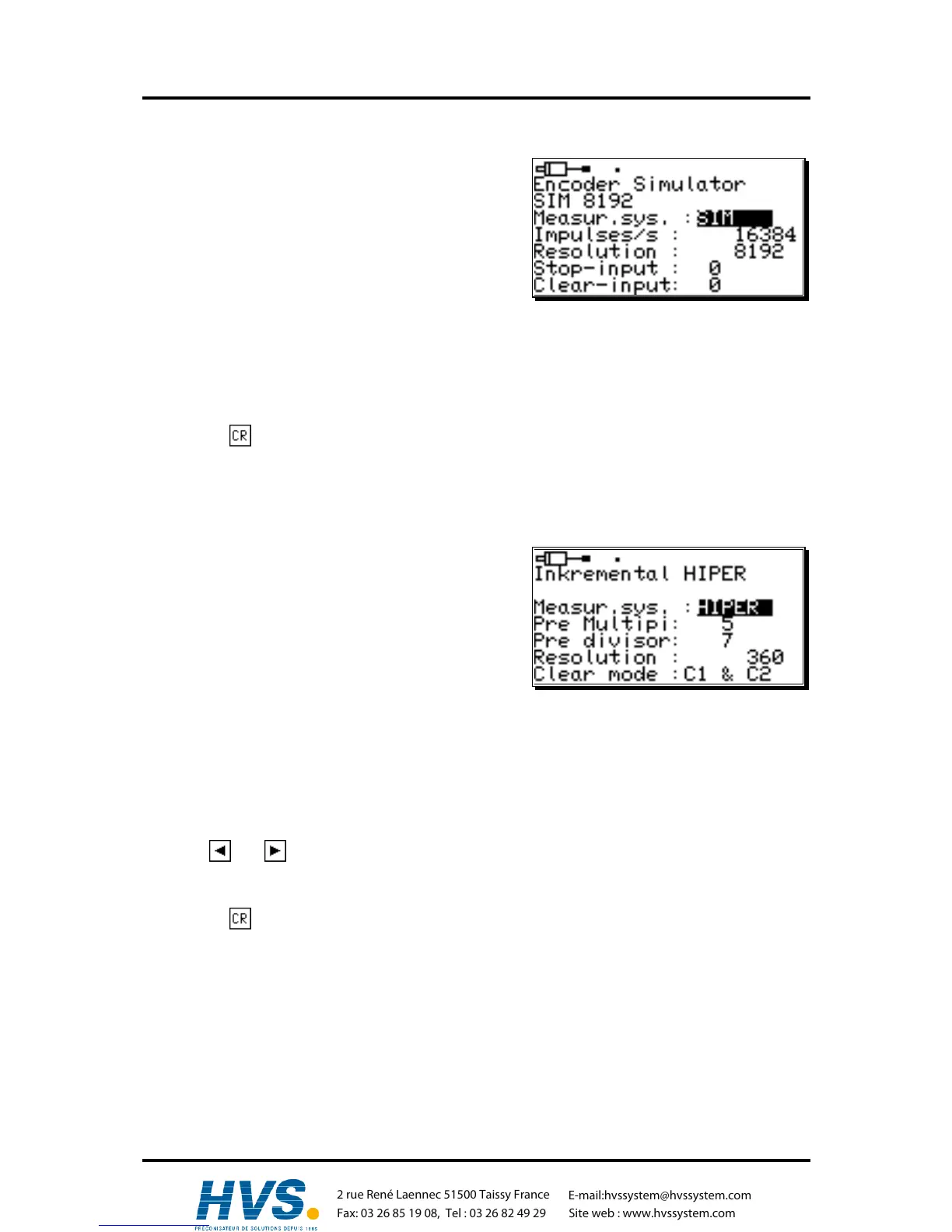
Having selected "SIM" in the measuring system menu,
the following menu appears:
The SIM - measuring system - simulator enables
crearting ways or time actual values without measuring
system, i.e. on time-basis. On the contrary to timer -
measuring systems a higher speed is possible.
1. First enter the speed i.e. number of impulses per
second (e.g. 16384).
2. Now enter the complete number of steps (e.g. 8192).
3. Now select an out put for the "Stop" signal.
Thereby, the simulator may be enabled. A high signal at this input sets the simulator to run, a low
signal stops the smultor. If you do not want an Stop-input, simply enter a "0" here.
4. Finally enter the clear signal's input.
With this function, you are able to enable the simulator. A "high" signal at this input leaves the
simulator at "0". If you do not want a clear-input, simply enter a "0" here.
5. Use the key to confirm youre inputs and leave the menu.
Example: With a resolution of 8192 and a speed of 16384 impulses per second a simulated speed
of 120 revolutions per minute is set.
7.4.1.6.10. HIPER i.e. incremental - measuring system with Roll - Over - funktion
Having selected "HIPER" in the measuring system menu,
the following menbu appears.
This special measuring system is used if the CamCon is
equiped with an incremental measuring system input and
an odd resolution of a gear would cause an adding
measuring failure.
1. Enter the gear realtion first by the multiplier and
devisor (e.g. 5 / 7).
Note: Every change of edges is counted =
quadruplication
2. Now enter the total number of steps i.e. incremts that can be counted by the CamCon (e.g. 360).
If more impulses are counted than set as resolution here, the CamCon restarts counting at zero. If
the movement measuring system was set to "linear" at the menu configuration way, the CamCon
switches to "Clear....". In this case the resolution has to be set greater or the actual value is set to
zero, setting a clear signal.
3. In the filed "Clear mode" you can set the functions of the additional inputs C1 and C2 using the
keys and . You can choose between 8 different types of functions: "C1 & C2", "/C1 & C2",
"C1 & /C2", "/C1 & /C2", "C1 : W", "/C1 : W", "C1 or



 To Next Page