Digitronic Digital Cam Switch Unit
Automationsanlagen GmbH CamCon DC50/51
7.3.17. Programming analog cams
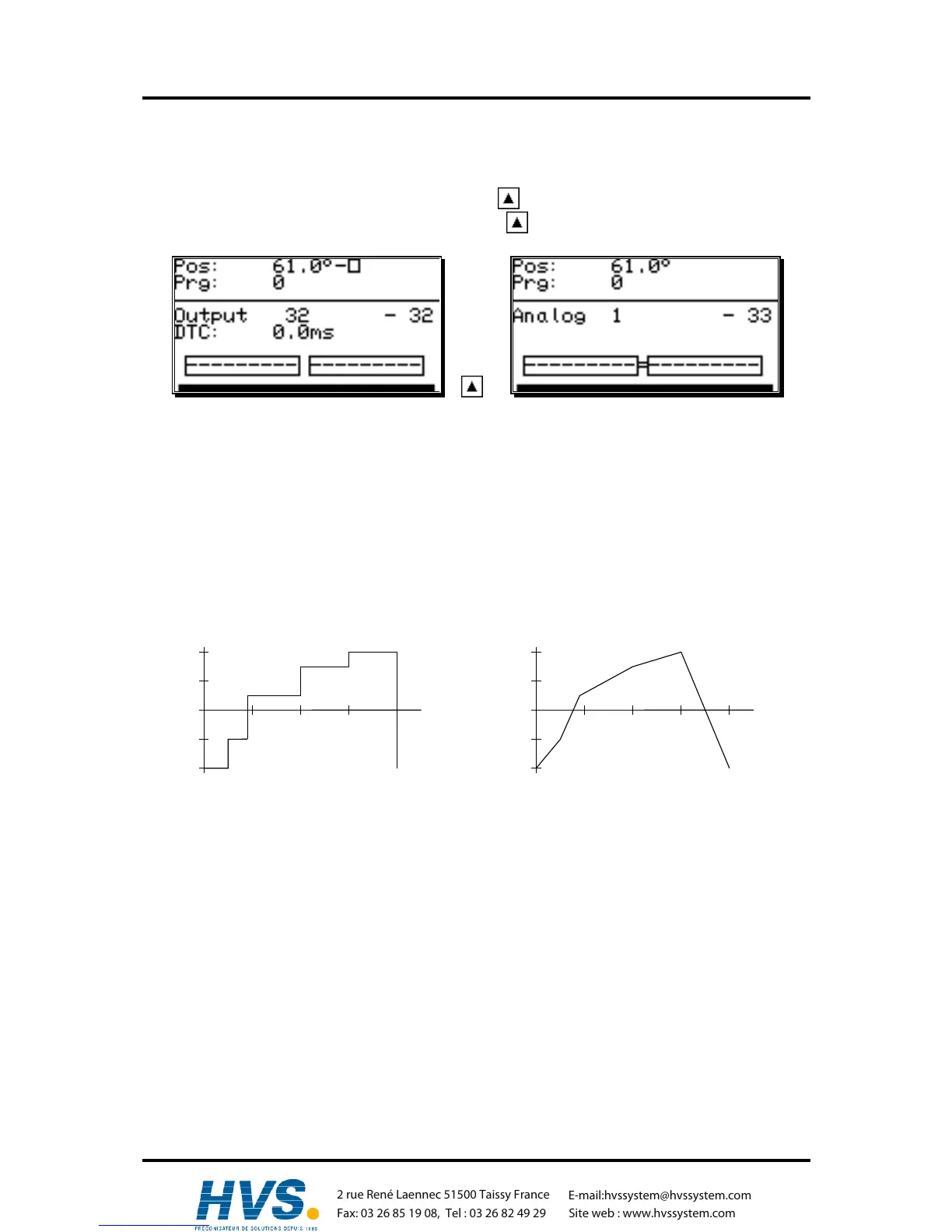
If your CamCon is equipped with analog outputs, and you have activated the option of analog cams
(see chapter "7.4.5.7. Configuration of the analog cams" on page 61), the last "normal" output will be
displayed as the first analog output after pressing the . If several analog outputs are programmed,
you can choose the next output number by pressing the key.
+ =>
The output numbers of the analog cam outputs are always added to the numbers of "normal" outputs
and this number can be selected directly from the programming menu. If you have configured e.g. 32
cam outputs, the number of the first analog cam starts at the output 33. The output number of the
analog cam changes automatically when you change the number of "normal" outputs (see chapter
"7.4.6.2. Setting the outputs" on page 63).
The programming of the analog cam is mostly done as described in the chapters for "normal" cam
programming (see chapter "7.3. Cam programming"). For analog outputs, you do not program a
position as a deactivation point, but an analog value. If several such values are programmed at
different positions and the measuring system starts to move, CamCon controlls the analog output in
such a fashion, that a curve is done, corresponding with the drawing below.
without interpolation with interpolation
-10V
+10V
0° 90° 180° 270° 360°
-10V
+10V
0° 90° 180° 270° 360°
Through interpolation of the definition points, CamCon can adjust the values and present a curve,
corresponding to the above right drawing.
,Version from: Aug. 04 Page: 43
2 rue René Laennec 51500 Taissy France
Fax: 03 26 85 19 08, Tel : 03 26 82 49 29
E-mail:hvssystem@hvssystem.com
Site web : www.hvssystem.com



 To Next Page