Digitronic Digital Cam Switch Unit
Automationsanlagen GmbH CamCon DC50/51
7.3. Cam programming
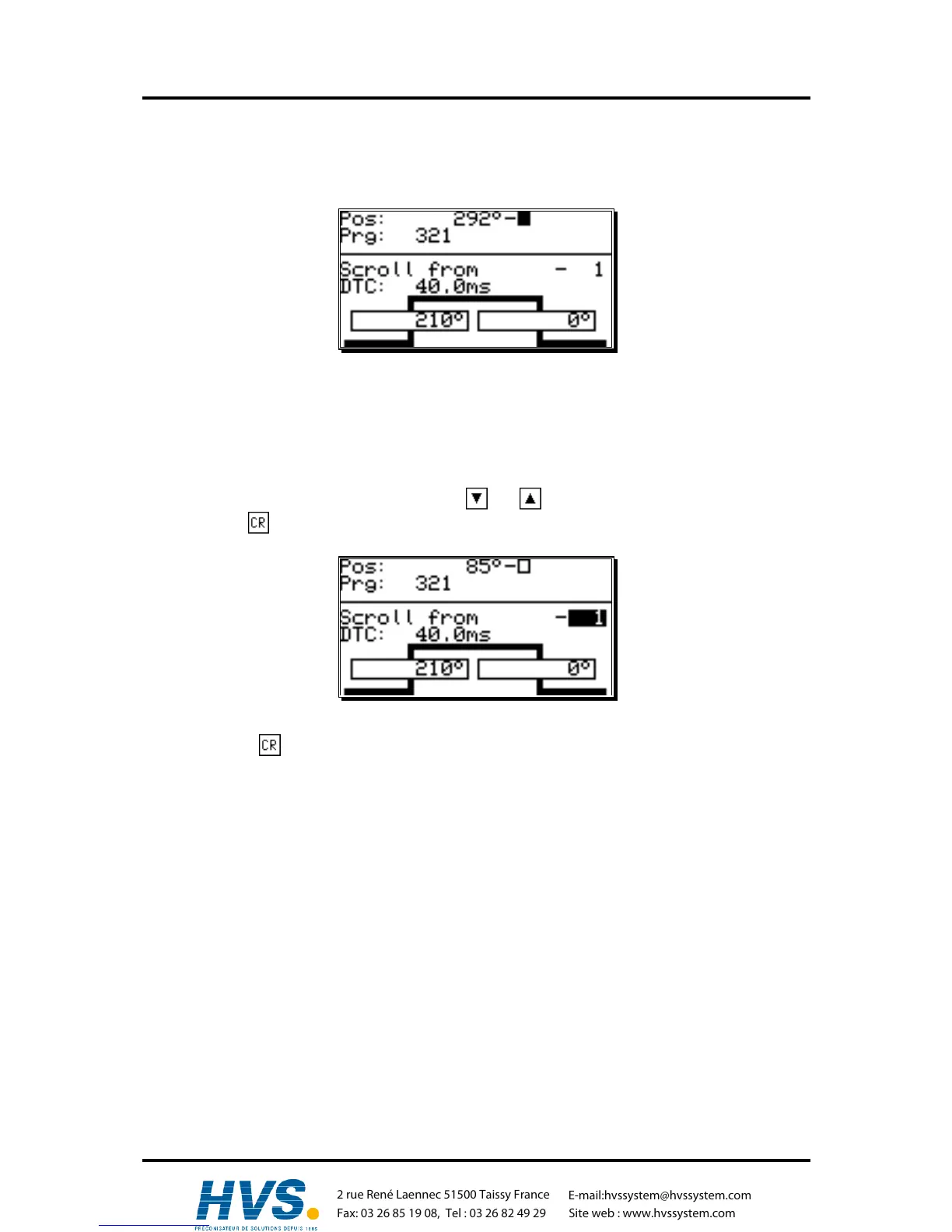
To get to the actual cam programming select "Cam programming" in the main menu. The display
switches to the programming menu:
The upper part shows the current actual position, the switched state of the selected output and the
chosen program. The lower part displays an output with programmed cams and their activation and
their deactivation points. If no input is made within two minutes the CamCon automatically returns to
the main menu for reasons of safety.
7.3.1. Output selection for programming
You can select the desired output by pressing the and keys.
By pressing the key you reach the direct input of the output number.
With the numeric keys you can select the number of the output you want to select. Confirm your
selection with the key.
,Version from: Aug. 04 Page: 32
2 rue René Laennec 51500 Taissy France
Fax: 03 26 85 19 08, Tel : 03 26 82 49 29
E-mail:hvssystem@hvssystem.com
Site web : www.hvssystem.com



 To Next Page