Digitronic Digital Cam Switch Unit
Automationsanlagen GmbH CamCon DC50/51
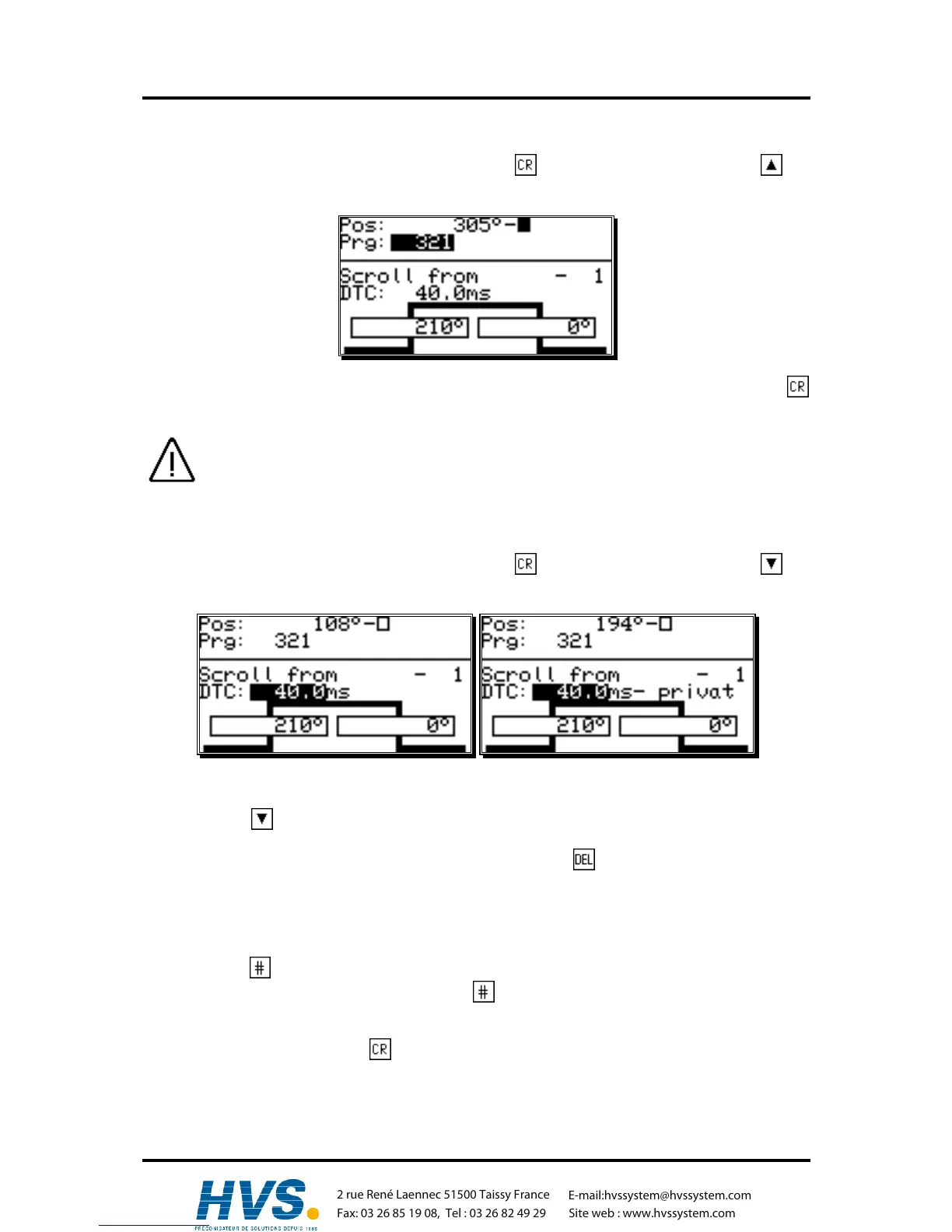
7.3.2. Program selection for programming
You reach the input of the output number by pressing the key. You skip this by pressing the key
and enter the program selection for the programming.
Enter the number of the desired program by using the numeric keys. Confirm your input with the
key.
A change in the program number does not lead to a change in the momentarily active cam
program. This means: You can program a program while another program operates the
outputs.
7.3.3. Programming the delay time/speed compensation
You reach the input of the output number by pressing the key. You skip this by pressing the key
and enter the delay time you want to compensate.
With the numeric keys you can enter the delay time that you need to compesate.
By pressing the key while entering, the effects of the speed compensation for the switch-on- and
switch-off-point will be switched separately and the second delay time value can be fed in.
This seperated speed compensation can be deleted by pressing while entering the second delay
time value.
Attention:
If the offswitchpoint overtakes the onswitchpoint at rising speed, the result will be a non-defined signal.
By pressing the key with the input you can limit the effect of the delay time to the program you are
programming (private). A renewed pressing of the key takes on the standard speed compensation
for this program.
Confirm your input by pressing the key.
References to the way speed compensation works can be found in chapter "2.1. Speed
Compensation" on page 9.
,Version from: Aug. 04 Page: 33
2 rue René Laennec 51500 Taissy France
Fax: 03 26 85 19 08, Tel : 03 26 82 49 29
E-mail:hvssystem@hvssystem.com
Site web : www.hvssystem.com



 To Next Page