Digitronic Digital Cam Switch Unit
Automationsanlagen GmbH CamCon DC50/51
7.4.5.8. The analog position output
The analog position output of the CamCon can be programmed with a software version of at least
DC50.20, by the input of an analog cam. Herefore you program an analog cam, that emitts -10V at an
actual position of 0 degrees and +10V at an actual position of 359 degrees (see chapter "7.3.17.
Programming analog cams" on page 43).
7.4.6. System upgrading
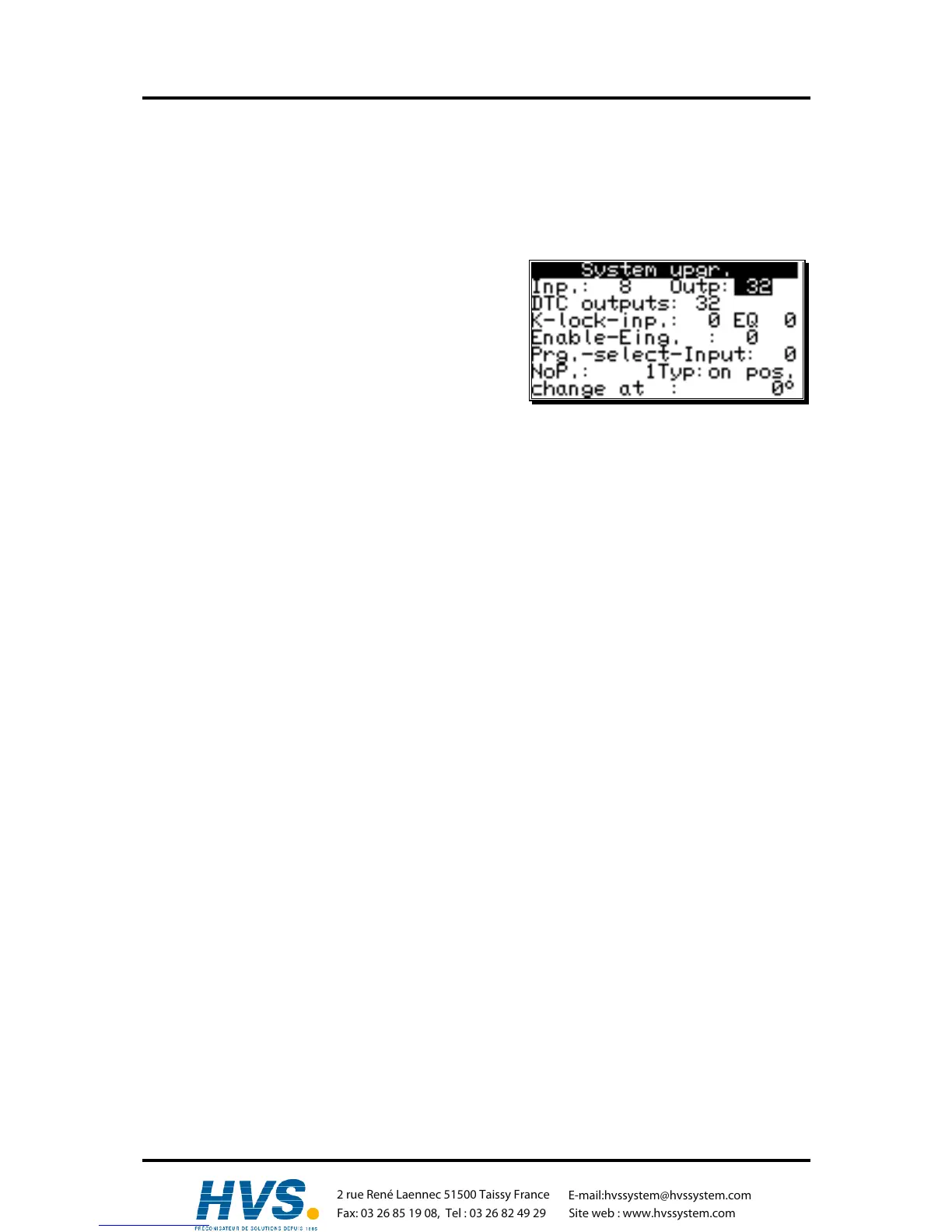
If you selected the menupoint "System upgrading", the
following menu appears on the display:
7.4.6.1. Setting the inputs
Here you can enter the number of inputs available to the
CamCon. This number of inputs should always be exactly
the same as the number of electrical inputs, since the
short circuit detection of the CamCon reacts to the number of inputs.
7.4.6.2. Setting the outputs
Here you can enter the number of outputs available to the CamCon. This number of outputs should not
be greater than the number of electrical outputs, since this only results in a waste of memory and cycle
time. If you want to make an output of the actual position at the outputs, you have to decrease the
number of outputs by the corresponding number of bits (see chapter "7.4.5.2. The output of the actual
position" on page 60.
7.4.6.3. Setting the outputs with speed compensation
Here you can enter the number of outputs with speed compensation available for the CamCon. The
number of outputs should not be greater than the maximum number of the absolute necessary outputs;
otherwise only memory and cycle time are wasted.
7.4.6.4. Setting the keyboard lock
Assigning a +24VDC level to the programmed input pin will disable the keyboard. After this it is not
possible to program or initialize the device any more. Resetting the value to "0" will enable the
keyboard again.
7.4.6.5. Error - aknowledging Input (EQ)
A positive edge (+24V DC)at the inputnumber shown here leads to aknowledgeing an error-notice at
the CamCon "Pos-Error": 1,2,3 and 5 but not an output error"
7.4.6.6. Input for enableling Outputs
A signal (+24V DC) at the input-number shown here enables Cam-outputs, an 0 signal locks
Camoutputs. If this value is set to "0", the "enableling function is inactive and the Cam-outputs are
permanentely enabled.
Note: If a PLC-Logic-module is switched on, this effects rather the "0"-outputs but the Cam-
outputs "N".
Note: Using a CamCon with direct PLC-attachement via CP16 or CP340 respective a
CamCon DC300 and 1756-DICAM, these enableling-functions should be switched off
(0), for the PLC-enableling-function takes on their function.
,Version from: Aug. 04 Page: 63



 To Next Page