Copyright @ 2011-2015 Dinstar
2 Quick Installation
2.1 Attentions for Installation
The attentions for installing UC2000 include:
The adapter of UC2000 accepts AC input voltage of 110- 220 V and converts it to 12V DC;
Please ensure stable and safe power supply;
Network interface should be standard RJ45 with 10Mbps or 100Mbps;
Make sure the antenna of UC2000 is well-connected;
If you want UC2000 to communicate with the GSM network or the CDMA network, please insert an
SIM card.
Note: Please check whether power supply is up to the above requirement; otherwise, UC2000 and its
power adapter may be damaged.
2.2 Installation Procedures
2.2.1 Installation of Userboards and Master Control Board
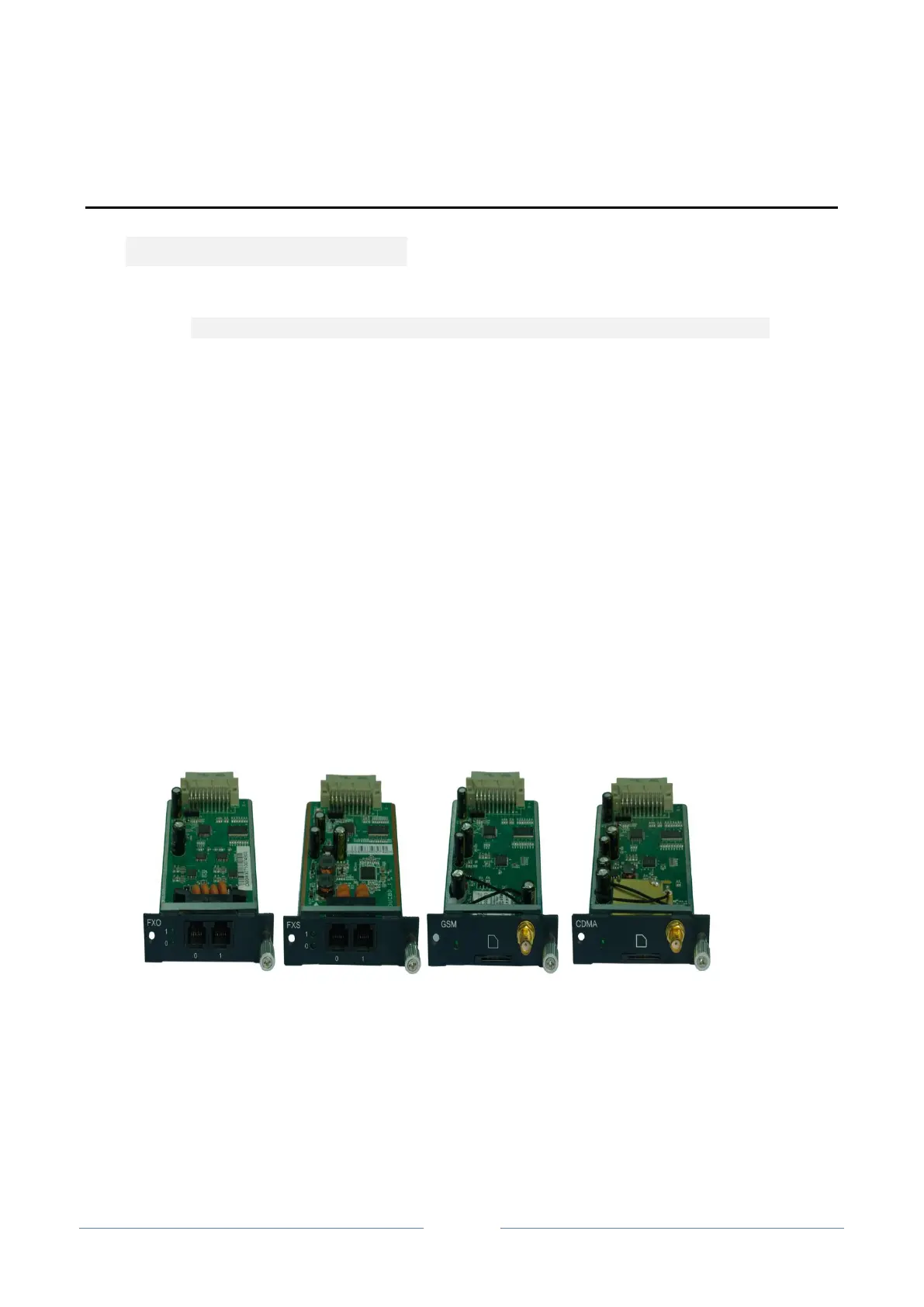
Images of Userboards:
FXO FXS GSM CDMA
Installation of Userboards:
Please insert a userboard into the corresponding slot on the front panel of UC2000 according to the
following indication.














 To Next Page