Copyright @ 2011-2015 Dinstar
3.8 Restore Default Setting
If you want to restore UC2000 to default settings, you can press the RST button of UC2000 for more than
6 seconds or you can configure it on the Web interface.
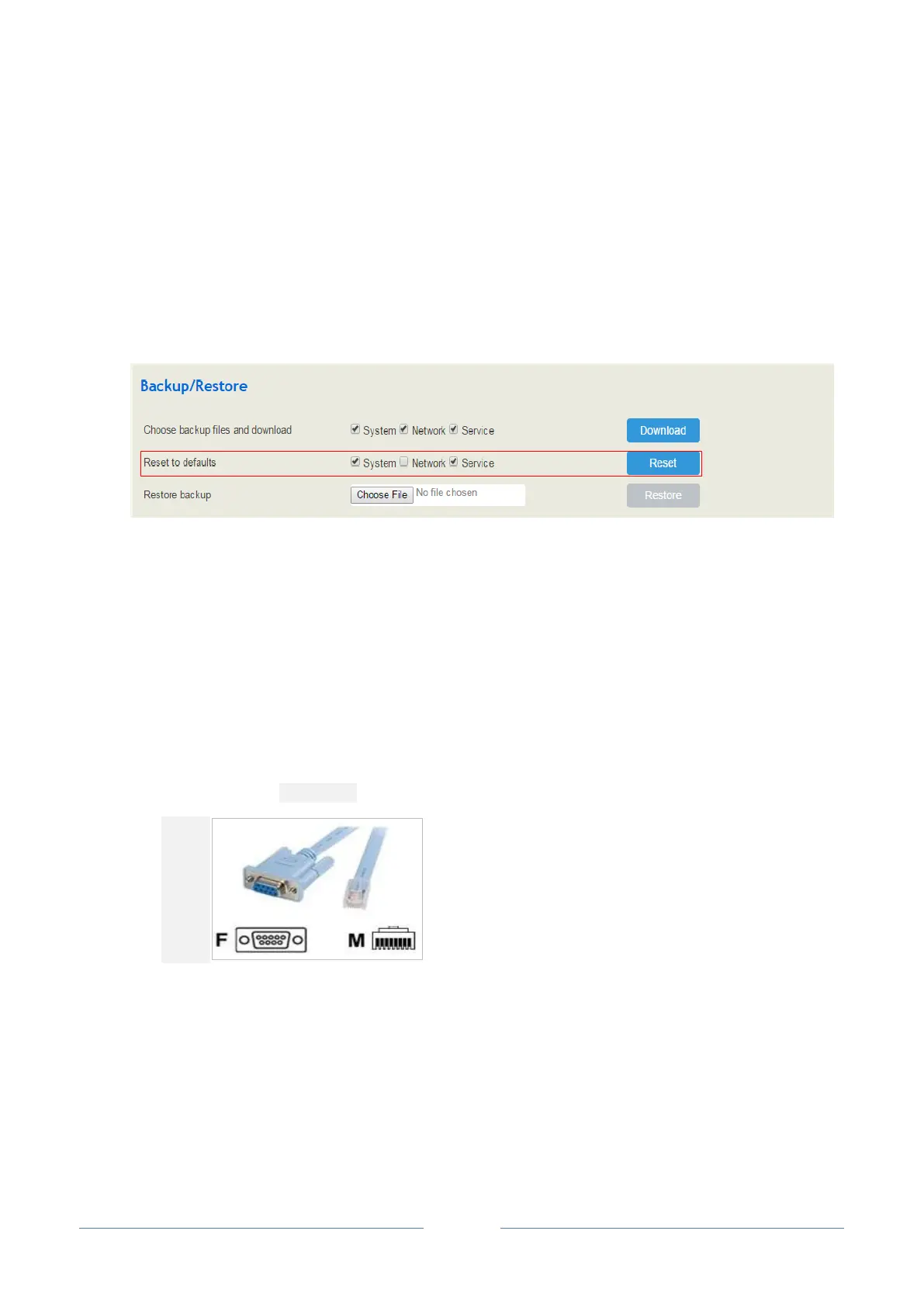
Click System Backup/Restore/Upgrade on the Web of UC2000, and select the parts (system, network
or service) that need to be restored to defaults, click Reset, restart the UC2000 device, and the selected
parts will be restored to defaults.
3.9 Local Maintenance
To ensure easy maintenance, the UC2000 gateway provides a standard RS232 console port, which has a
Baud rate of 115200bps. Users can log in the UC2000 to carry out maintenance-related configurations
through the console port.
Example: Log in UC2000 via Console Port
Step 1: Prepare a serial cable.
Step 2: Connect the F port of the serial cable with the COM port of PC. If the PC does not have a
COM port, please use a USB-to-COM converting tool to connect the serial cable with the
PC.
Step 3: Connect the M port of the serial cable with the console port of UC2000.














 To Next Page