Copyright @ 2011-2015 Dinstar
4.3.4 Current Call
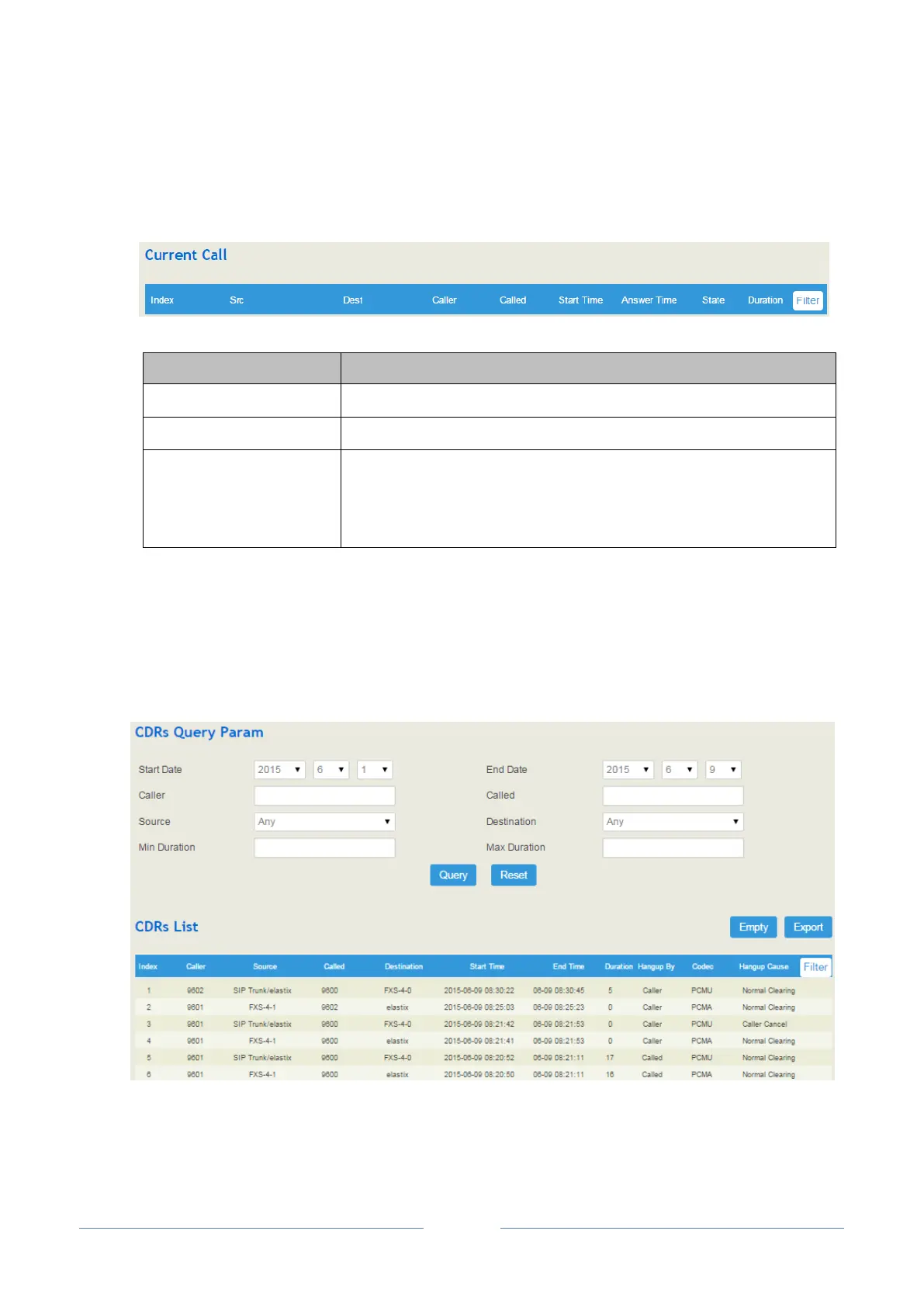
Click Status Current Call, and the following interface will be displayed. On the interface, the source,
destination, calling number, called number, start time, answer time, state and duration of the current
real-time call are shown. If there is no current call, no information will be shown.
The source of the current call
The destination of the current call
Active: it means the caller and the called party is on conversation
Ringing: it means the phone of the called party is ringing
Early: It means the ring-back tone of the current call is manipulated
4.3.5 CDRs
Click Status CDRs, and you can set query criteria to query the CDRs that you want on the displayed
interface. Meanwhile, you are allowed to clear CDRs or export CDRs through pressing the Empty or
Export button. The maximum number of CDRs that can be saved is 1000.
Hangup causes include normal clearing, no answer, caller cancel, user busy, circuit congestion, exchange
routing error, recovery on timer expire, and none.














 To Next Page