Copyright @ 2011-2015 Dinstar
Attribute parameter ‘a=fax’ is carried in SDP
Attribute parameter ‘a=X-modem’ is carried in SDP
Attribute parameter ‘a=modem’ is carried in SDP
4.9.2 Route Group
On the Route Group interface, you can group FXS extension and trunks (SIP trunk, FXO trunk or GSM
trunk) together according to your needs and set strategy for choosing which trunk as the destination route
under a route group.
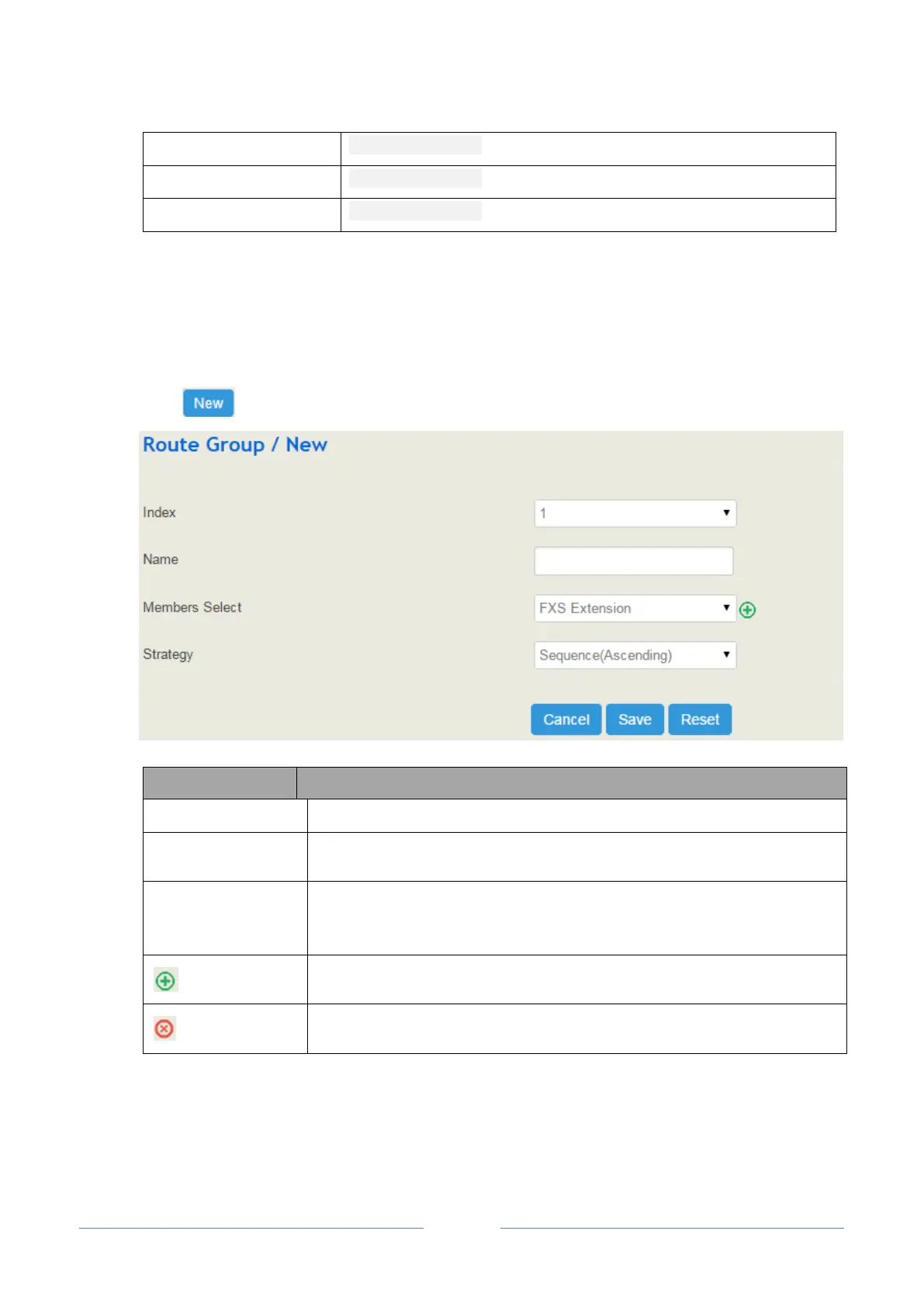
Click , and you will see the following interface:
The name of the route group
Select extension(s) or trunk(s) in the drop-down box as the destination of the
route group
The strategies for choosing which trunk or extension as the destination route,
including Sequence (Ascending), Sequence (Cyclic Ascending), Simultaneous
and Random
Add an extension or a trunk to the route group
Delete an extension or a trunk from the route group
4.9.3 Route
On the Route interface, you can configure routes for incoming calls and outgoing calls.














 To Next Page