Copyright @ 2011-2015 Dinstar
4.7 Extension
4.7.1 SIP Extension
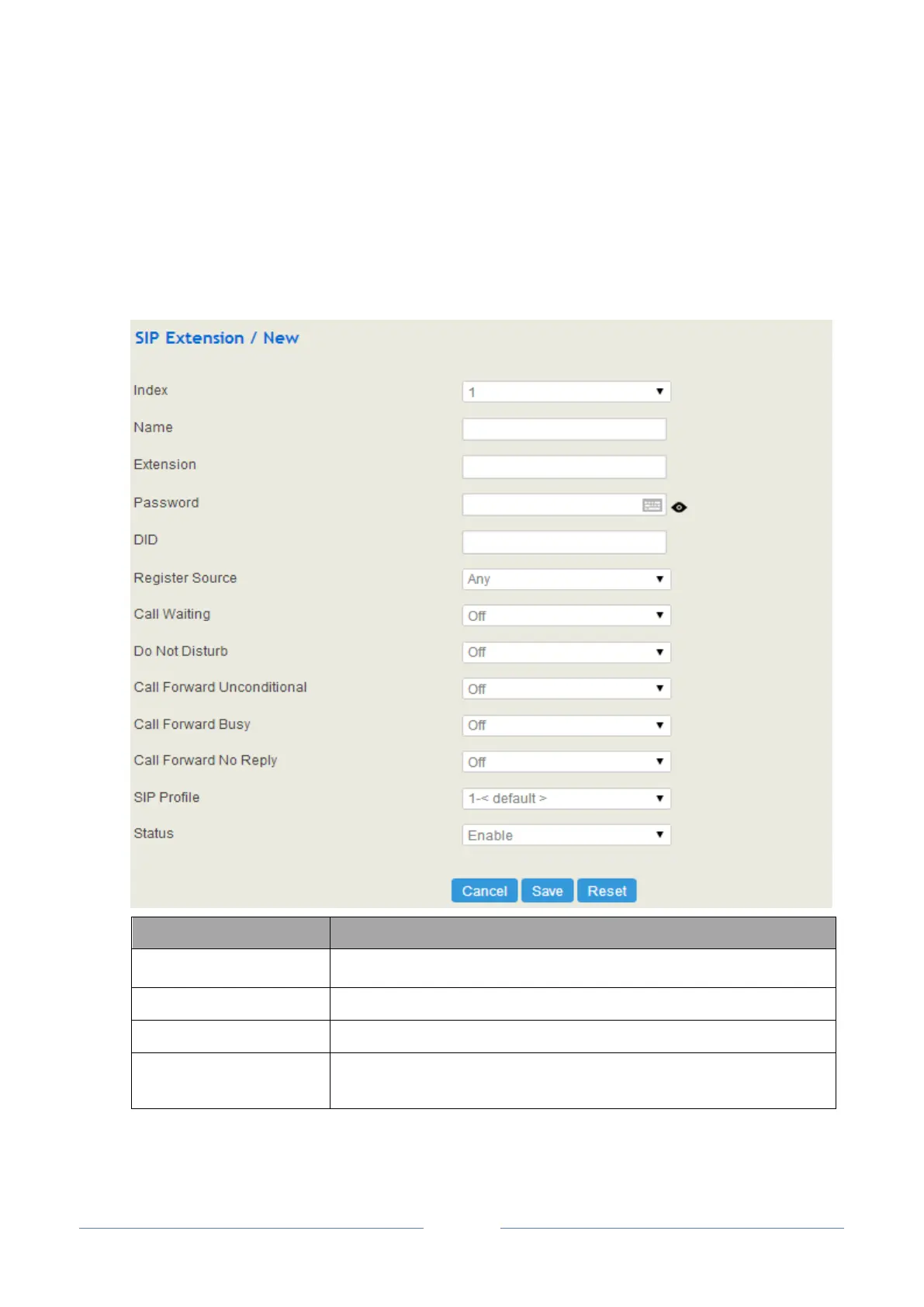
On the Extension SIP interface, you can configure the SIP accounts registered in UC2000 by SIP
clients.
Click the New button, and you will see the following interface:
The name of the SIP extension
The SIP account of the extension registered in UC2000 by a SIP client
The password of the SIP account registered in UC2000 by a SIP client
Direct Inward Dialing; if the called number is same with DID, the call will
be directly forwarded to the extension, rather than choosing a route.














 To Next Page