EasyManua.ls Logo

Dinstar UC2000 - Setting

Dinstar UC2000
67 pages
Print Icon
To Next Page IconTo Next Page
To Previous Page IconTo Previous Page
Loading...
UC2000 User Manual
56
Copyright @ 2011-2015 Dinstar
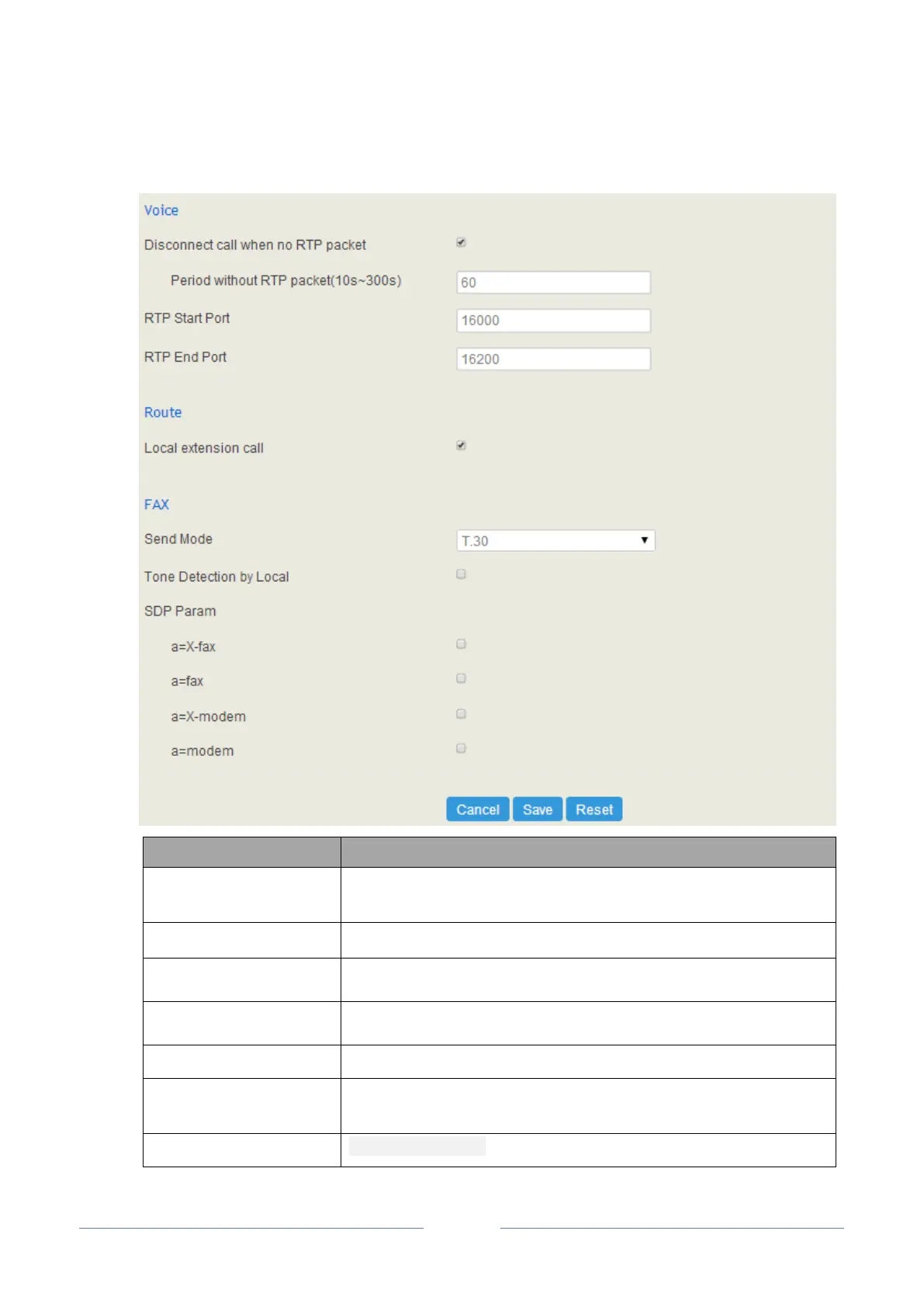
4.9.1 Setting
Parameter
Explanation
Disconnect call when no
RTP packet
If it is enabled, and no RTP packets are received within the set time, calls
will be disconnected
RTP Start Port
The start port of RTP packets
RTP End Port
The end port of RTP packets
Local extension call
If it is enabled, calls between local extensions do not need routes.
Fax Mode
T38 or T30Pass-through
Tone Detection by Local
If it is enabled, UC2000 will detect fax tones automatically during a call
and the call will be switched into fax mode after a fax tone is detected.
SDP Param ‘a=X-fax’
Attribute parameter ‘a=X-fax’ is carried in SDP

Table of Contents

Related product manuals