Copyright @ 2011-2015 Dinstar
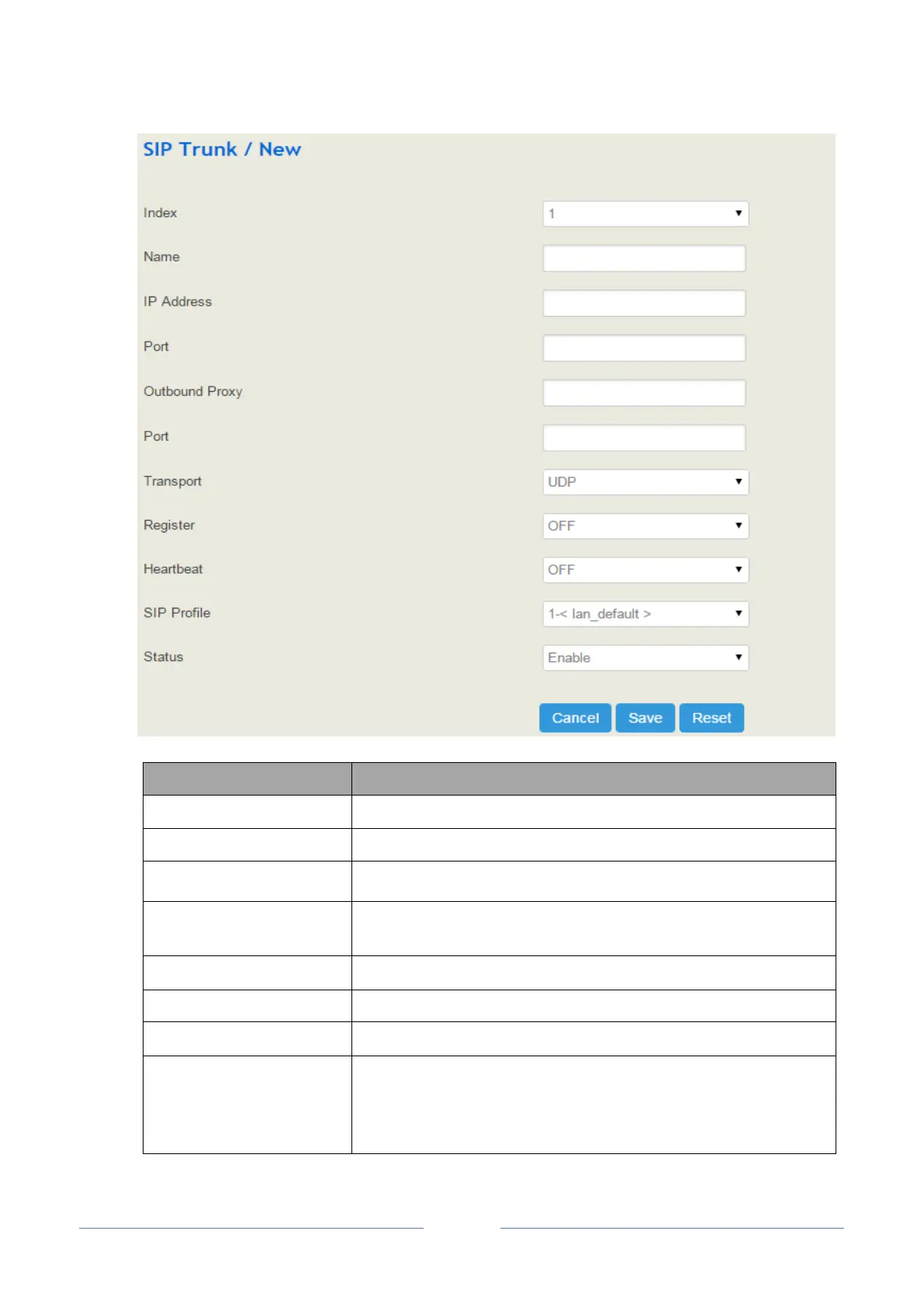
The name of the SIP trunk
The IP address or domain name of the peer devices or servers
The SIP listening port of the peer devices or servers
If outbound proxy is used, enter the IP address or domain name of the
proxy server
If outbound proxy is used, enter the listening port of the proxy server
Transport protocol: TCP or UDP
If it is on, the SIP trunk will send register request to the peer device.
If heartbeat in on, heartbeat messages (options) will be sent to examine
the connection with servers. The default value is ‘Off’.
Heartbeat period: the interval of two options














 To Next Page